
- Click Settings at the bottom of the sidebar, under Administration. In the panel on the left, open Business and click Company Details.
- Under Business identity, enter your Company Name. This name appears on invoices, quotes, payments and other customer documents.
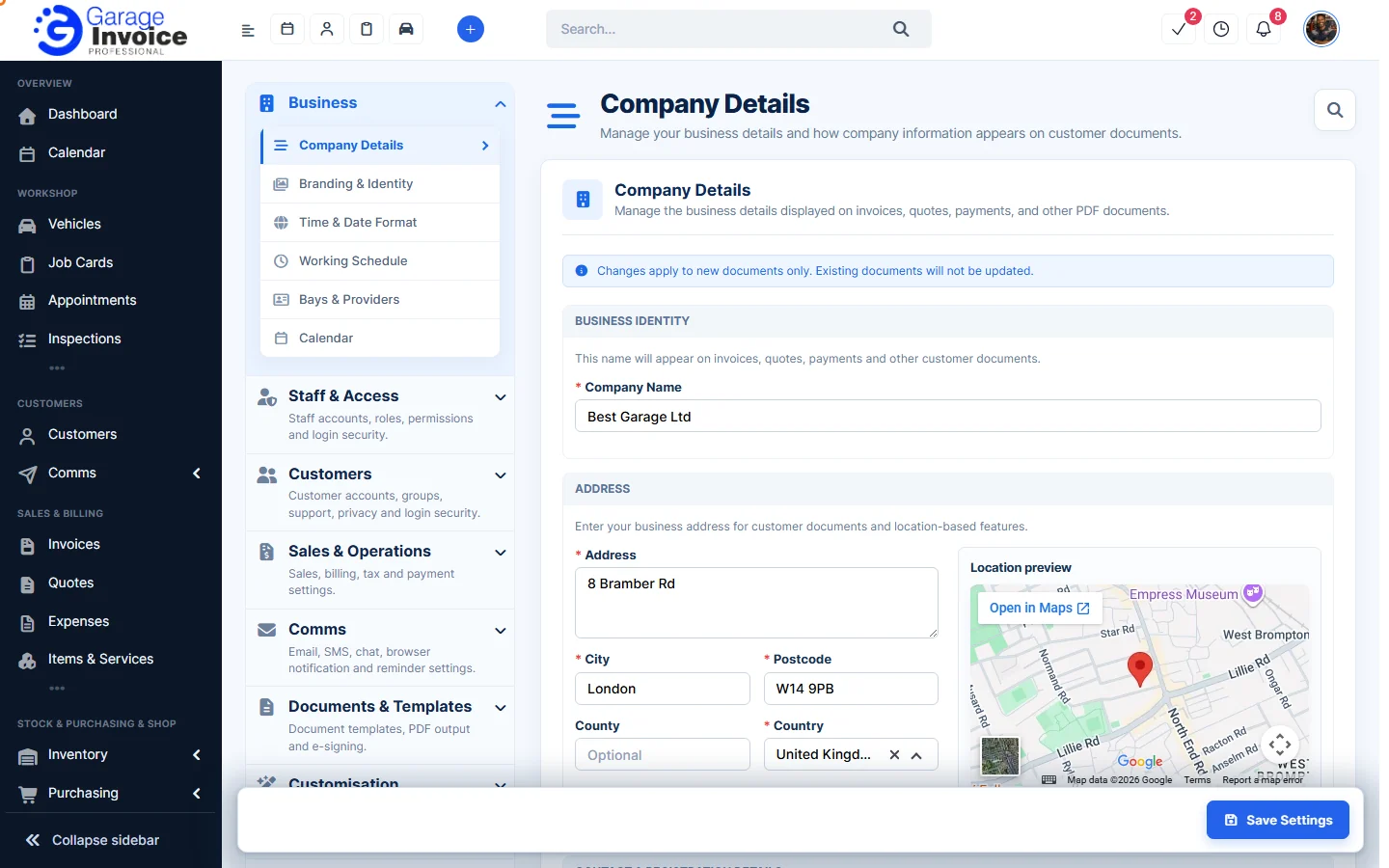
- Under Address, fill in Address, City, Postcode, County (optional) and Country. The Location preview shows your business on the map.
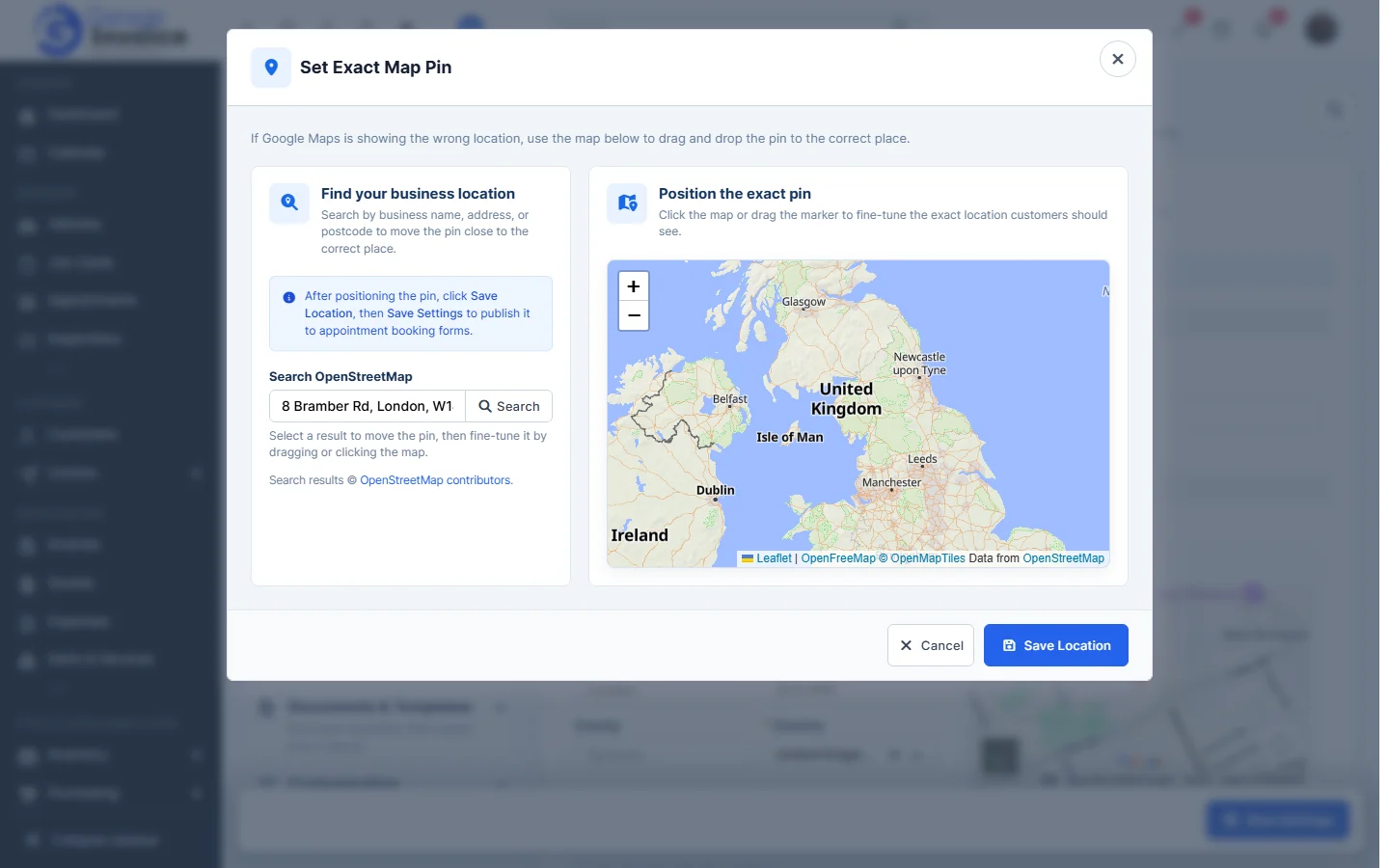
- If the pin is in the wrong place, click Adjust it. In Set Exact Map Pin, search for your business name, address or postcode under Search OpenStreetMap, then drag the pin or click the map to put it in the exact spot. Click Save Location.
- Under Contact & registration details, enter your Email, Telephone, Website and VAT Number.
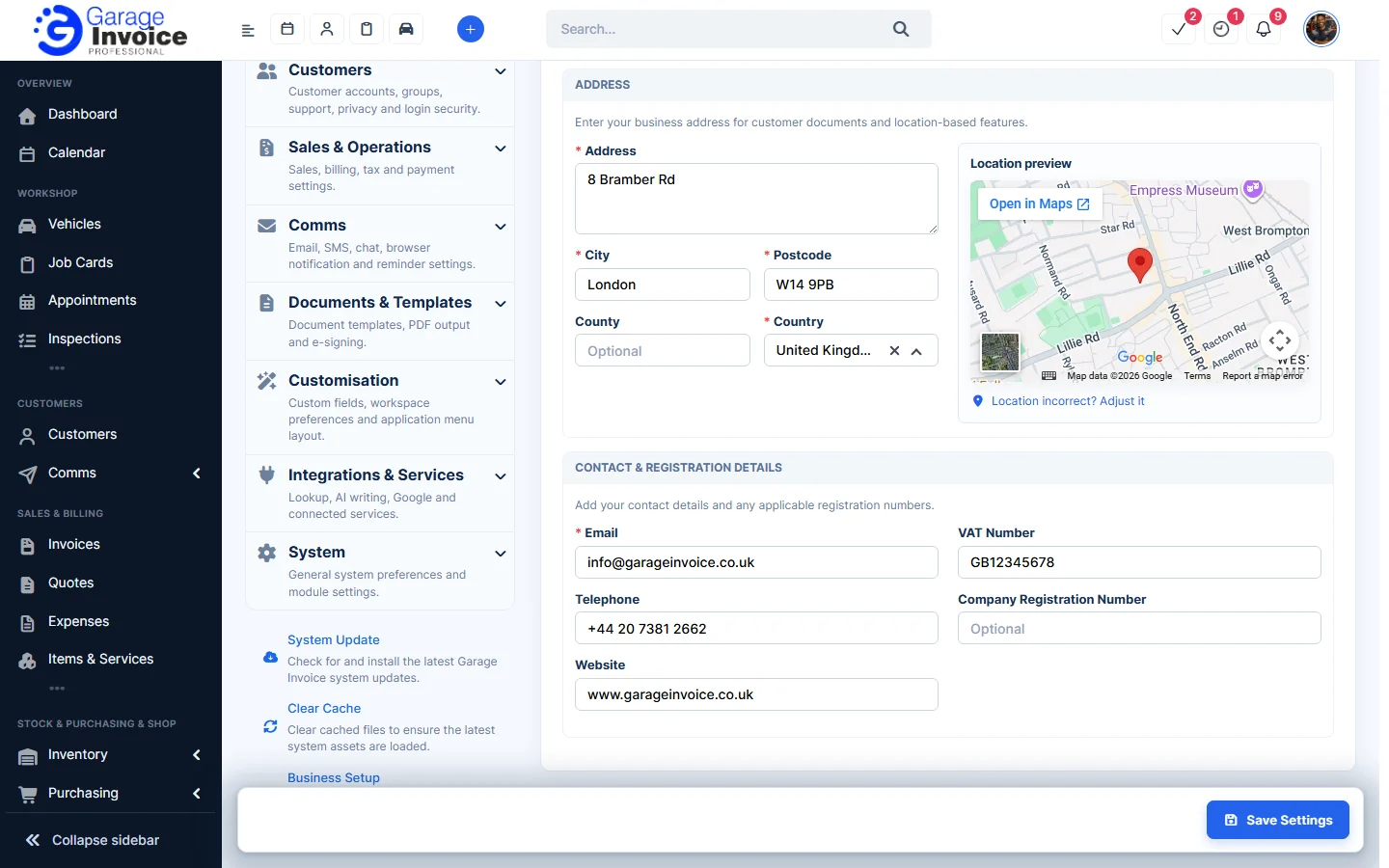
- Click Save Settings at the bottom right.
Note: changes apply to new documents only. Existing documents are not updated.
Tip: the map pin is used on appointment booking forms. To change how these details are laid out on PDFs, see Change Company Information Format displayed on PDFs.