
- Click Settings in the sidebar, open Sales & Operations and click Quotes. You can also click the cog button on the Quotes page and choose Quote Settings.
- Under Quote Defaults, enter the number of days in Quote Expire After (days). Enter 0 to leave the expiry date empty on new quotes.
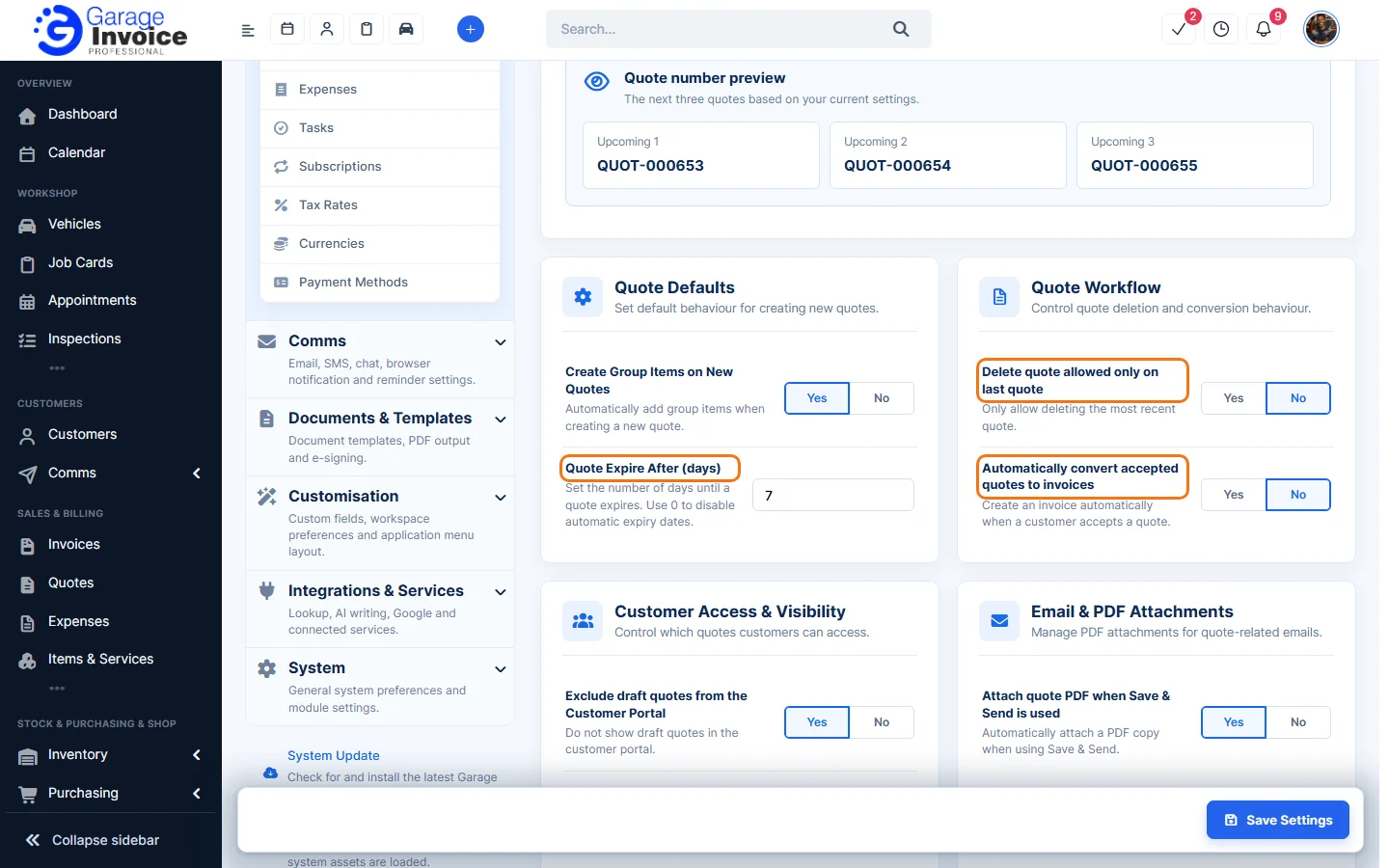
- Click Save Settings at the bottom right.
New quotes get an Expiry Date this many days after the Quote Date. You can still change it on each quote.
Tip: to remind customers before a quote expires, see Set Up Automatic Quote Expiry Reminders.
Feature Garage quoting software: see what it does and how it fits your workshop.