
- Click Settings at the bottom of the sidebar, under Administration. In the panel on the left, open Customisation and click GI System.
- Scroll to Vehicle Icon:
- Plate font: the font used for registration plates across the system, including the vehicle list, the customer page and PDF documents (for example UK Number Plate (default)).
- Icon Style: click the icon that will appear for vehicles throughout the system. There are icons for Cars & Pickups, Commercial & Heavy Vehicles and Buses & Passenger Transport.
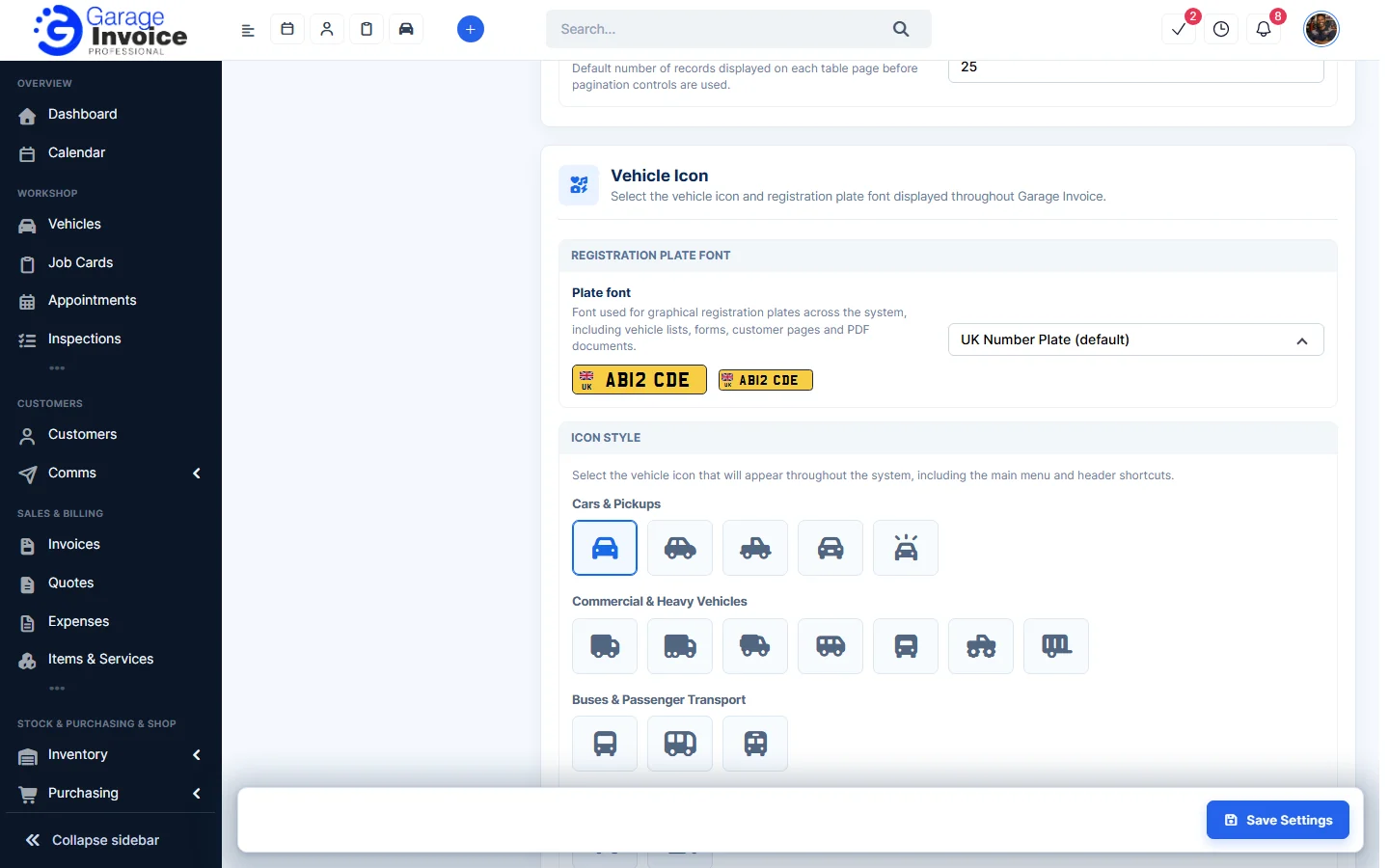
- Click Save Settings at the bottom right.
Tip: registration (VRM) and postcode lookups have their own guides: Change VRM Lookup Country and Change Post Code Lookup Country.