
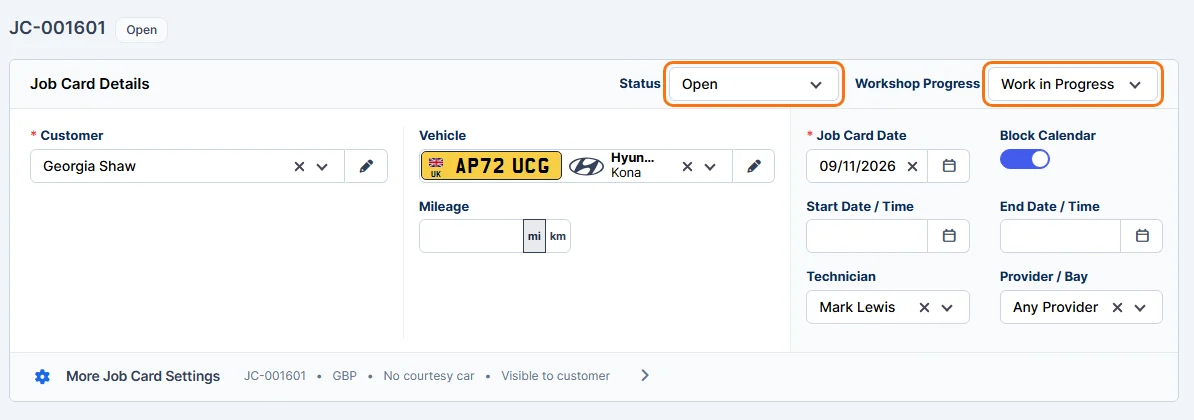
Each job card has two settings:
- Status: where the job card is with the customer: Draft, Sent, Open, Revised, Declined, Accepted, Waiting, WIP, Completed or Cancelled.
- Workshop Progress: where the vehicle is in your workshop: Created, Checked In, Investigating, Work in Progress, Quality Check, Ready for Collection, Completed, Stopped or Cancelled.
Change it on the job card
- Open the job card for editing. See Edit Job Card.
- Choose the new Status or Workshop Progress at the top right of Job Card Details.
- Click Save.
Change it from the preview
Open the job card from the Job Cards list, click More, then hover over Status or Workshop Status and choose the new one.
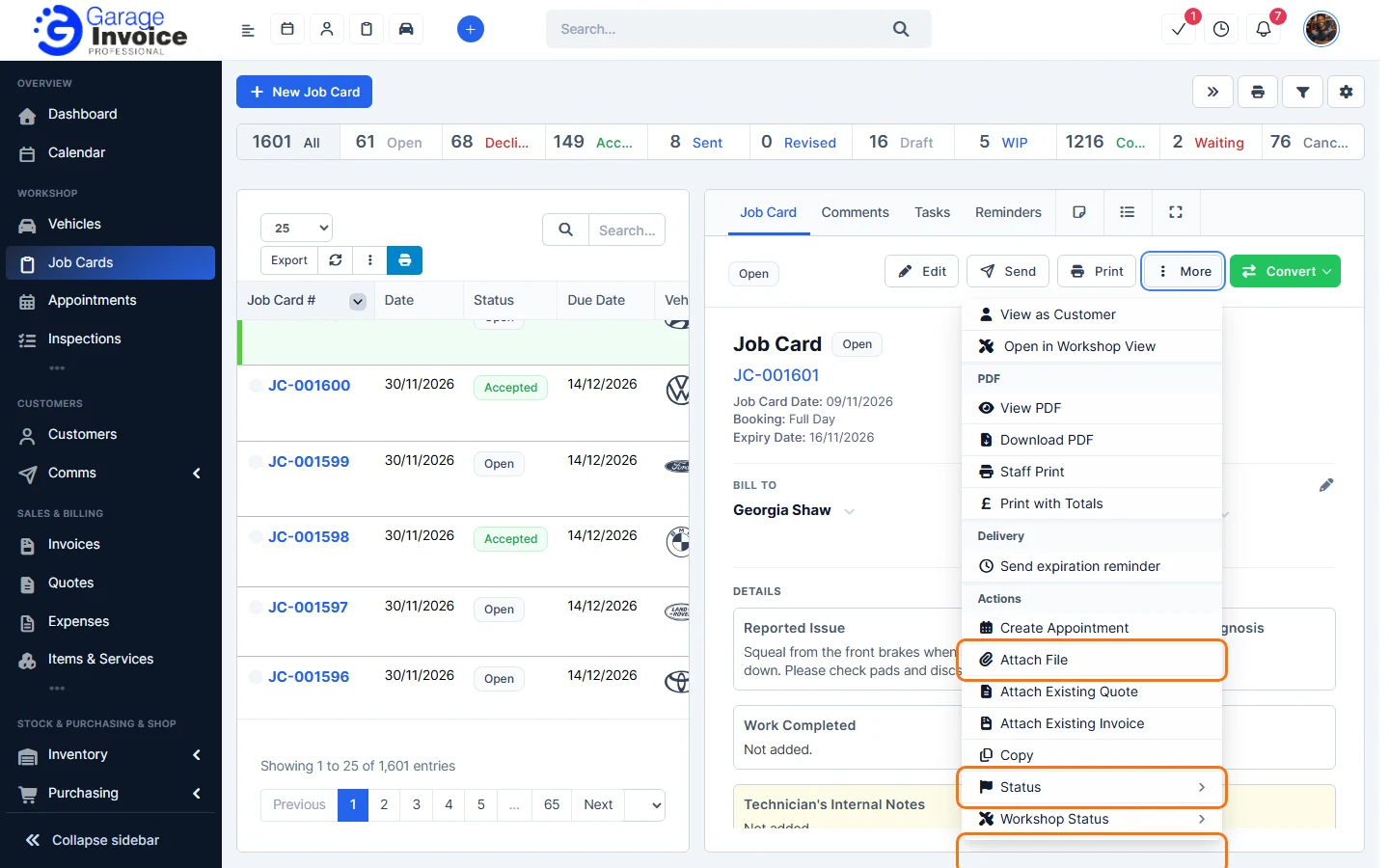
Tip: the bar above the Job Cards list shows how many job cards have each status. To see job cards in columns by status, use the Kanban view. See Pipeline View.
Feature Digital job cards: see what it does and how it fits your workshop.