
- Click Settings in the sidebar, open Sales & Operations and click Appointments. Open the Services tab.
- Click Add New next to Extras.
- Fill in the Name, Short Description (up to 130 characters), Duration, price and VAT. Add an image or choose one from the presets. Under Availability, choose the Available for Services and the Provider.
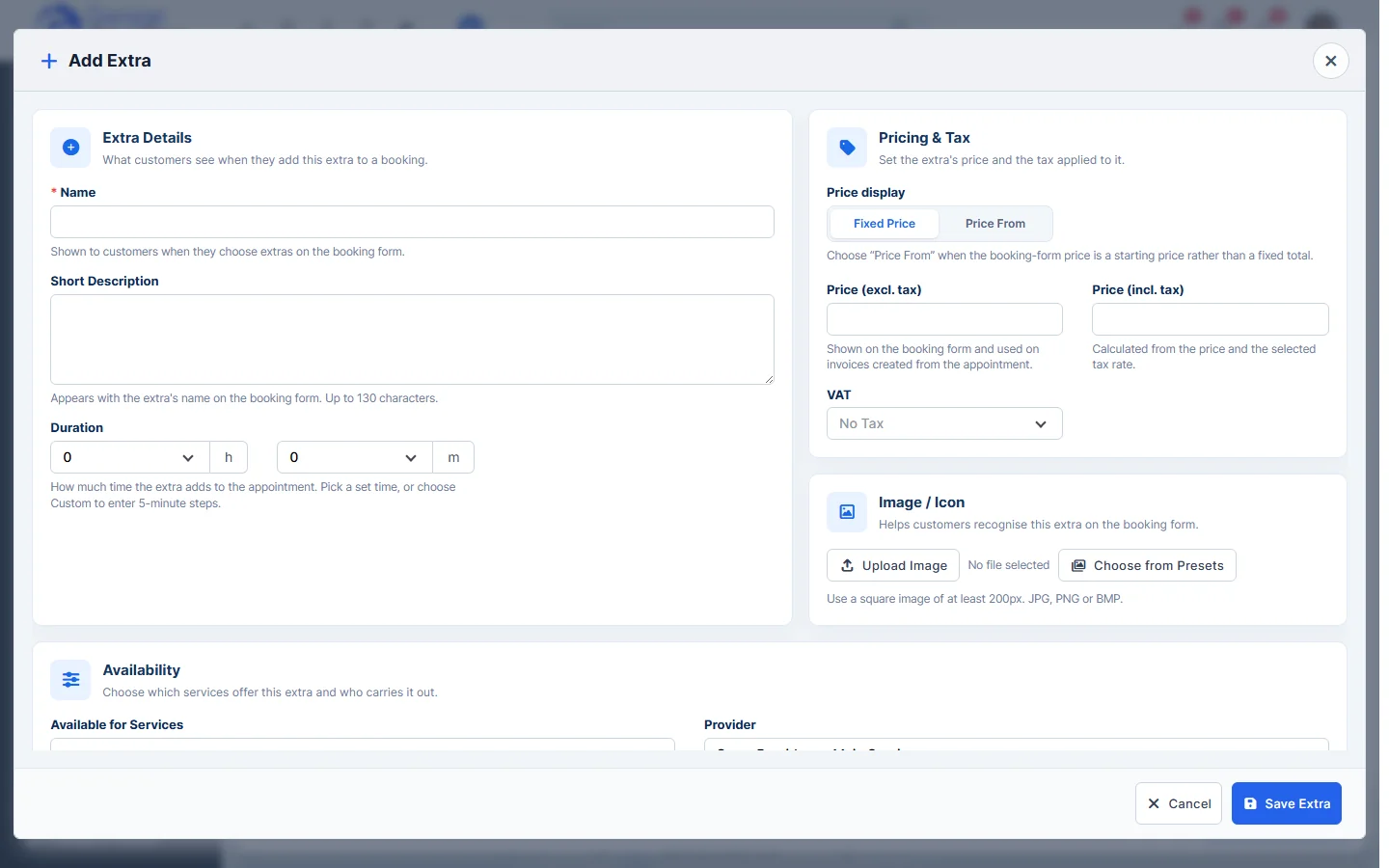
- Click Save Extra.
- To offer an extra with a service, drag it from the Extras list onto the service in the Booking Form Structure, or click Drop extras here or click to choose under the service. Drag the extras to change their order.
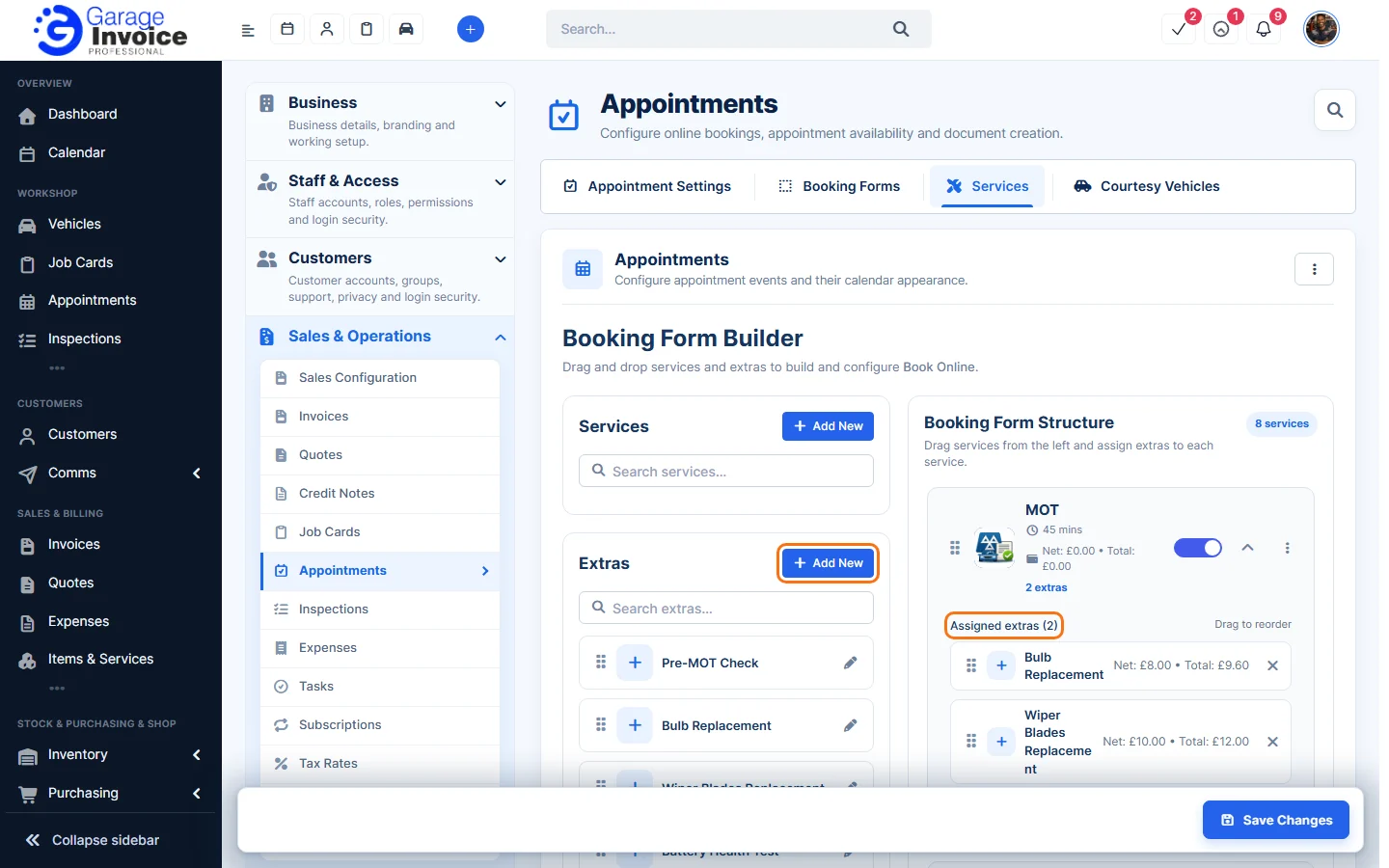
- Click Save Changes.
Note: customers only see an extra after they choose one of the services it is assigned to.
Feature Online booking and appointments: see what it does and how it fits your workshop.