
- Click Reports in the sidebar (under Insights) and click VAT Summary.
- Choose the Period (This month, Last month, This quarter, Last quarter) or From / To dates, and the VAT Calculation Basis:
- Invoice Date / Accrual Basis: final invoices, credit notes, expenses and purchase invoices by their document date.
- Payment Date / Cash Accounting Basis: VAT on payments recorded in the period, plus credit note refunds and applied credits.
Click Filter. Draft and cancelled invoices are left out.
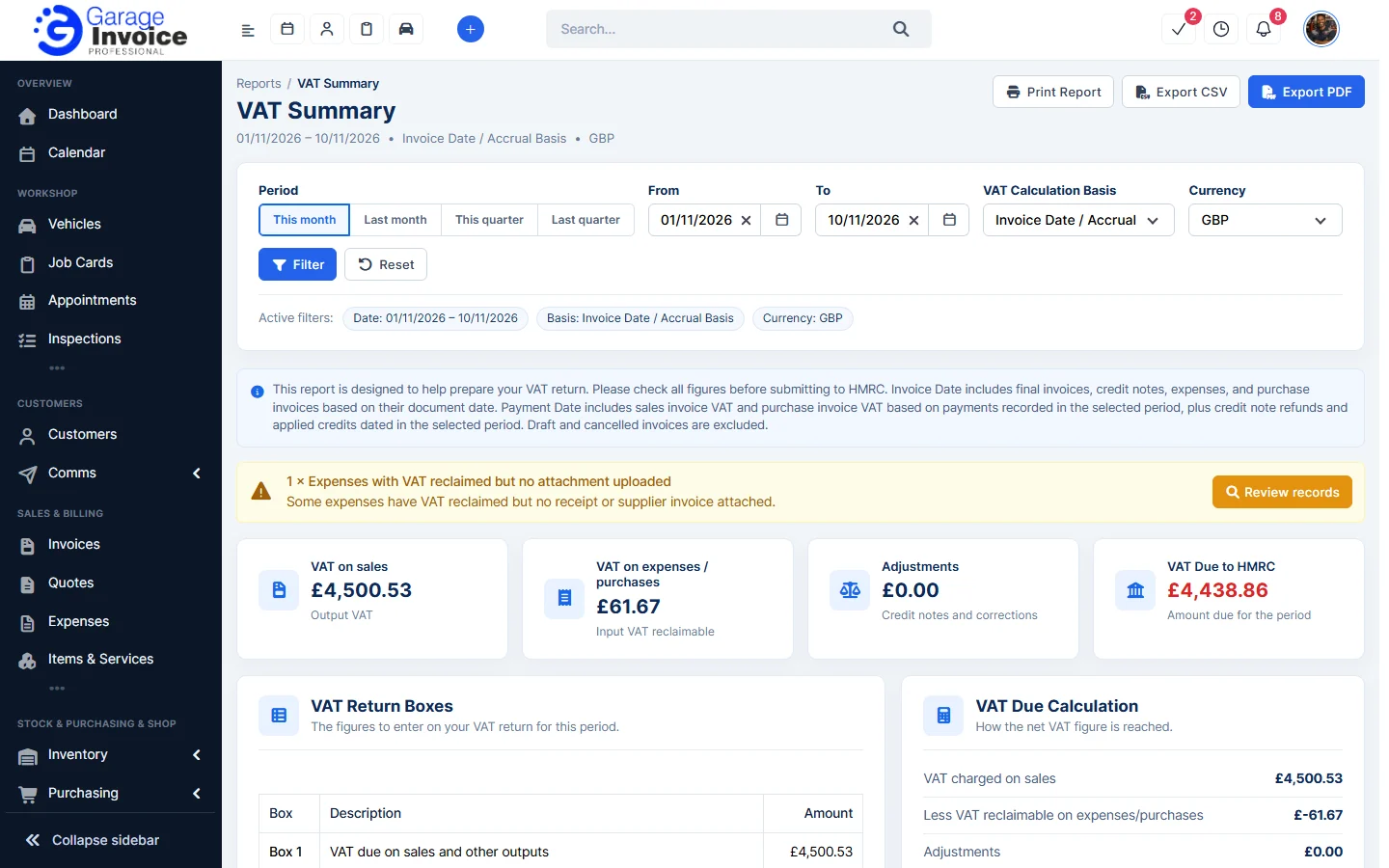
- The cards show VAT on sales, VAT on expenses / purchases, Adjustments and VAT Due to HMRC.
- VAT Return Boxes lists Boxes 1 to 9, the figures to enter on your VAT return. Breakdowns by VAT rate, expense category and source follow.
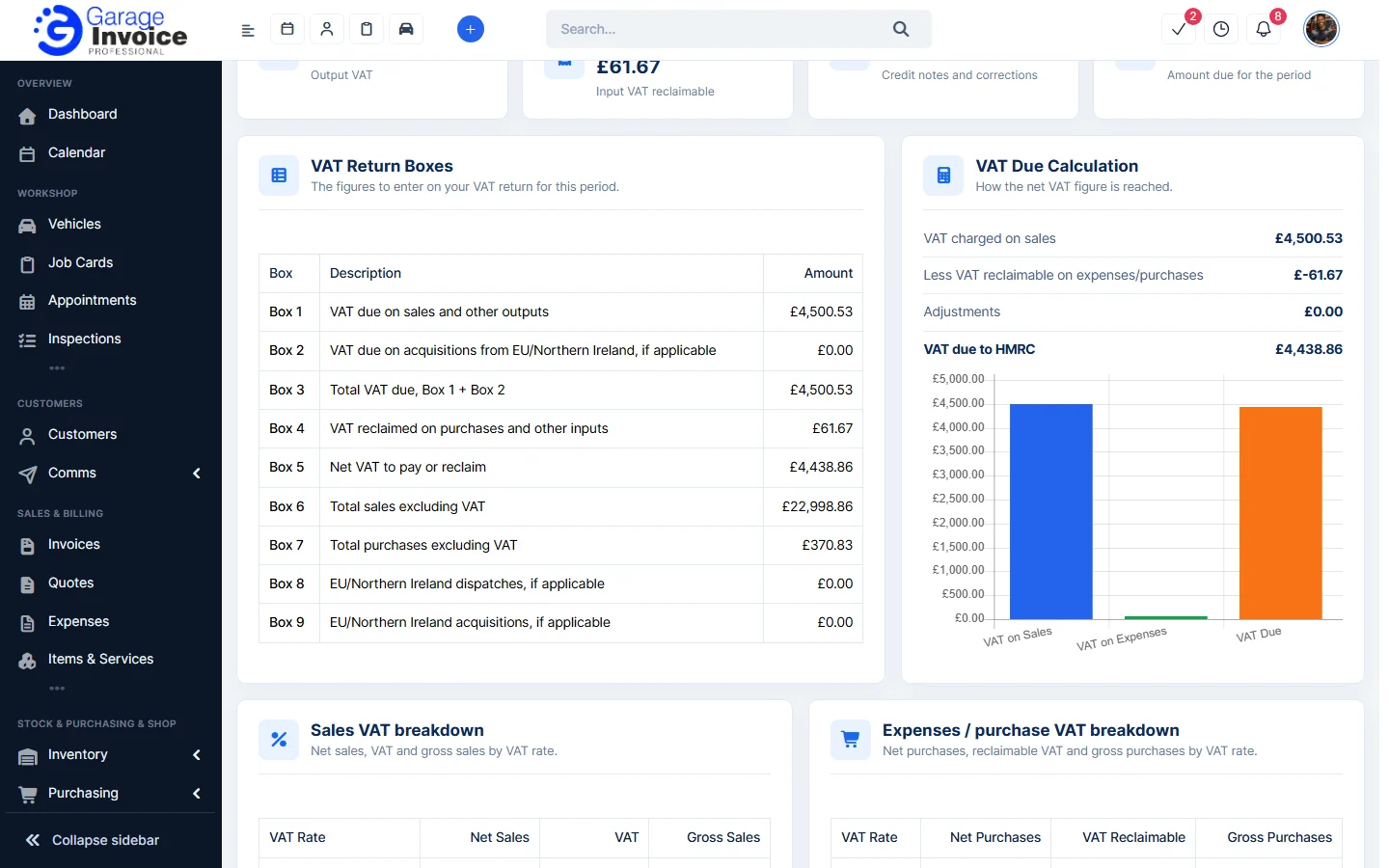
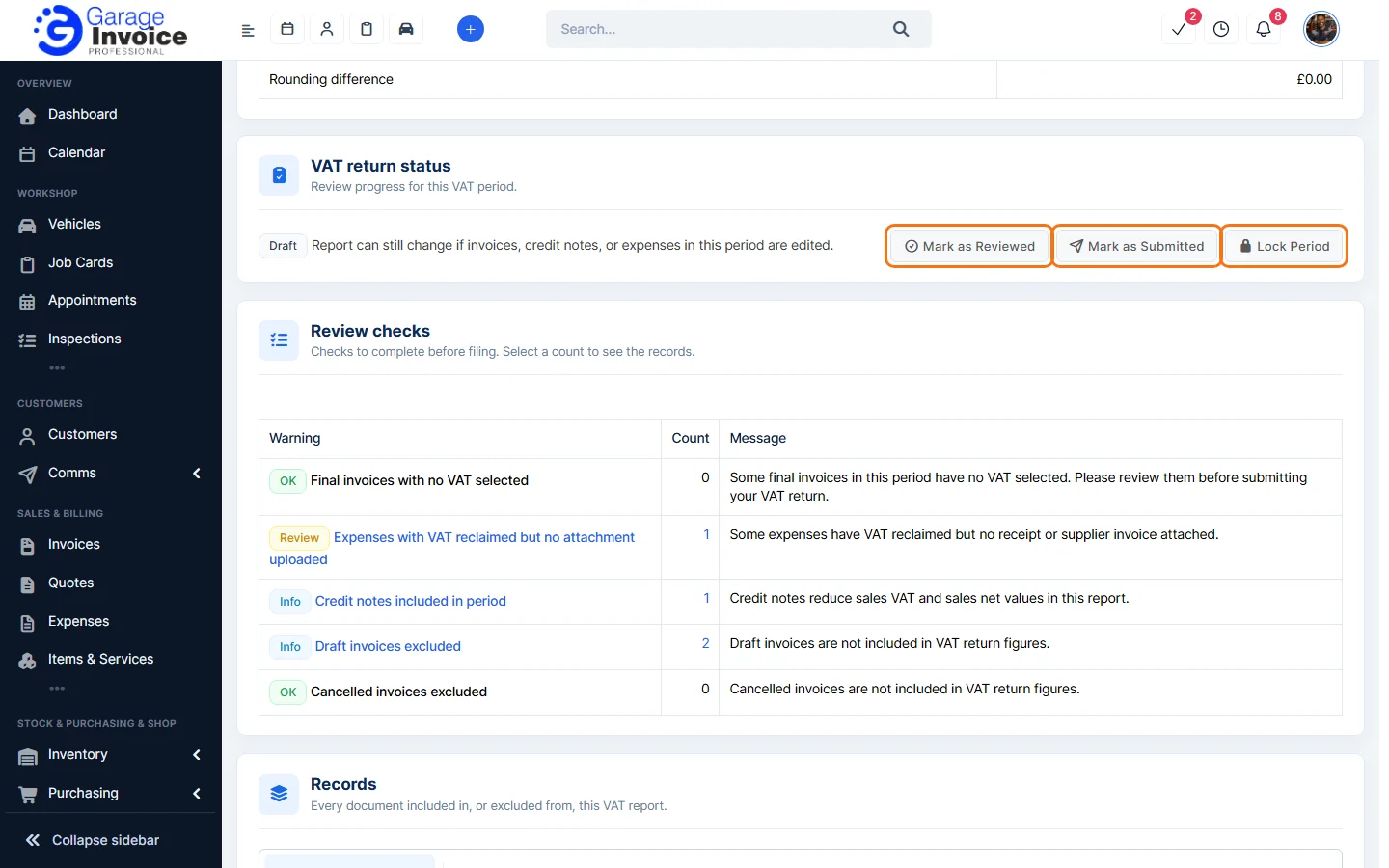
- Check Review checks (for example expenses with VAT reclaimed but no receipt attached) and the Records list, with Included Records and Excluded Records tabs.
- Under VAT return status, click Mark as Reviewed when you have checked the figures and Mark as Submitted after you file the return. Lock Period stops the period’s figures from changing.
- Use Export CSV, Export PDF or Print Report to keep a copy.
Note: the report helps you prepare your VAT return. Check all figures before you submit them to HMRC.
See also: Profit & Loss Report · Purchase & Supplier Report
Feature Garage reports: see what it does and how it fits your workshop.