
Record what your garage spends: parts, tyres, fuel, rent, marketing and so on. Expenses bought for a customer’s vehicle can be billed to the customer on an invoice.
- Click Expenses in the sidebar, under Sales & Billing.
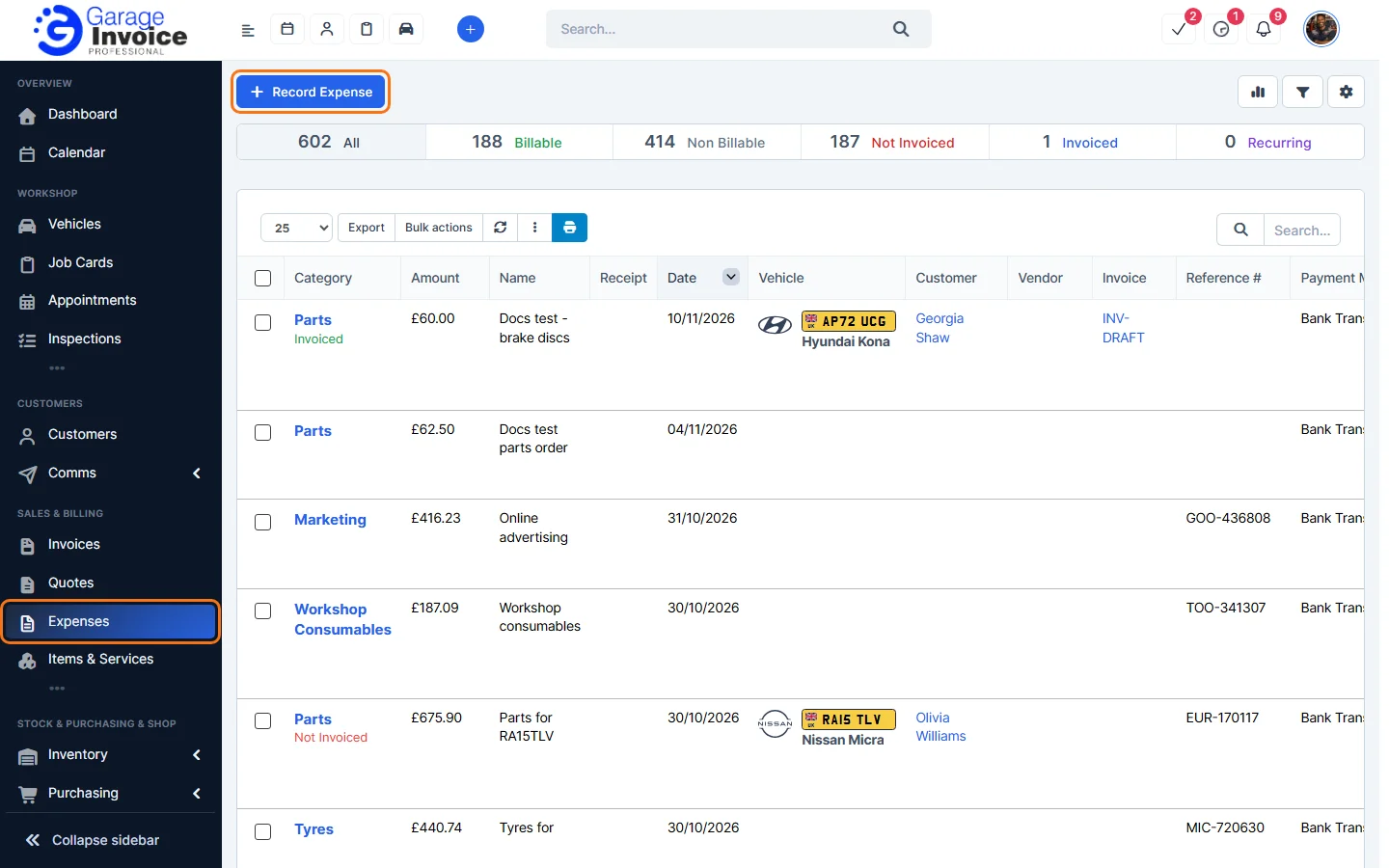
- The bar at the top shows All, Billable, Non Billable, Not Invoiced, Invoiced and Recurring. Click one to show only those expenses.
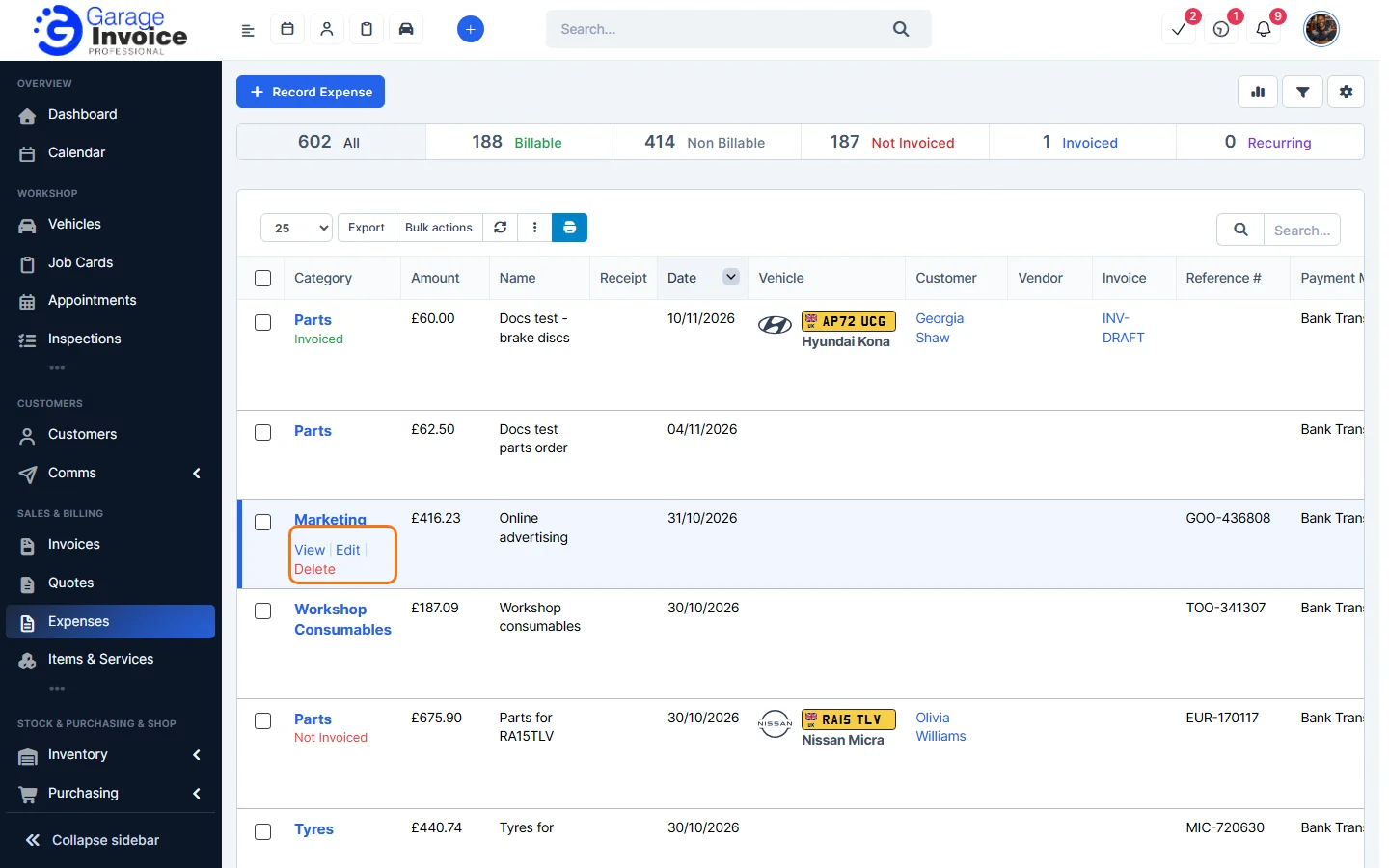
- The list shows the Category, Amount, Name, Receipt, Date, Vehicle, Customer, Vendor, Invoice, Reference # and Payment Mode. Hover over an expense to View, Edit or Delete it. Tick expenses and use Bulk actions to work on several at once.
- Click an expense to open it on the right. You’ll see the amount, payment method, date, reference, customer and vehicle, and the Expense Receipt. The buttons at the top are Print, Edit, Copy and Delete. A billable expense that hasn’t been invoiced also has Convert To Invoice.
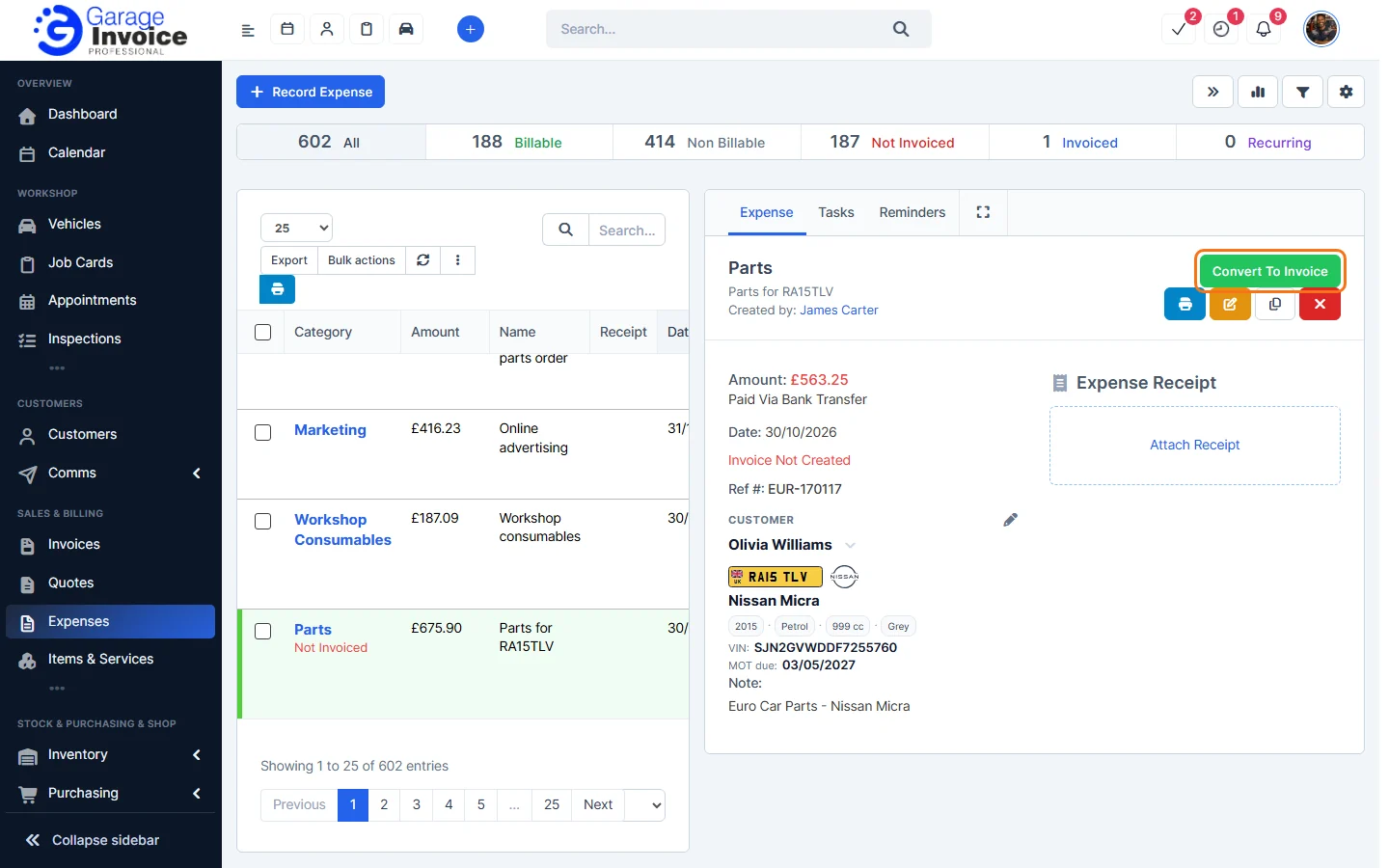
- The buttons at the top right of the page are: hide the preview panel, quick stats, filter and the cog menu (filter bar, categories, import and export). See Filter Expenses and Quick Stats.
Next: Record Expense · Record Billable Expense · Recurring Expenses
Feature Expense tracking: see what it does and how it fits your workshop.