Add New Billable Expense | Record Billable Expense
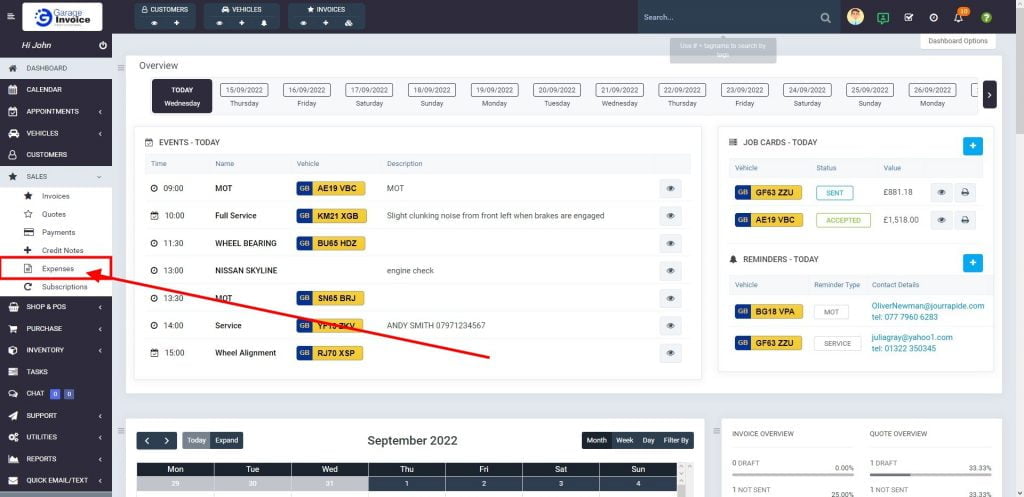
- Click Sales menu located on the sidebar menu (left-hand side of the screen).

- Click Expenses option.
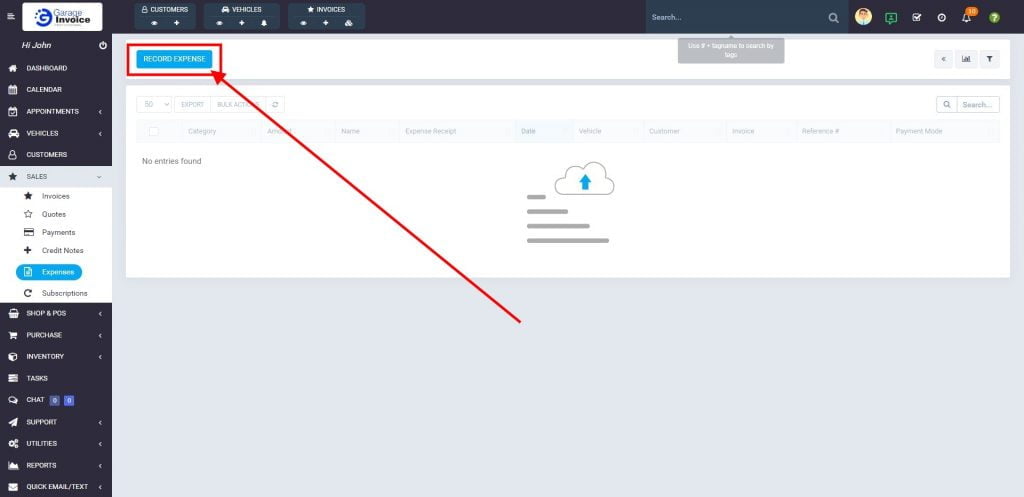
- Click Record Expense button.
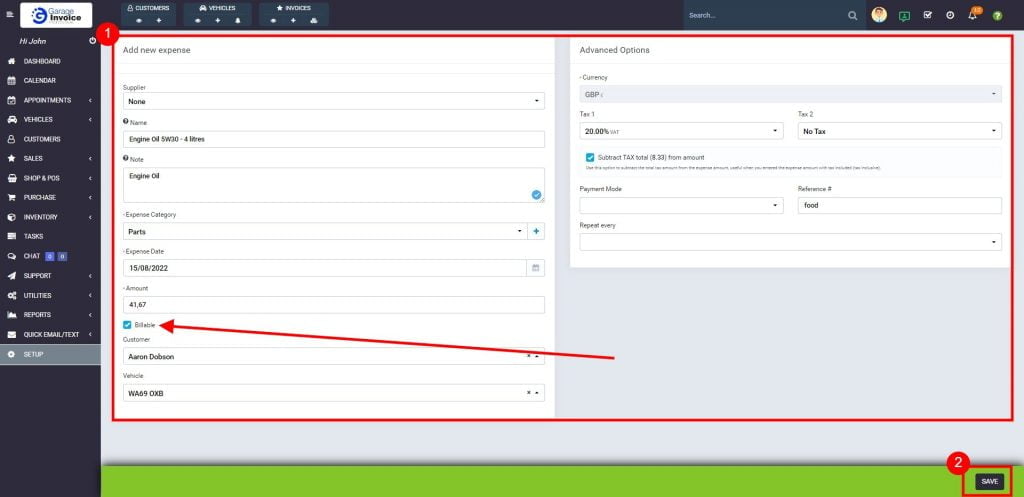
- Enter expense Name, Note, select expense category and Date.
Enter expense amount, check Billable option, select Customer and optionally Vehicle, select Tax if applicable, select Payment Method, and optionally enter reference info.
You can also upload/attach scan/picture of receipt for internal purposes.
Click Save button.
 Expense will be available on Invoice creation screen:
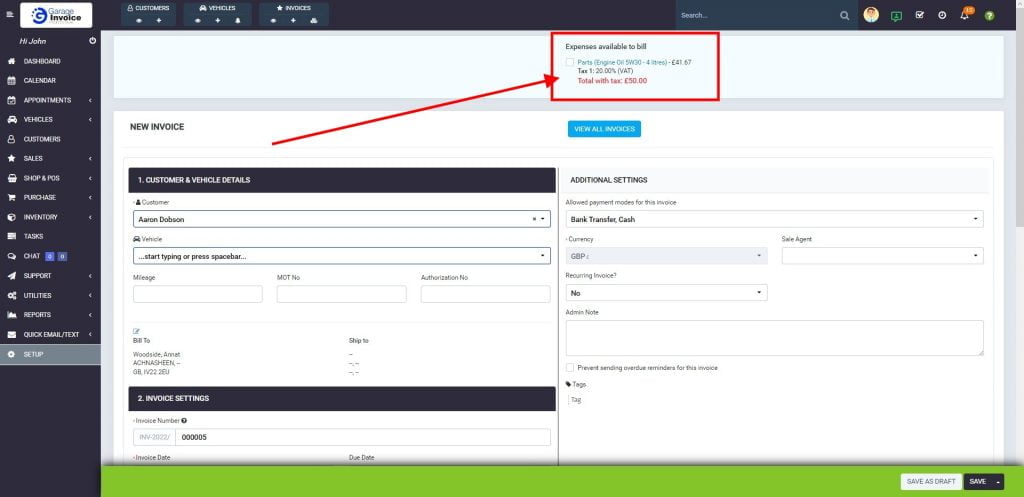
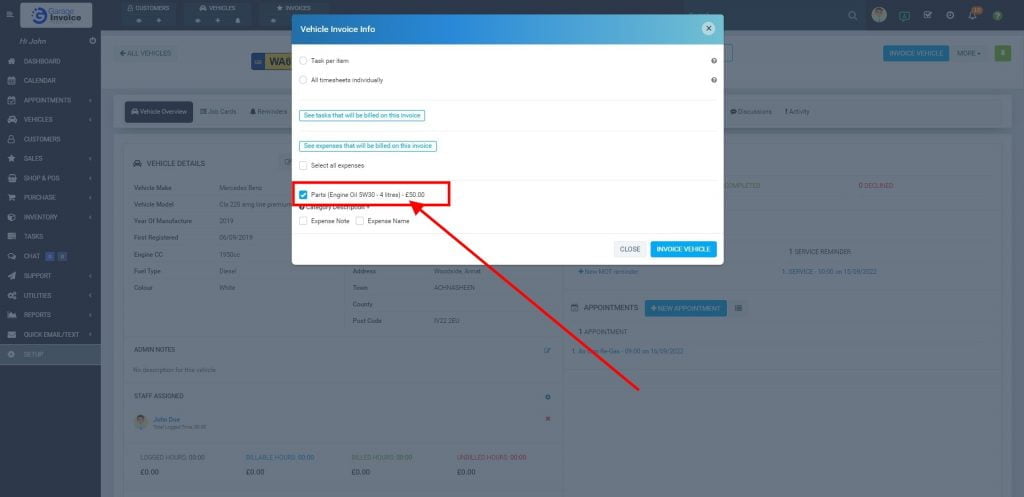
Expense will be available when Invoicing Vehicle: