
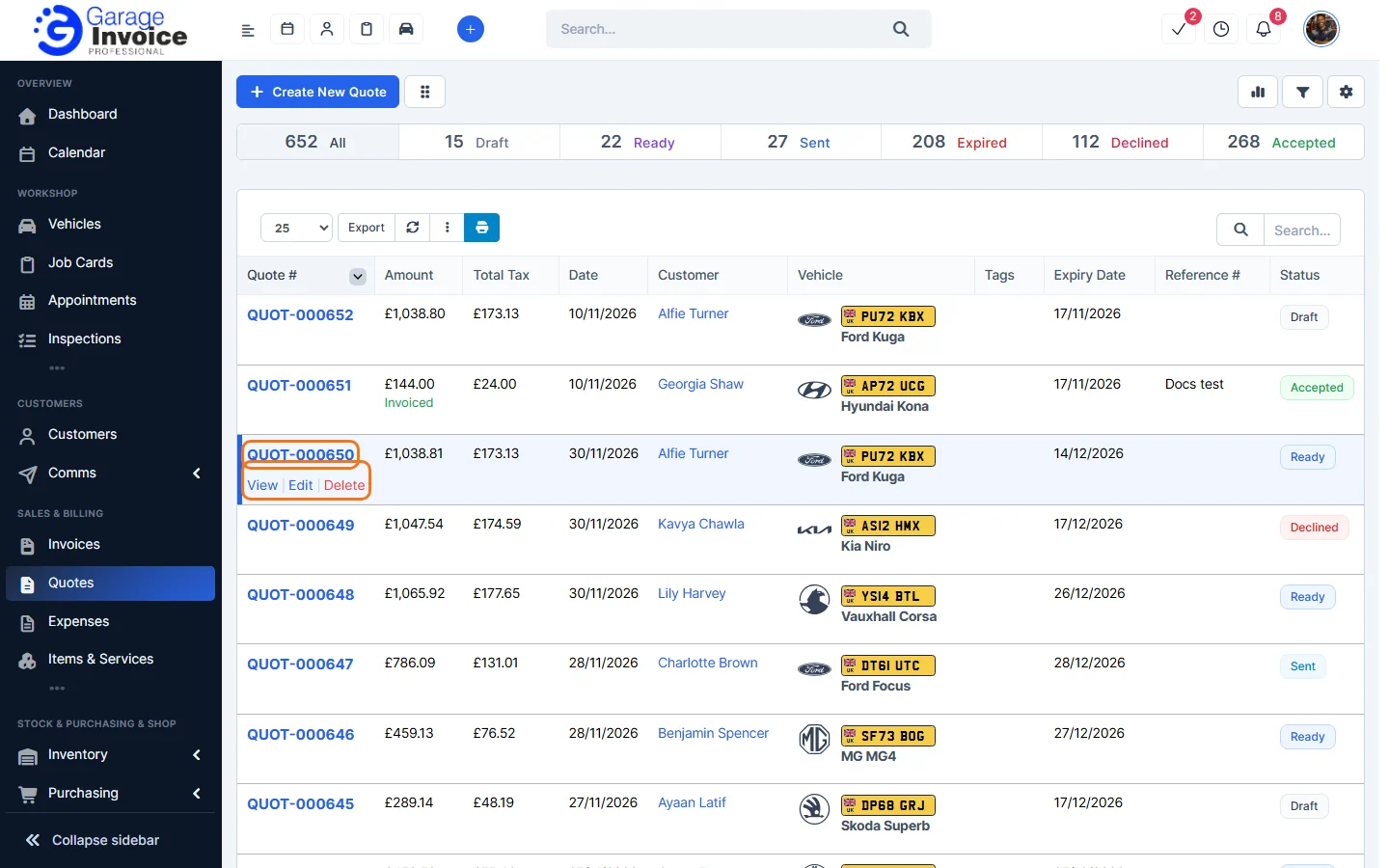
- Click Quotes in the sidebar, under Sales & Billing. Click the quote number, or hover over the quote and click View.
- Click More at the top of the quote.
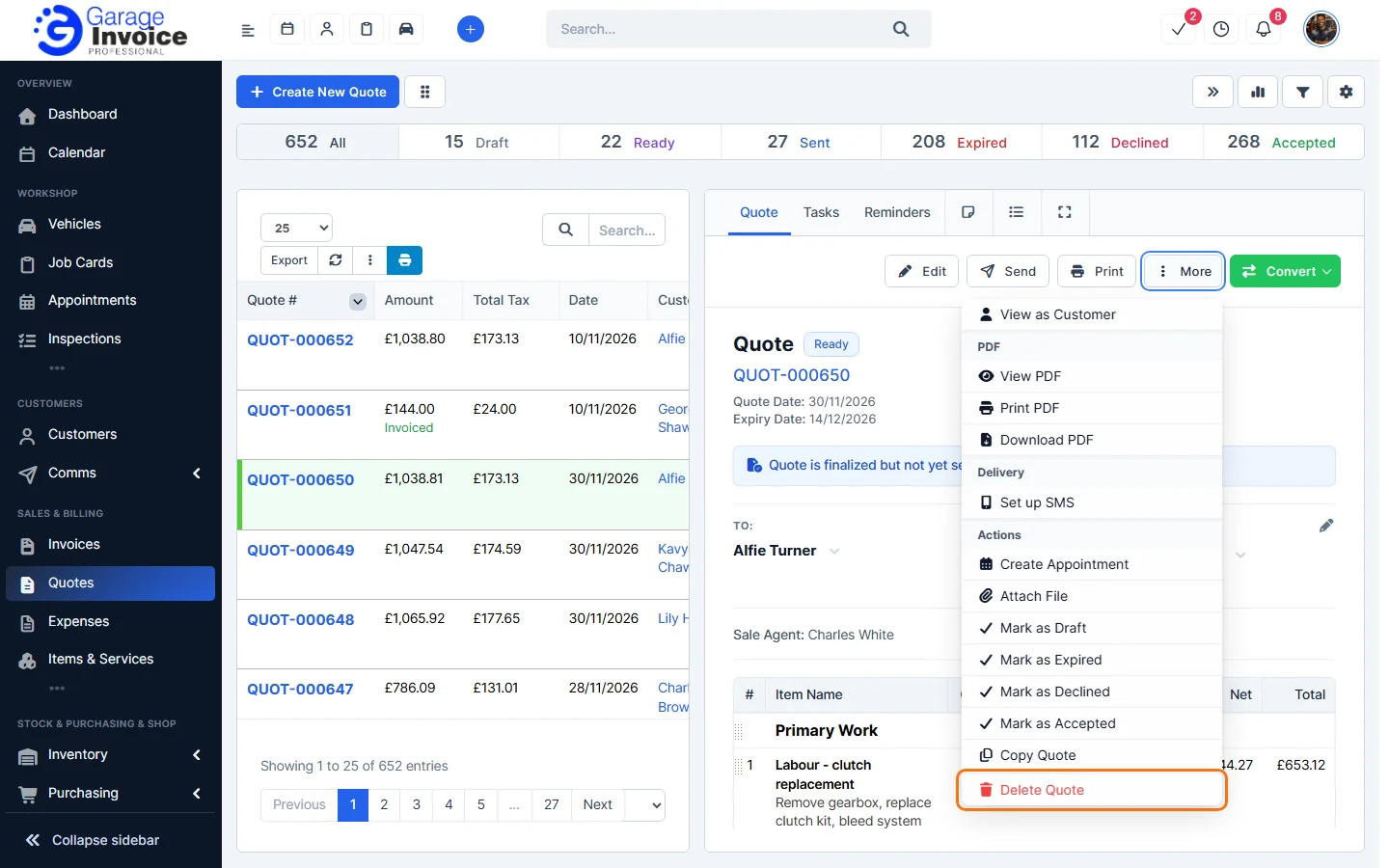
- Click Delete Quote and confirm.
You can also hover over the quote in the list and click Delete.
Note: if Delete quote allowed only on last quote is set to Yes in the quote settings, you can only delete the most recent quote. This keeps your quote numbers in sequence. See Quote Settings Overview.
Tip: instead of deleting a quote the customer turned down, mark it as Declined. See Change Quote Status.
Feature Garage quoting software: see what it does and how it fits your workshop.