
The Comms menu brings together everything you use to talk to your customers and your team. Click Comms in the sidebar, under Customers, to open it.
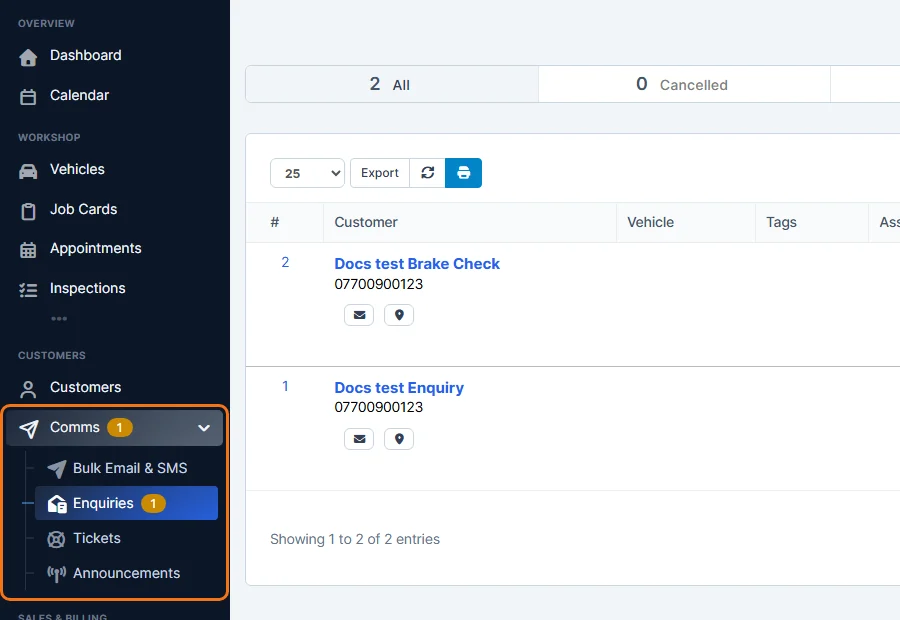
Bulk Email & SMS
Send one email or text message to many customers at once, for example a seasonal offer or new opening times. You choose the customers, start from a saved template if you like, and send.
Enquiries
Requests customers send you from a form on your website, such as a quote request. You check who sent it, link it to a customer and vehicle, and turn it into a quote or job card. The number next to Enquiries shows how many are waiting.
- Enquiries Overview
- Create an Enquiry Form for Your Website
- View and Handle an Enquiry
- Convert an Enquiry to a Quote or Job Card
- Enquiry Statuses
- Delete an Enquiry
Tickets
Support tickets keep each customer question or complaint in one place, with the whole conversation, staff notes, the customer and the vehicle.
Announcements
Post a message for your staff, for customers in the Customer Portal, or both. See Staff and Customer Announcements.
Chat
When chat is switched on, Chat also appears under Comms. See Activate Chat for Staff and Customers.
Tip: how emails and text messages look and which ones are sent automatically is set in Settings → Comms. See Email Settings Overview and SMS Settings and Text Message Triggers.