
- Click Calendar in the sidebar, under Overview.
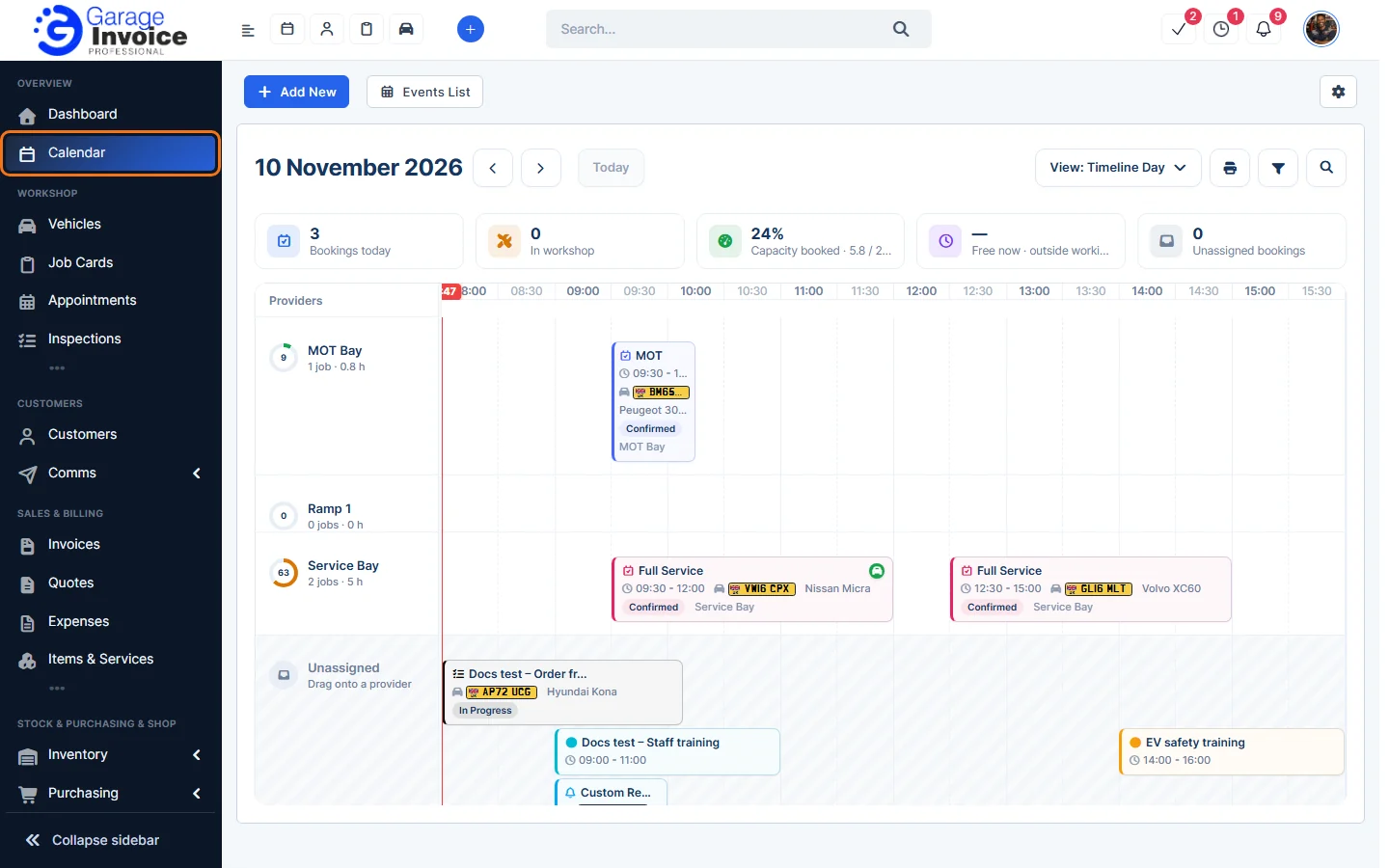
- At the top you’ll find Add New, Events List and the gear button. Below them: the date, the arrows to move back and forward, Today, the View menu and the print, filter and search buttons.
- The tiles show Bookings today, In workshop, Capacity booked, Free now and Unassigned bookings.
- In the default Timeline Day view each provider (bay or ramp) has a row with its jobs and hours booked. Items with no provider appear under Unassigned; drag them onto a provider.
- Hover over an item to see a preview, and click it to open it.
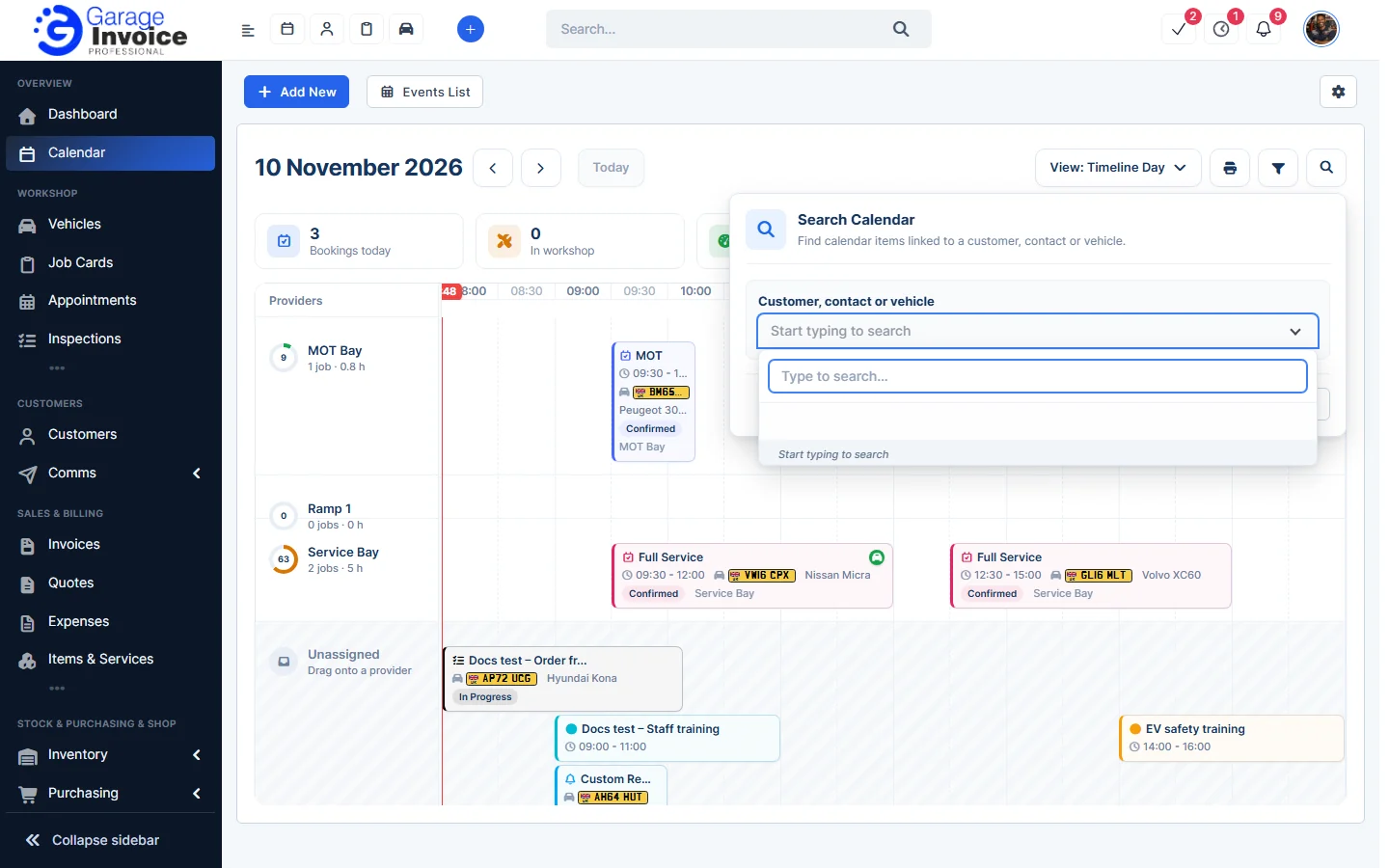
- Click the search button to find calendar items for a customer, contact or vehicle.
Related: Add Calendar Event · Calendar Views · Filter Calendar · Events List · Calendar Settings
Feature Workshop calendar: see what it does and how it fits your workshop.