
Note: deleting a contact is permanent and can’t be undone. To stop emails to a contact but keep them on record, make them inactive instead. See Make Contact Active/Inactive.
- Click Customers in the sidebar, hover over the customer and click Contacts. You can also open the customer and click Contacts in the menu on the left.
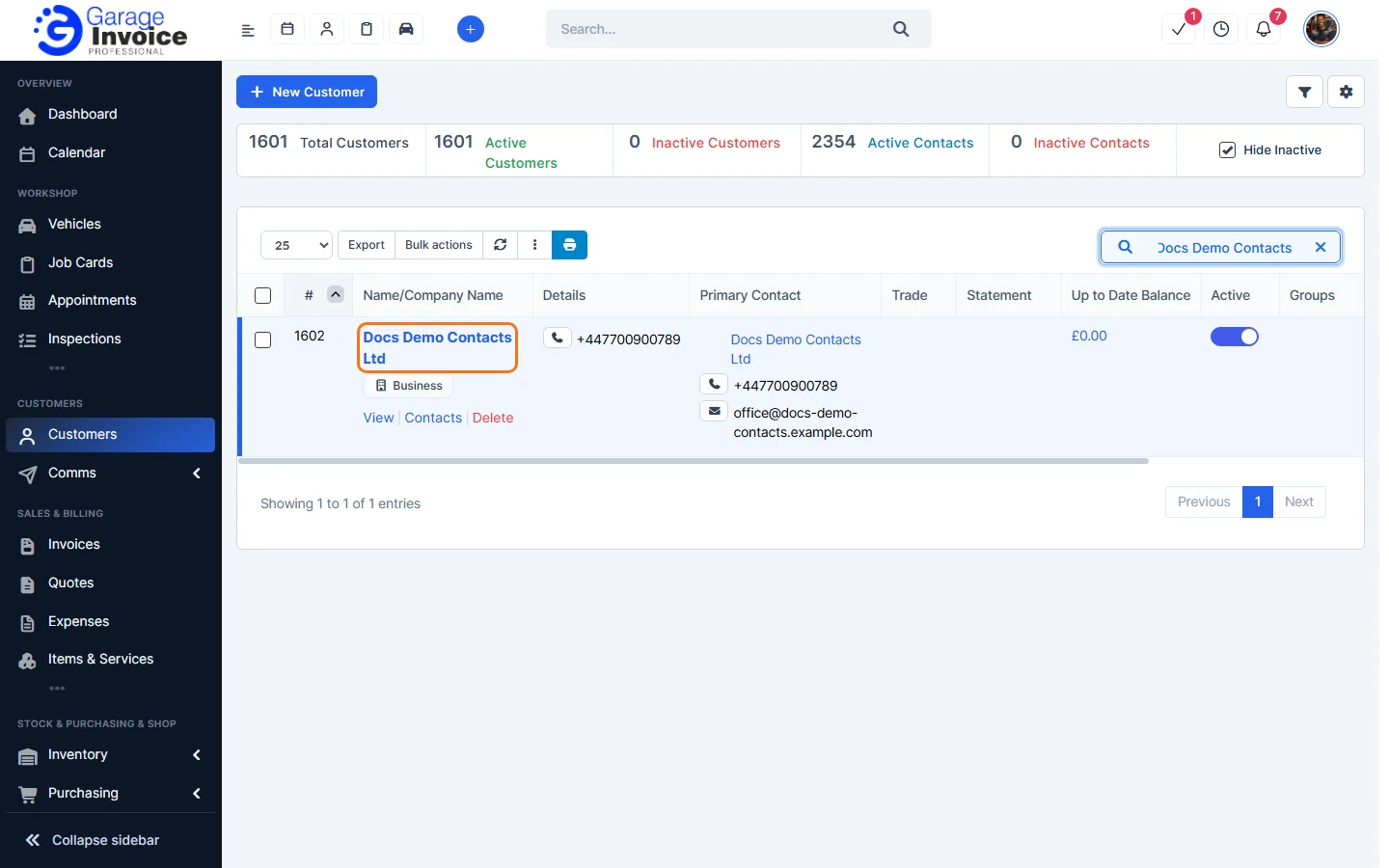
Tip: can’t see the customer? See Search for Customer.
- Hover over the contact and click Delete.
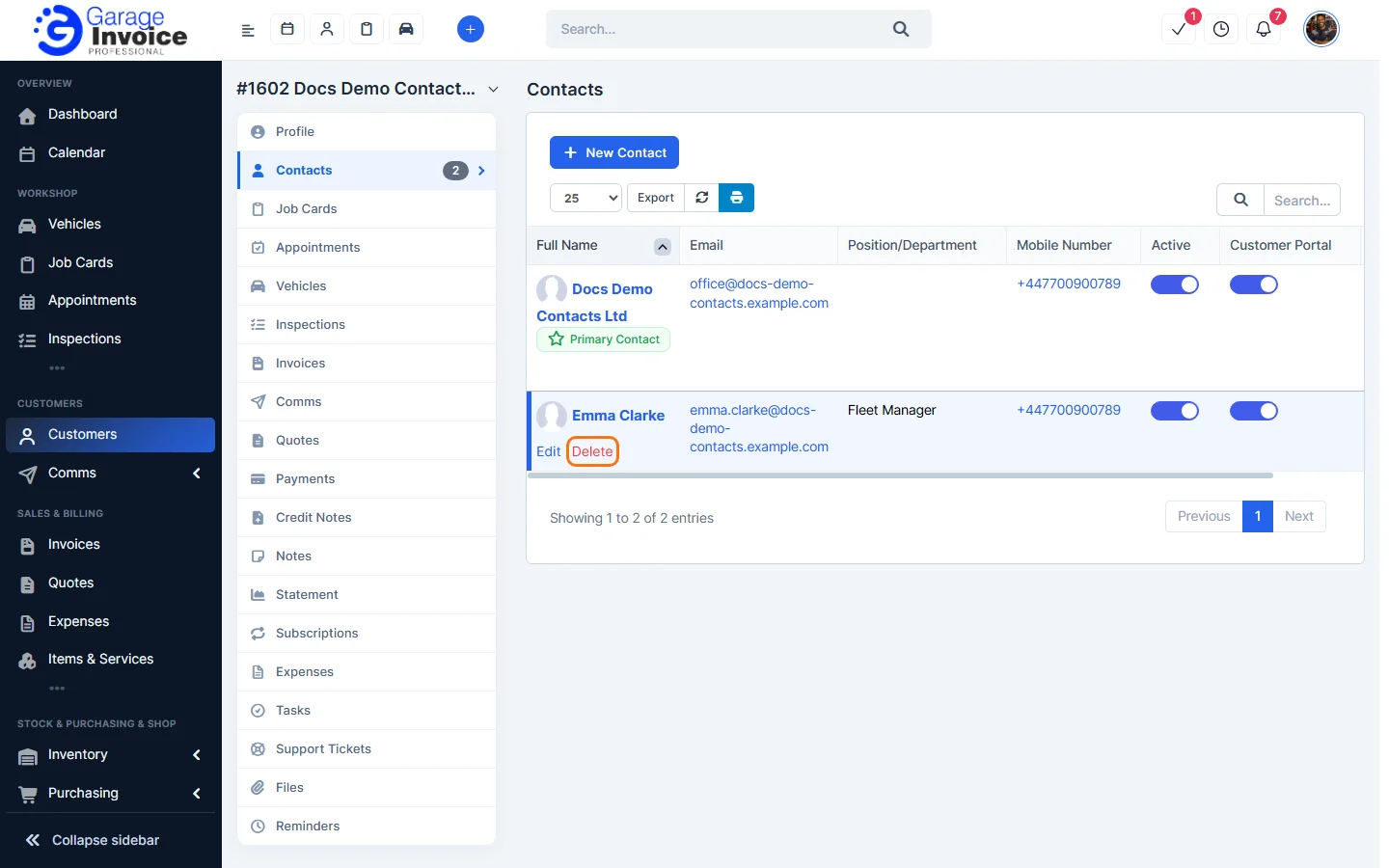
- Your browser asks “Are you sure you want to delete this?” Click OK to delete the contact, or Cancel to keep them.
Tip: if you don’t see Delete under the primary contact, make another contact the primary contact first. Edit that contact, tick Primary Contact and save. See Edit Contact.
Feature Customer management: see what it does and how it fits your workshop.