
- Click Invoices in the sidebar.
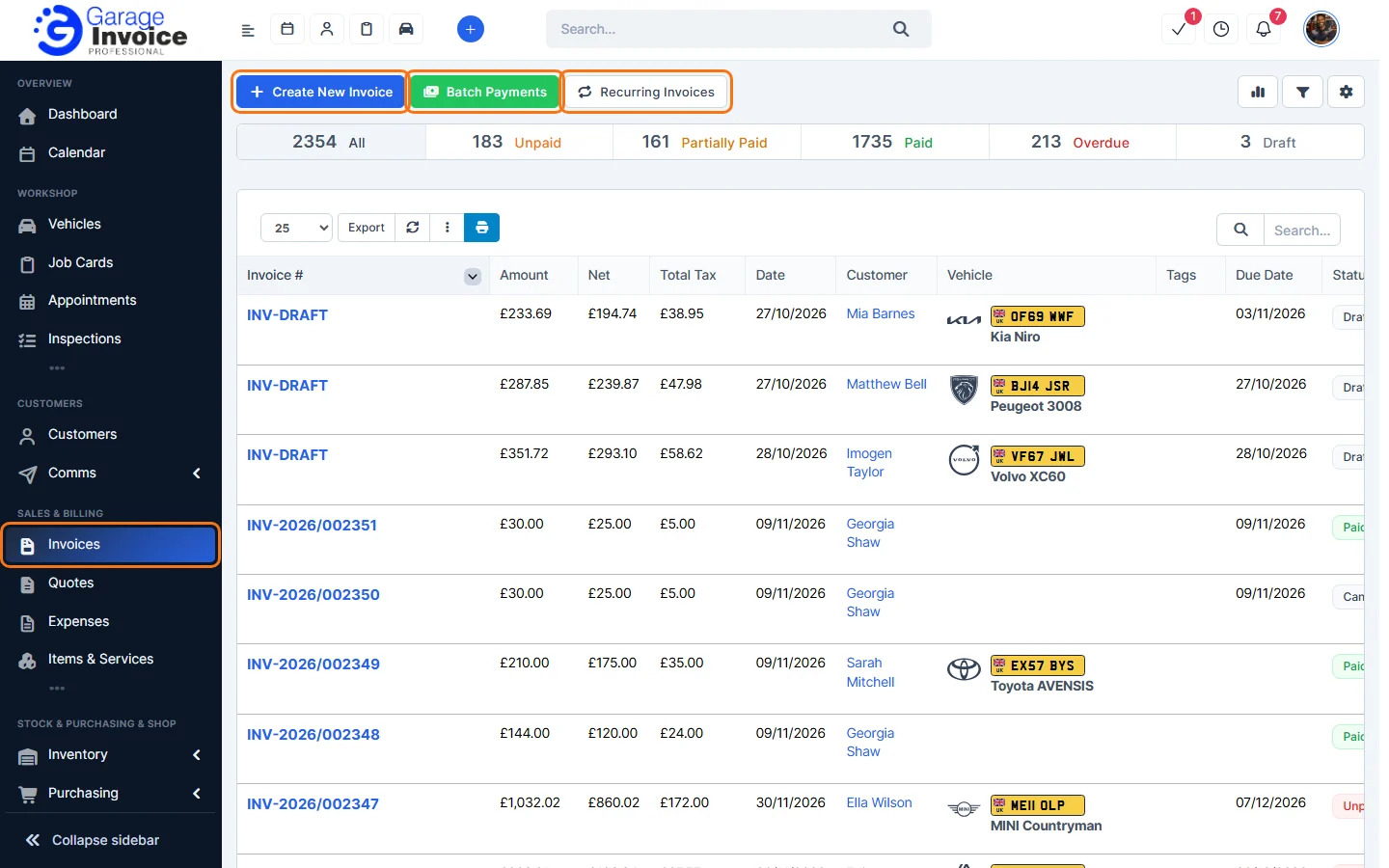
- At the top you’ll find:
- Create New Invoice. See Create Invoice.
- Batch Payments: record payments for several invoices at once. See Batch Payments.
- Recurring Invoices: invoices that repeat automatically. See Create Recurring Invoice.
- On the right: the chart button for invoice stats, the filter button and the cog button with Invoice Settings, PDF Settings, Import Invoices and Export Invoices.
- The bar below shows how many invoices are All, Unpaid, Partially Paid, Paid, Overdue and Draft. Click one to show only those invoices. See Invoice Status Explained.
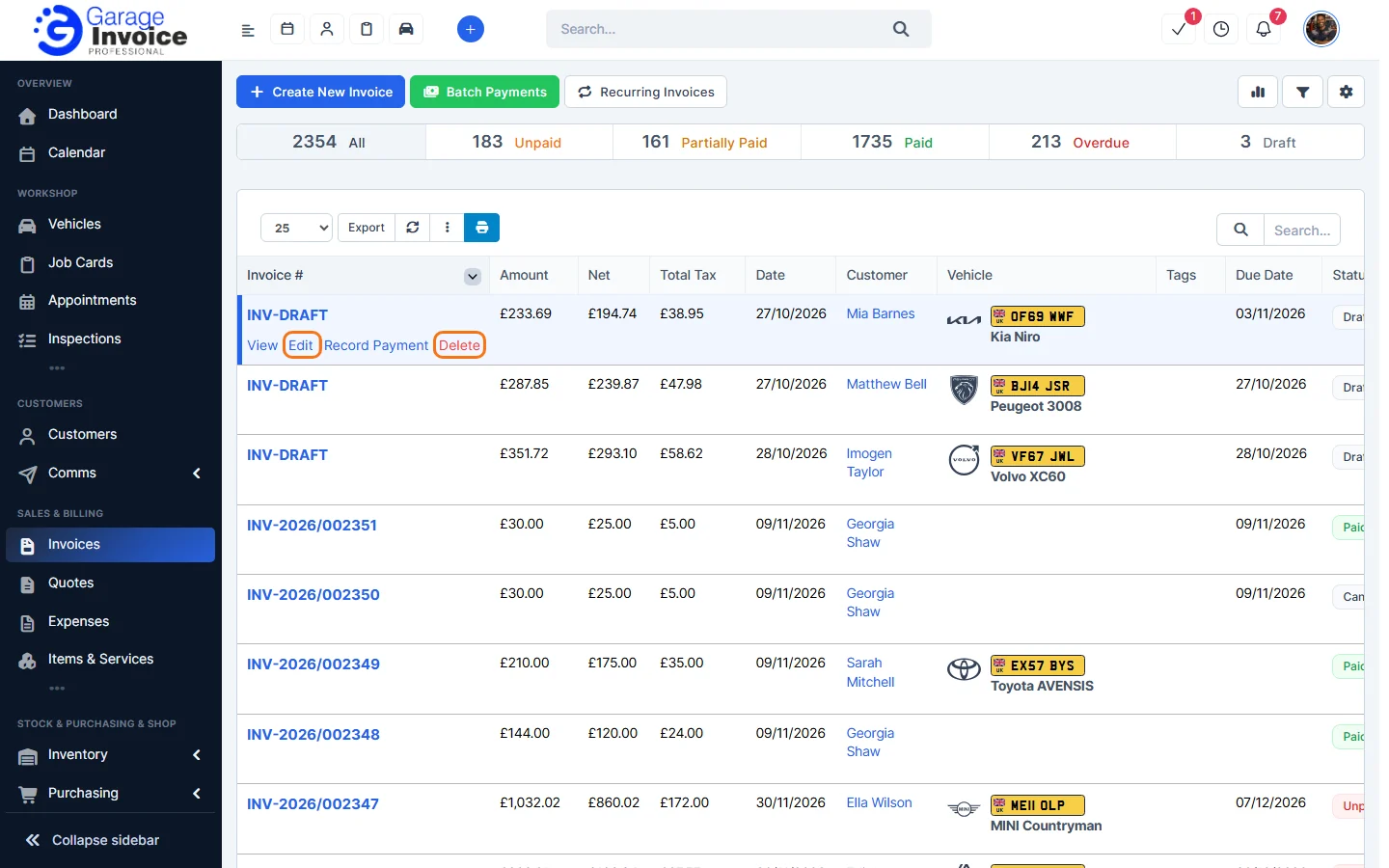
- Hover over an invoice in the list to see View, Edit, Record Payment and Delete.
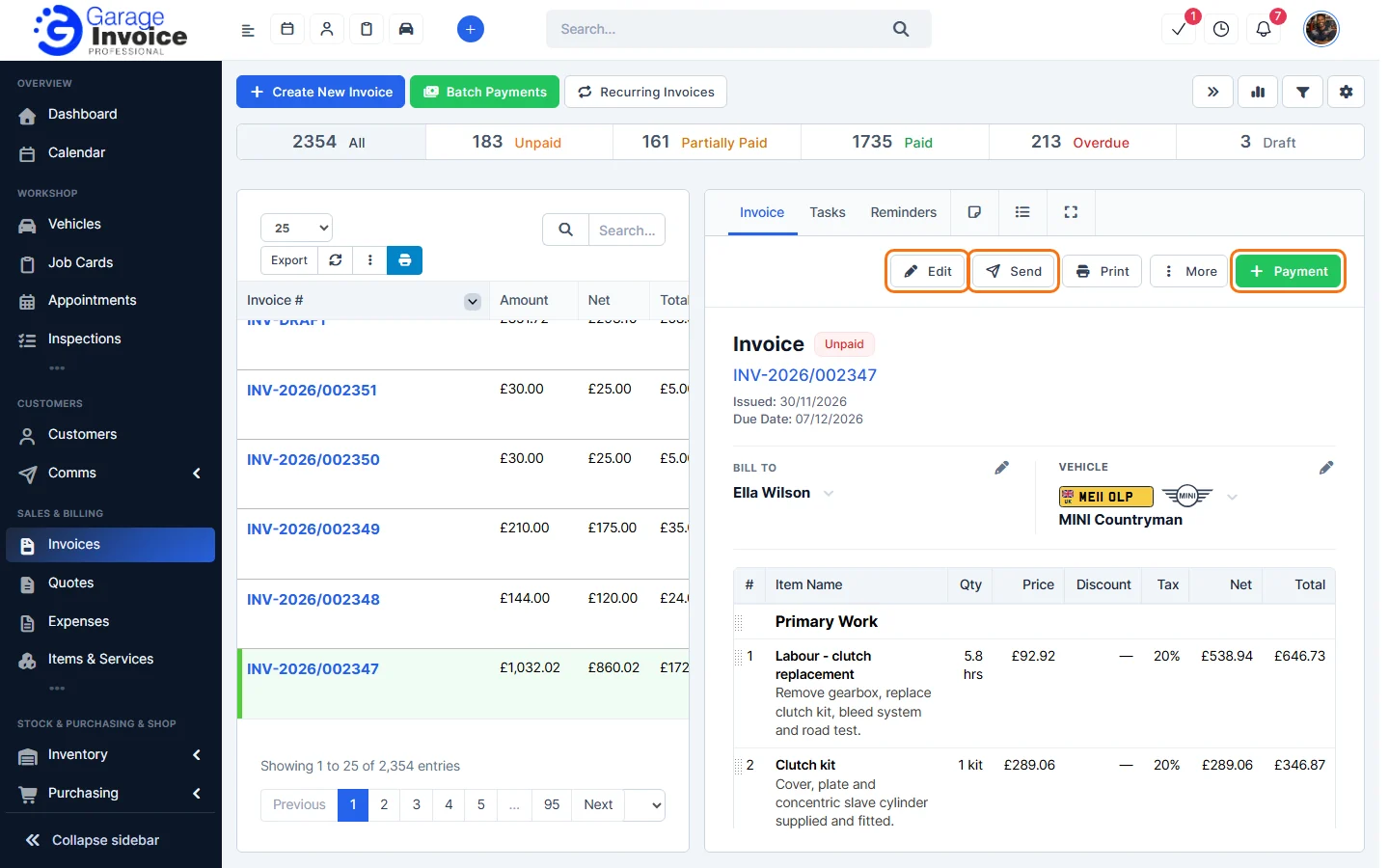
- Click an invoice number to open it on the right. From there you can Edit, Send, Print, open More options or record a Payment. The tabs above the invoice show its Payments, Tasks, Reminders, notes and activity.
Feature Garage invoicing software: see what it does and how it fits your workshop.