
- Click Settings at the bottom of the sidebar, under Administration. In the panel on the left, open Comms and click Email. The Email page has four tabs.
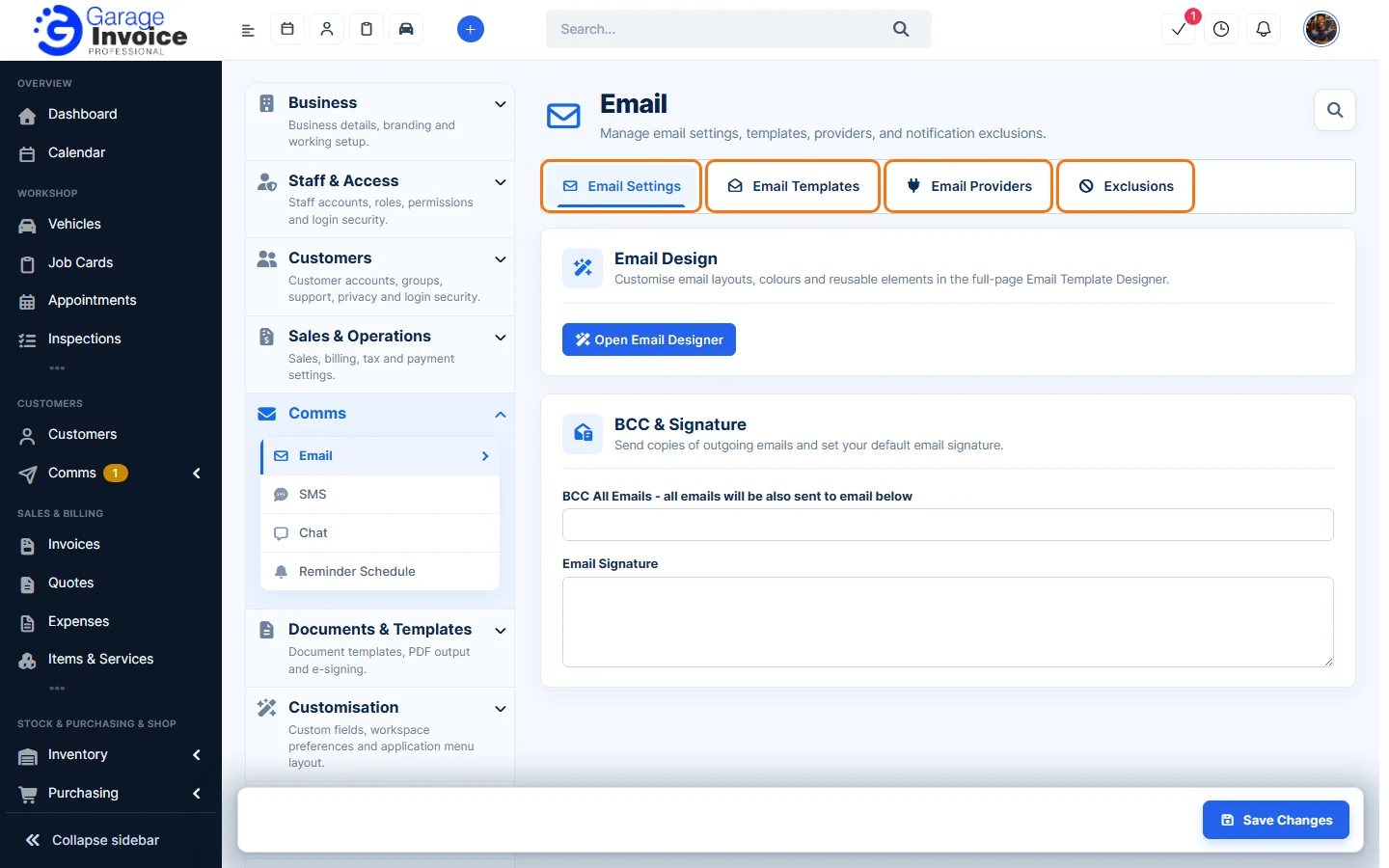
Email Settings
- Email Design: click Open Email Designer to change the layout and colours of all your emails. See Email Designer.
- BCC & Signature: send a copy of every email to yourself and set your email signature. See Email Signature and BCC.
Email Templates
The wording of every email Garage Invoice sends to customers and staff, in groups such as Invoices, Job Cards and Quotes. Turn each email on or off and change its subject and text.
Email Providers
Choose the service that sends your emails: the built-in Garage Invoice email service, or your own account (Microsoft 365 / Outlook, Gmail, other SMTP and more). See Email Providers.
Exclusions
Email addresses that should never get notifications from Garage Invoice. See Email Exclusions.
Tip: text message settings are under Comms → SMS. See SMS Settings and Text Message Triggers.
Feature Email and SMS notifications: see what it does and how it fits your workshop.