Delete Vehicle | Remove Vehicle
Delete Vehicle from Vehicles List
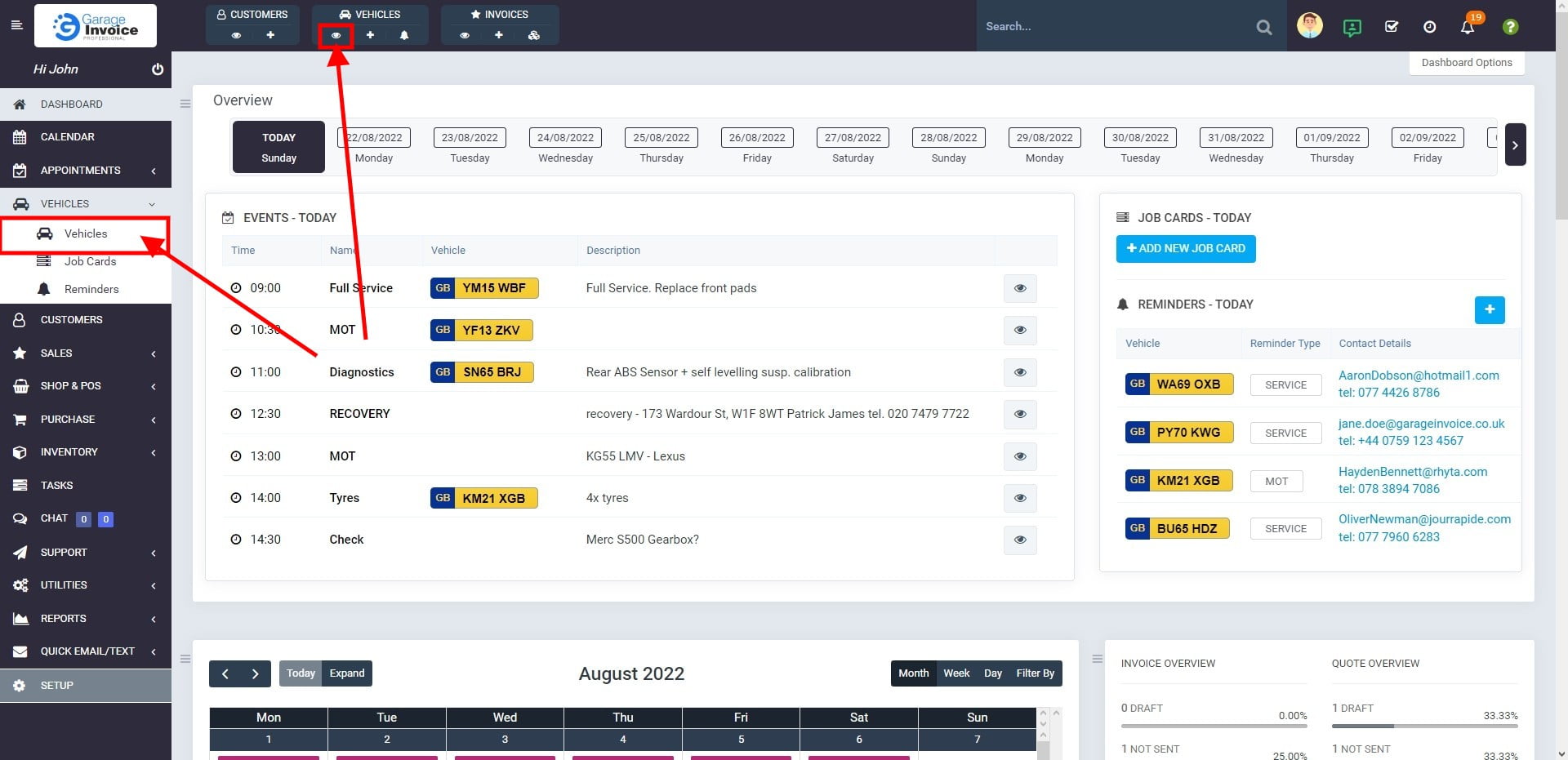
- Click on ‘VEHICLES‘ option located on the sidebar menu (left-hand side of the screen).
You can also use a shortcut menu. Just click eye symbol under the Vehicles shortcut.

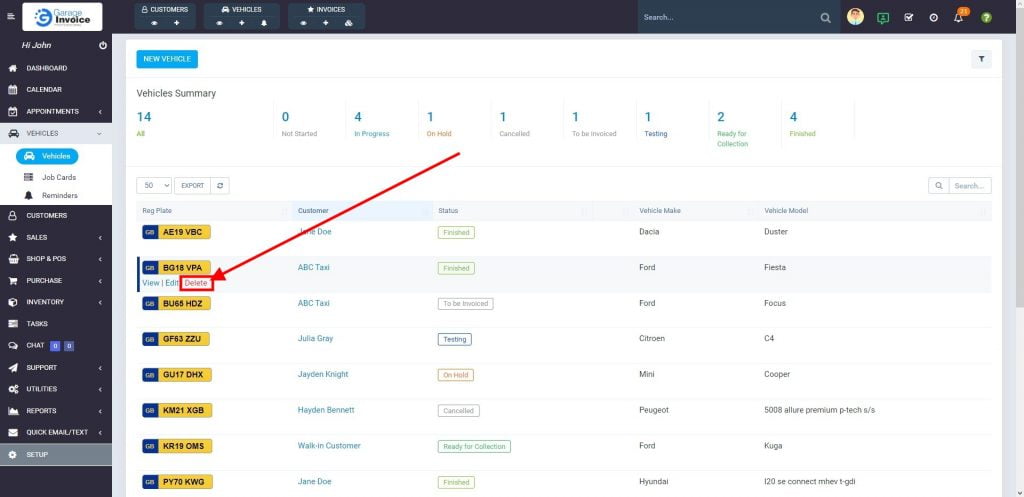
- Hover the cursor over Reg Plate, and click Delete.

Delete Vehicle from Vehicle Overview Screen
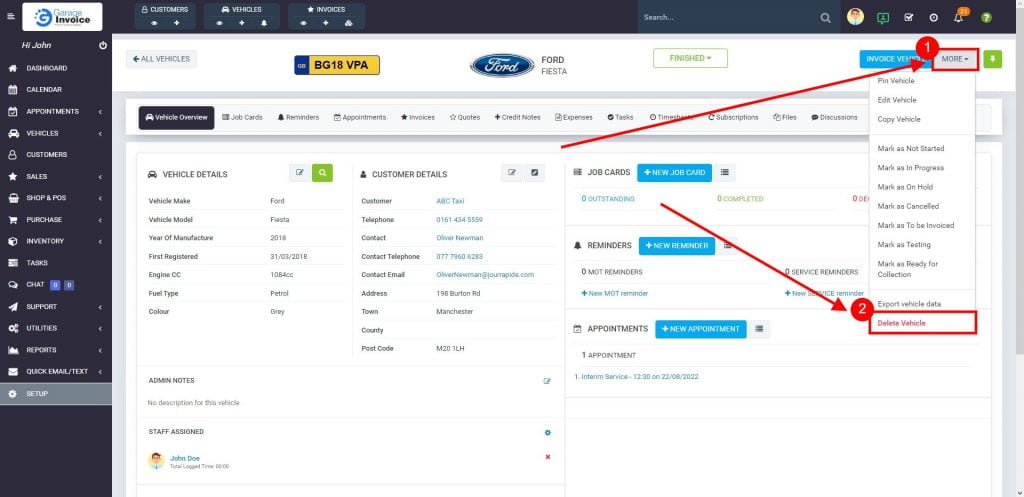
- On the Vehicle Overview Screen click More button, and select Delete Vehicle from the dropdown.