
Your day is a daily briefing shown once a day to administrators and technicians. It gives you a personal greeting, today’s work and an optional joke.
Open Your day
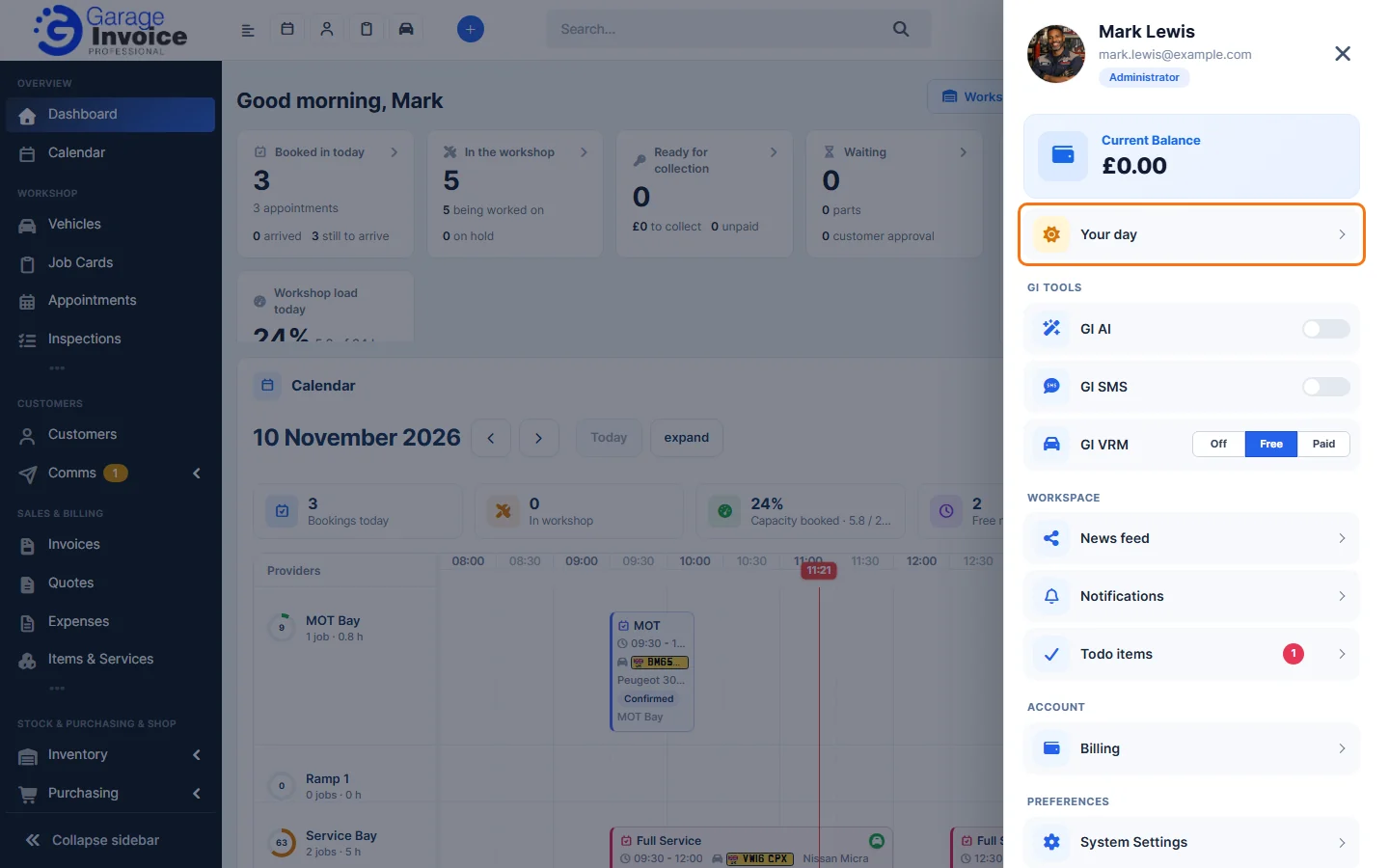
- It opens by itself the first time you use Garage Invoice each day. To open it at any time, click your photo at the top right and click Your day.
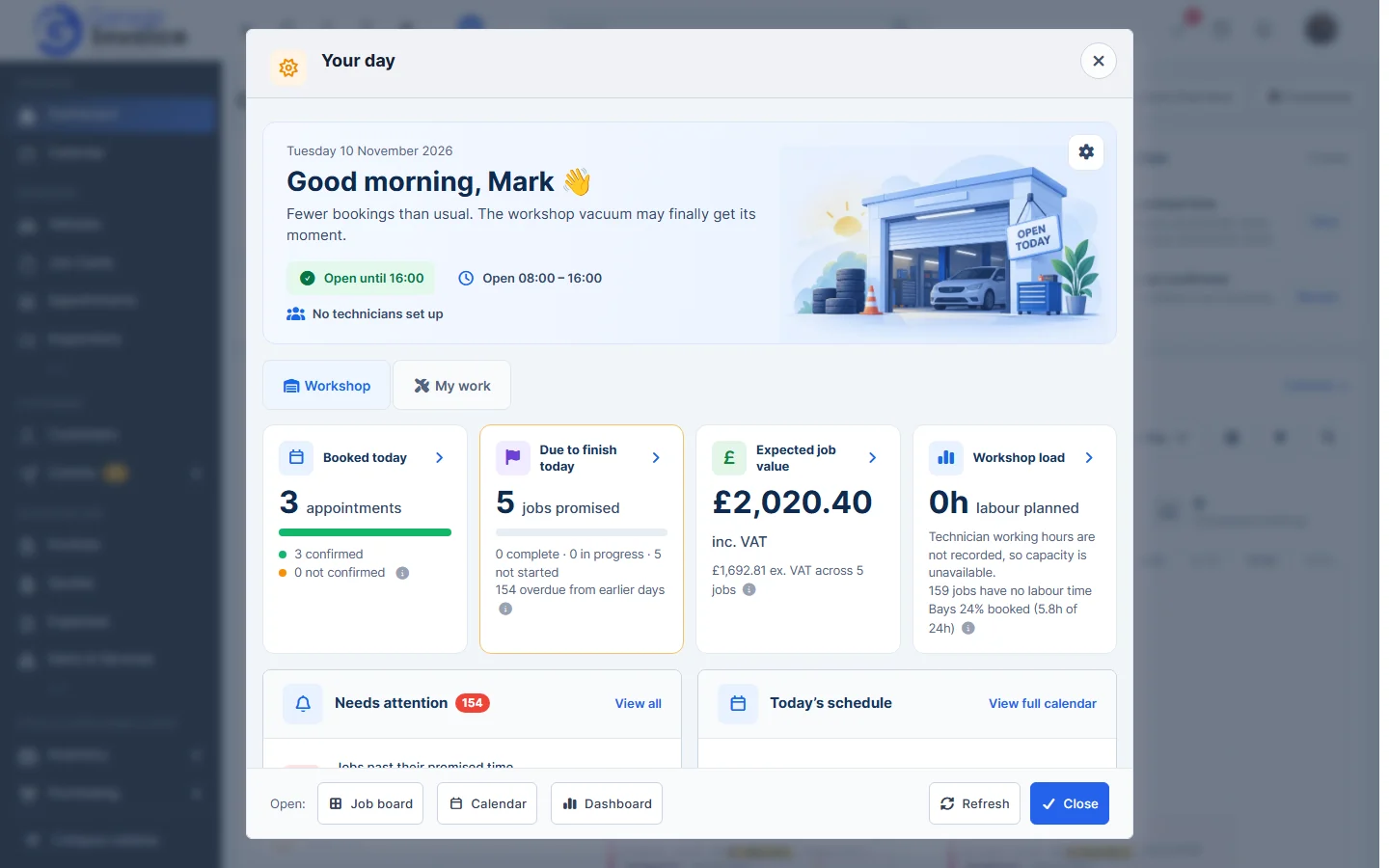
- The top shows today’s date, whether the workshop is open, today’s opening hours and which technicians are working.
- The Workshop tab shows the whole workshop:
- Booked today: today’s appointments, and how many are confirmed or not confirmed.
- Due to finish today: jobs promised for today, and how many are complete, in progress or not started.
- Expected job value: the value of today’s jobs, including and excluding VAT.
- Workshop load: labour hours planned and how busy your bays are.
- Needs attention: for example jobs past their promised time. Click View all or View late jobs.
- Today’s schedule: today’s bookings and promised completions by time. Click View full calendar to open the Calendar.
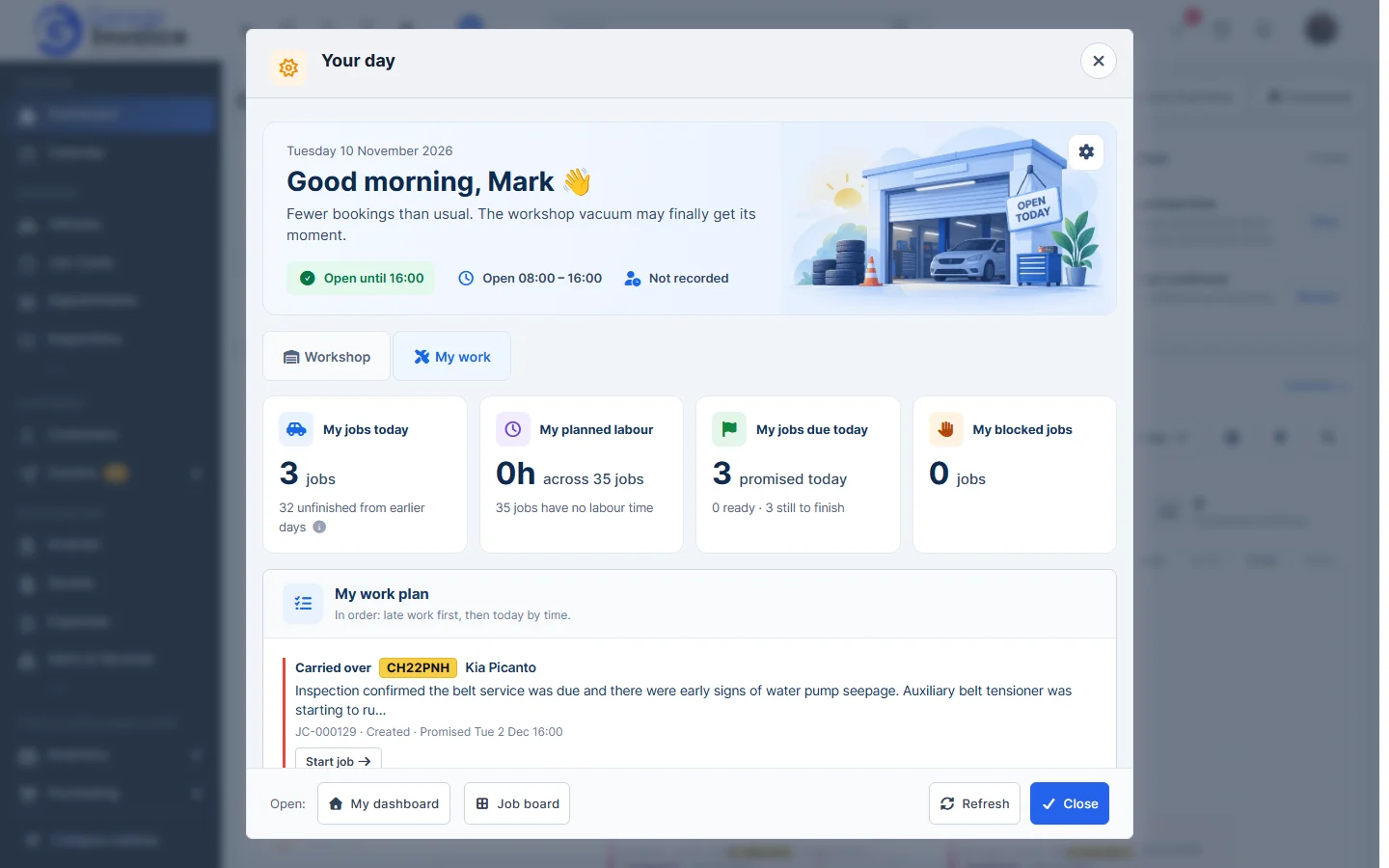
- The My work tab shows only your own work: My jobs today, My planned labour, My jobs due today, My blocked jobs and My work plan, with late work first and then today’s jobs by time. Click Start job to start one.
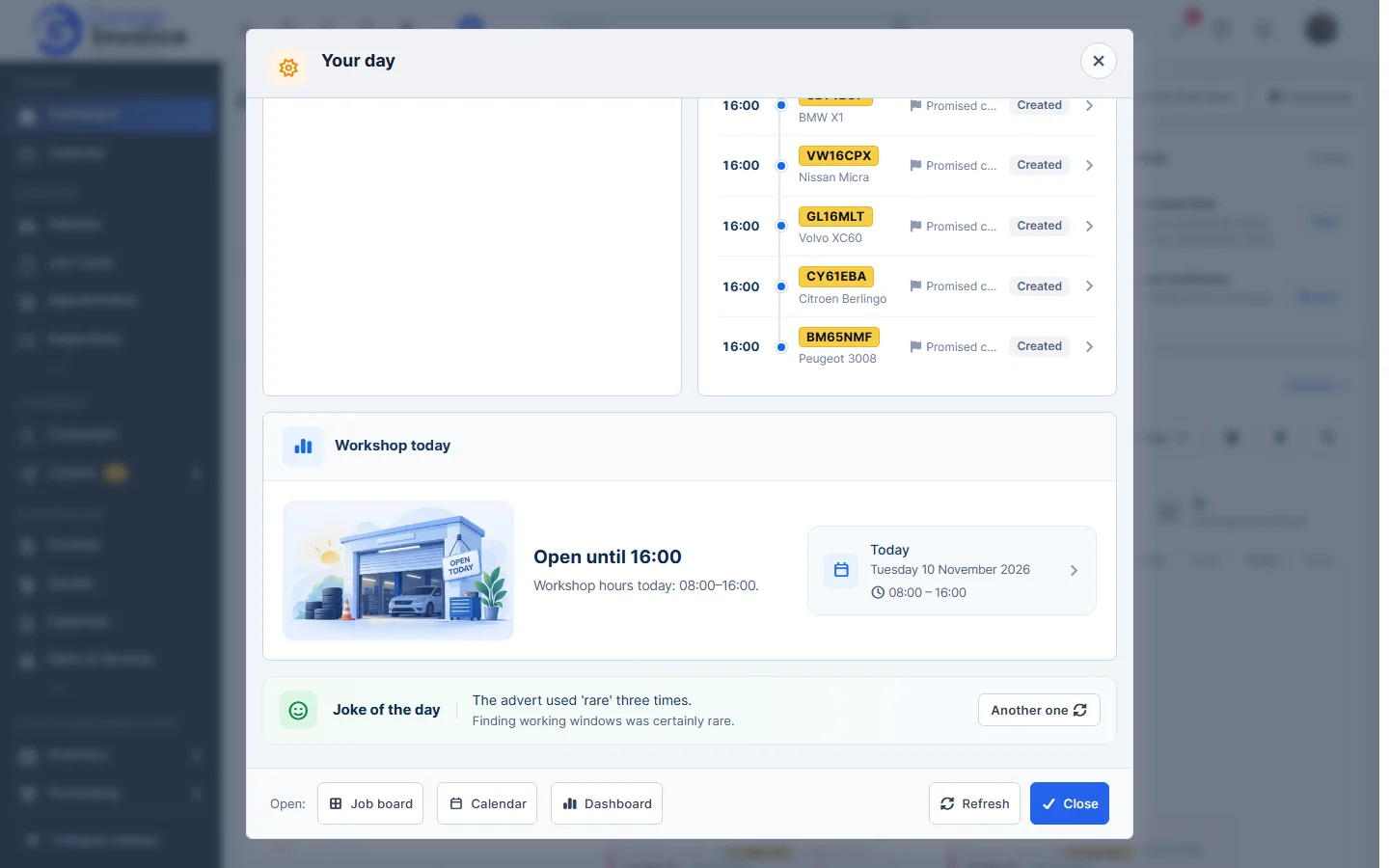
- Scroll down for Workshop today (today’s opening hours) and the Joke of the day. Click Another one for a new joke.
- Use the buttons at the bottom to open the Job board, Calendar or Dashboard. Click Refresh to update the figures, or Close.
Your preferences
Click the cog at the top right of the briefing. Under Preferences (saved for you on every device):
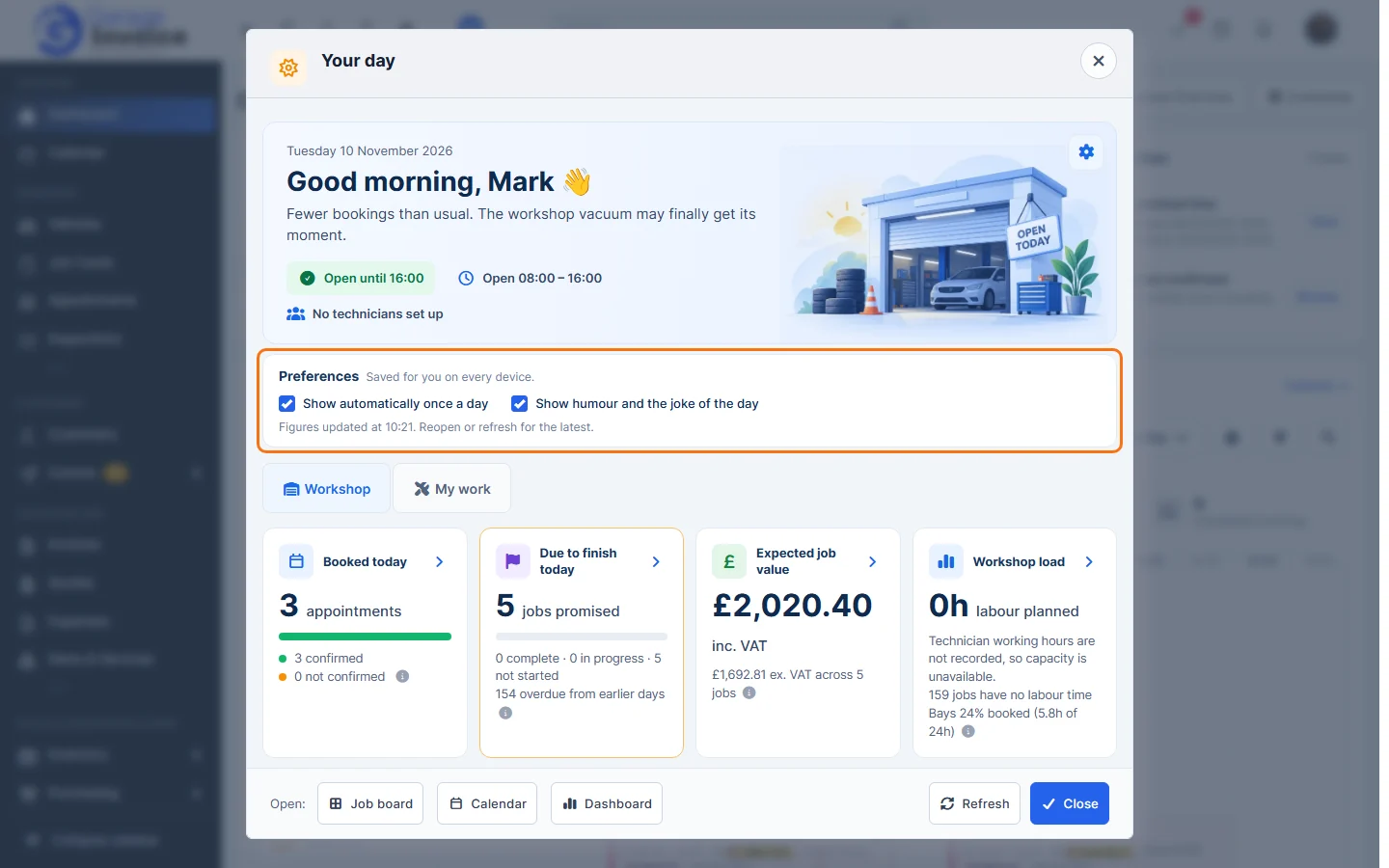
- Show automatically once a day: untick it if you only want to open Your day yourself.
- Show humour and the joke of the day: untick it to hide the joke.
Turn Your day on or off for everyone
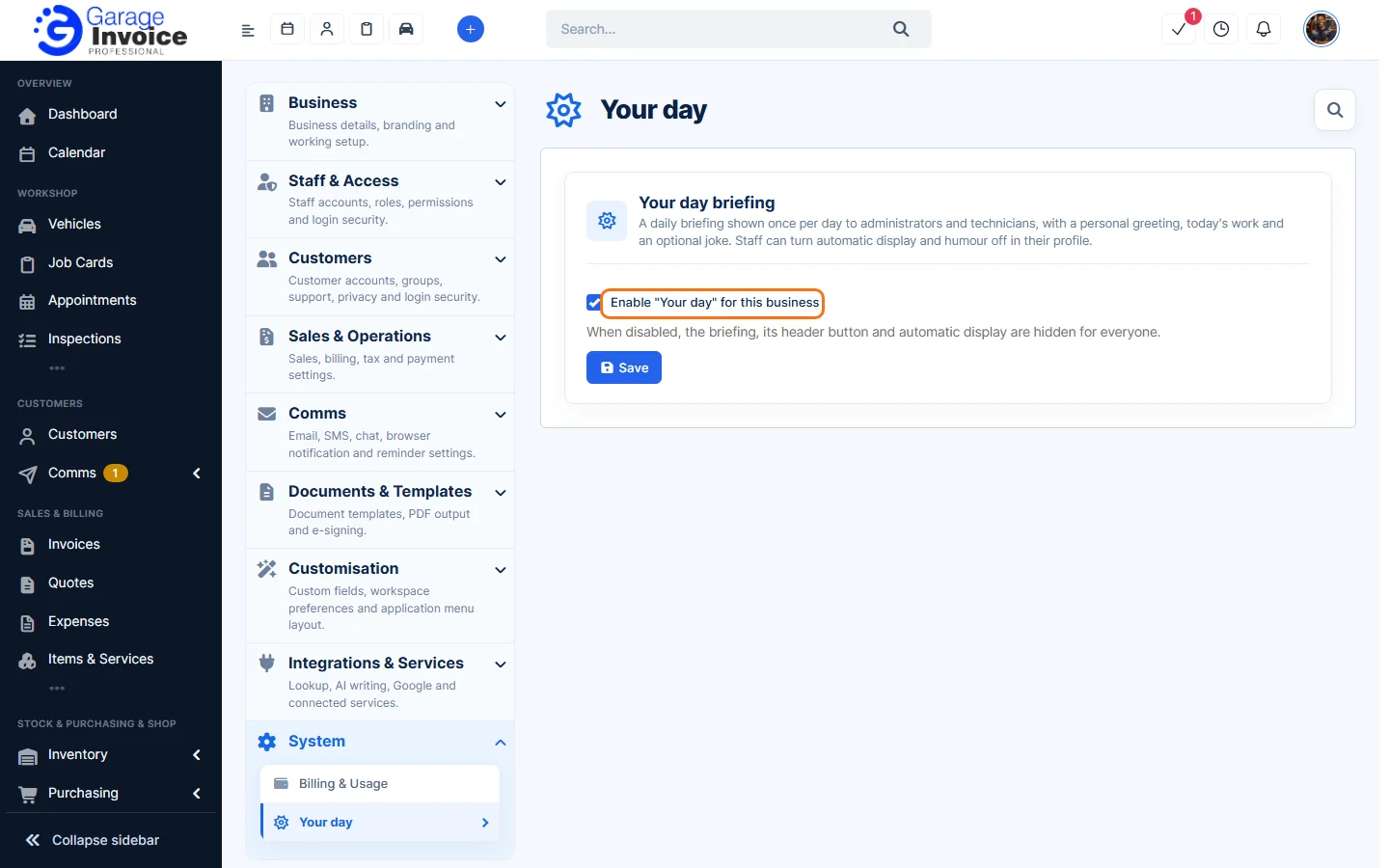
- Click Settings at the bottom of the sidebar, under Administration. In the panel on the left, open System and click Your day.
- Tick or untick Enable “Your day” for this business. When it’s off, the briefing, its button and the automatic display are hidden for everyone.
- Click Save.
Tip: for a fuller view of today’s workshop, see Workshop Today Dashboard.