
- Click Inventory in the sidebar (under Stock & Purchasing & Shop) and click Goods Dispatched.
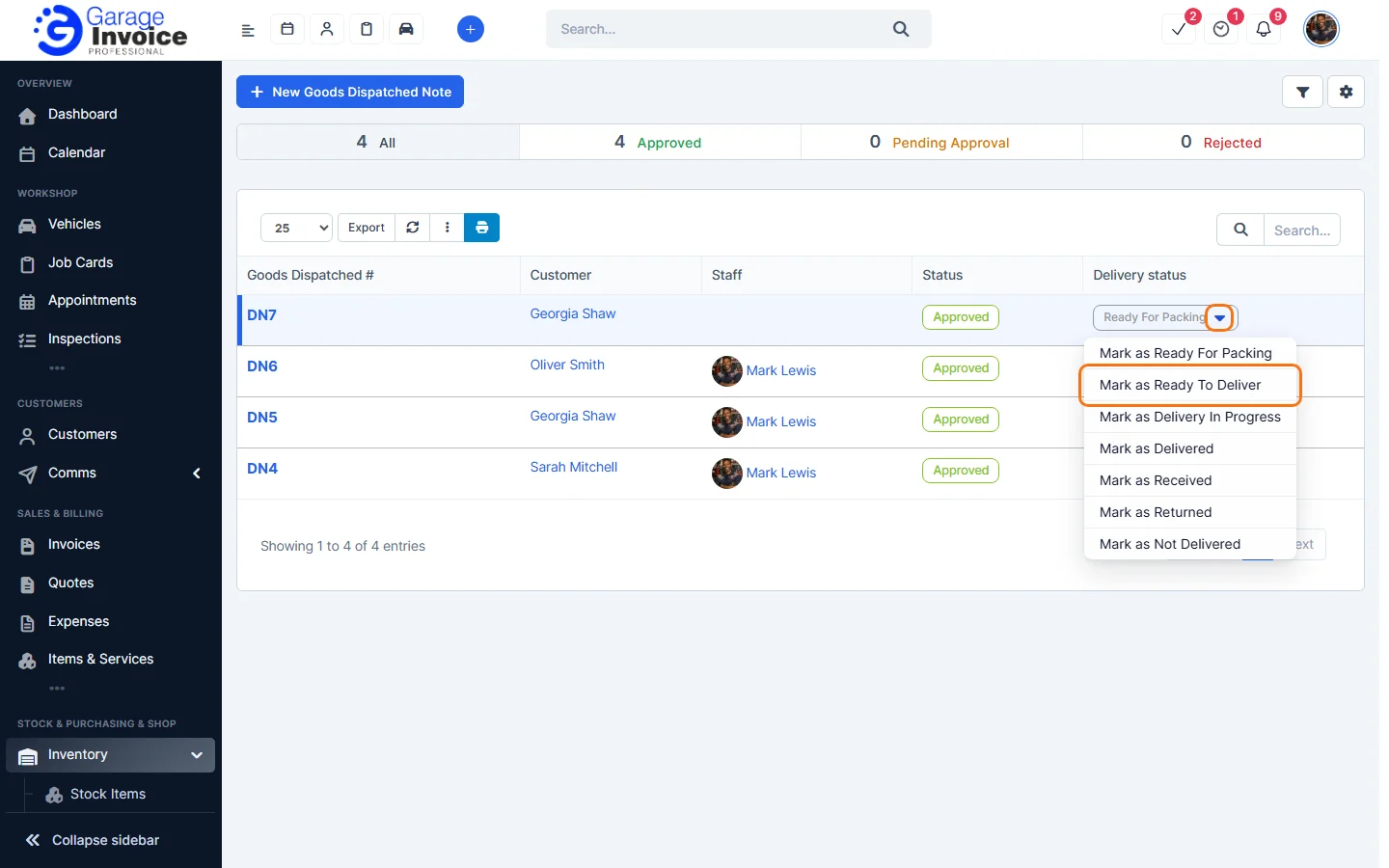
- In the Delivery status column, click the small arrow next to the status.
- Choose the new status: Ready For Packing, Ready To Deliver, Delivery In Progress, Delivered, Received, Returned or Not Delivered.
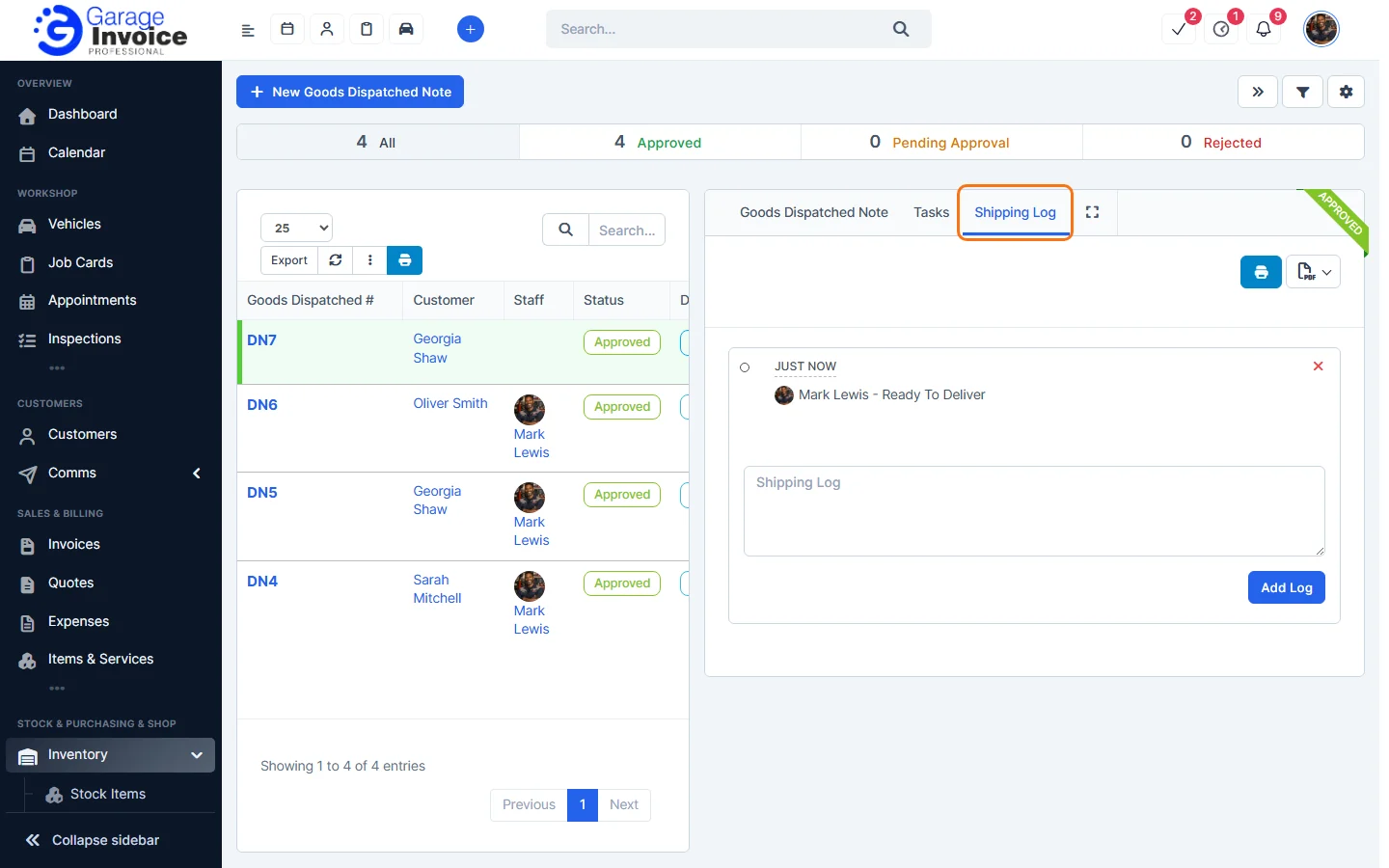
The app shows “Delivery status changed successfully”. Click the note number and open the Shipping Log tab to see each change and who made it. You can type a note in the box and click Add Log.
Tip: to email customers when the status changes, tick Notify customers via email when the delivery status changes. in Inventory General Settings.
Feature Stock and inventory control: see what it does and how it fits your workshop.