
1. Check the email address
Open the customer’s contact and check the email address has no typing mistakes or spaces. Ask the customer to check their spam or junk folder.
2. Check how emails are sent
- Click Settings, open Comms and click Email.
- Click the Email Providers tab. Email Connections shows which service sends your emails. The built-in Garage Invoice service is used unless you connect another one, for example Microsoft 365 / Outlook / Hotmail, Google Gmail / Google Workspace or Other SMTP.
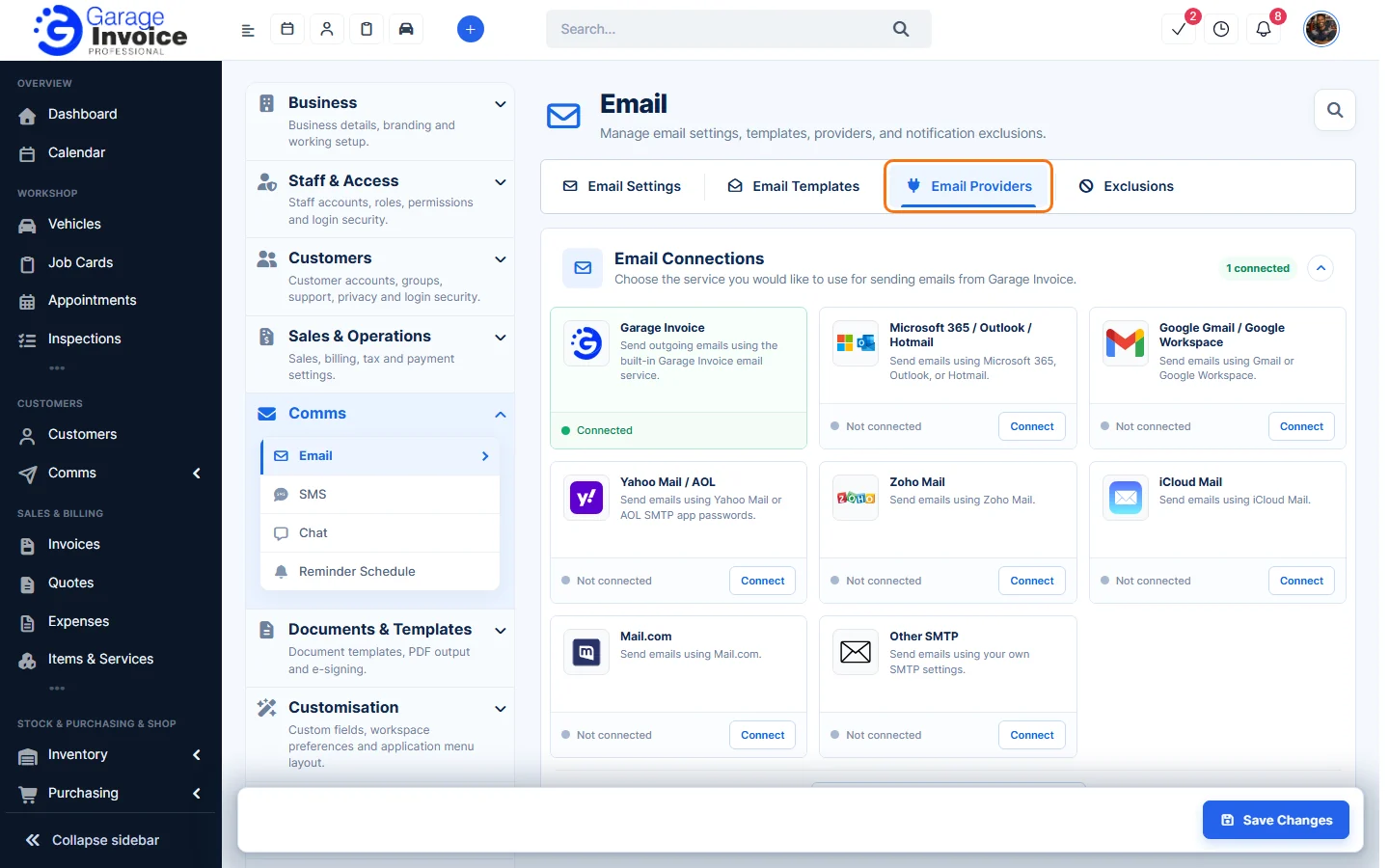
- If you connected your own email account and emails stopped, its password or app password may have changed. Connect it again with Connect.
3. Check excluded addresses
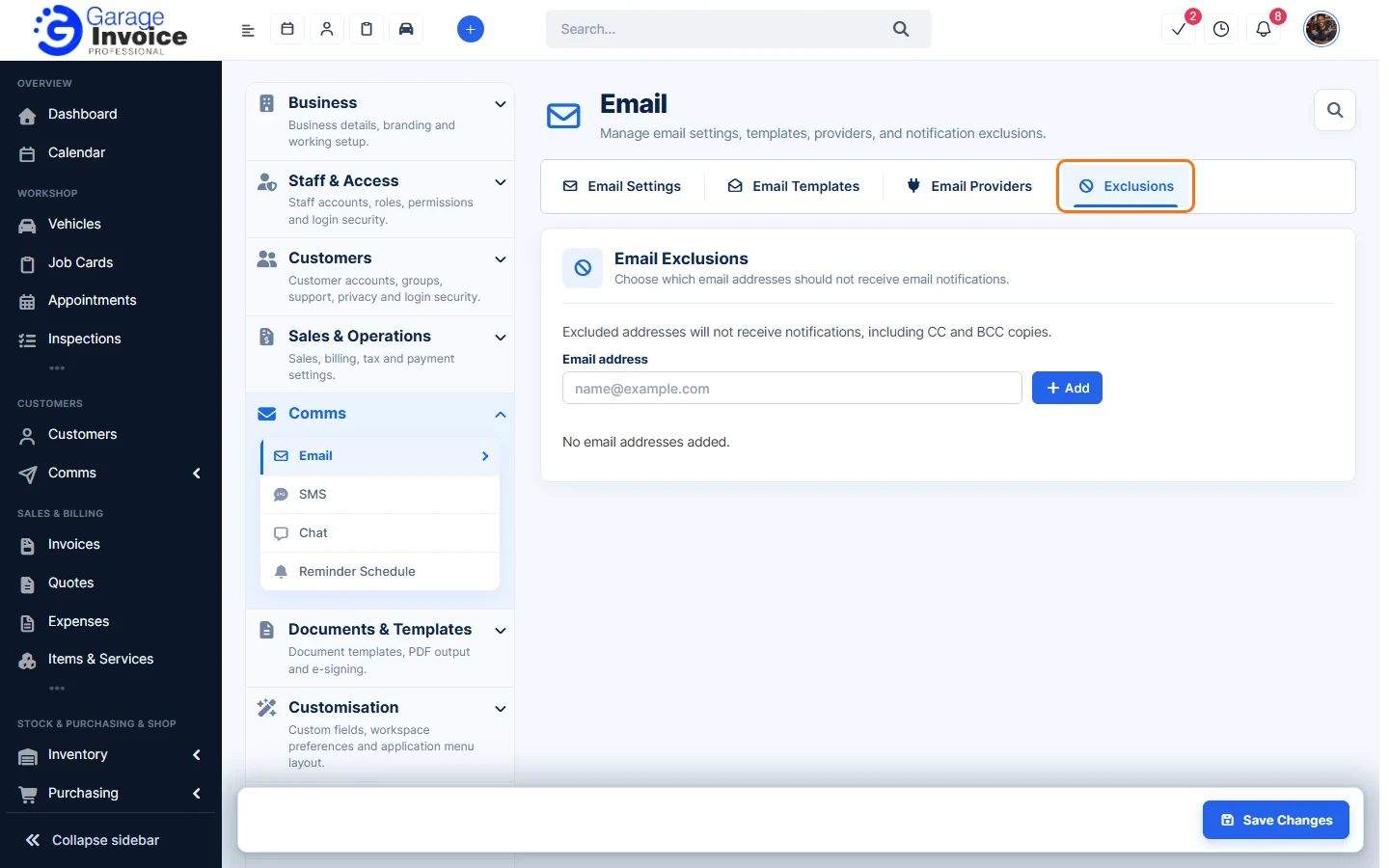
On the Exclusions tab, addresses listed under Email Exclusions never get email notifications, including CC and BCC copies. Remove the address if it shouldn’t be there.
4. Check the email template is on
On the Email Templates tab, each template can be active or disabled. If a particular email never goes out, make sure its template is active. See Enable/Disable Email Notifications.
Still stuck? See Guide: Troubleshooting or contact Garage Invoice support.