
- Open the vehicle by clicking its registration plate anywhere in Garage Invoice. To find it, see Search for Vehicle.
- Click the current status at the top of the page and choose the new one.
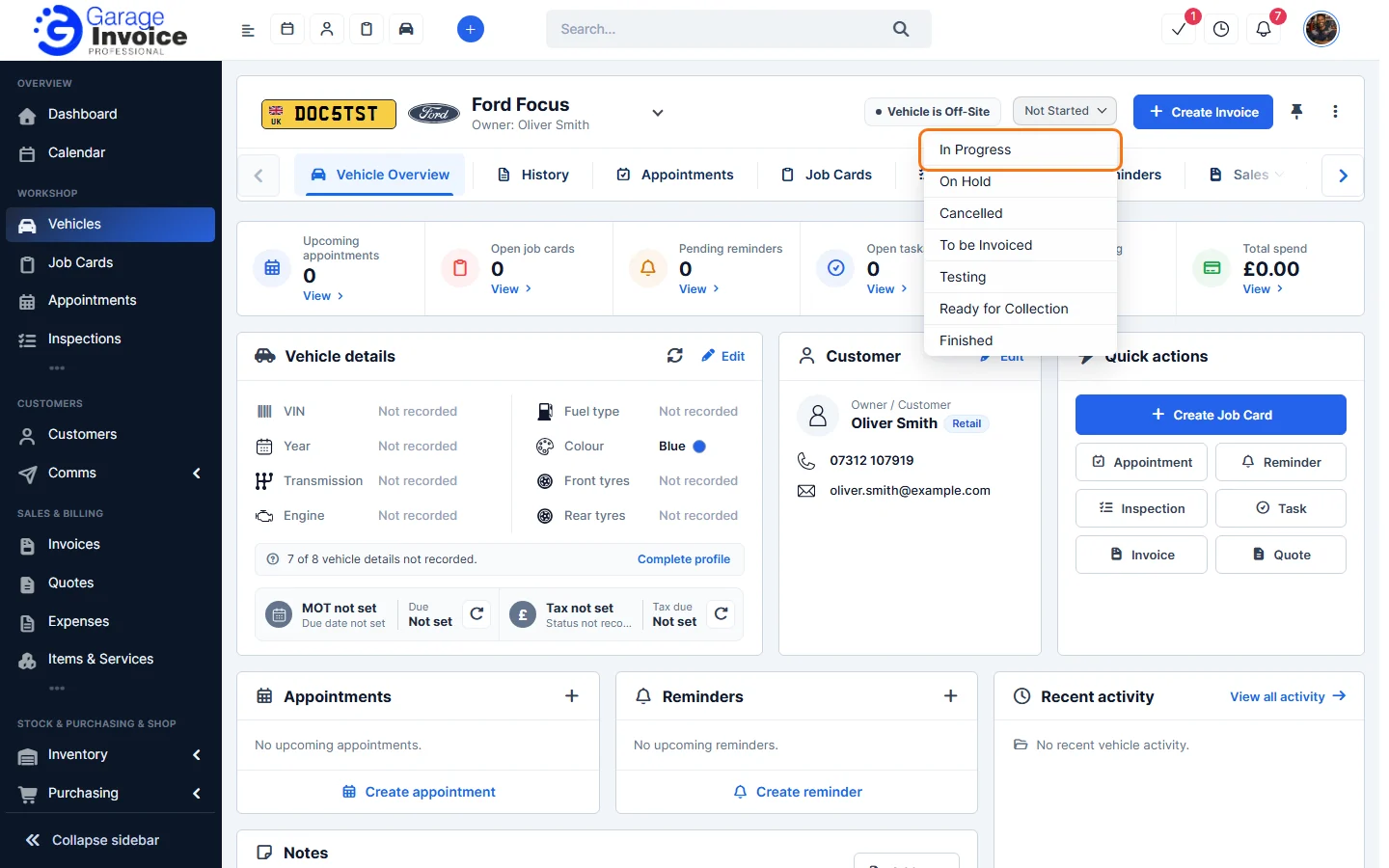
Tip: you can also click ⋮ in the top right corner and choose Mark as followed by the status.
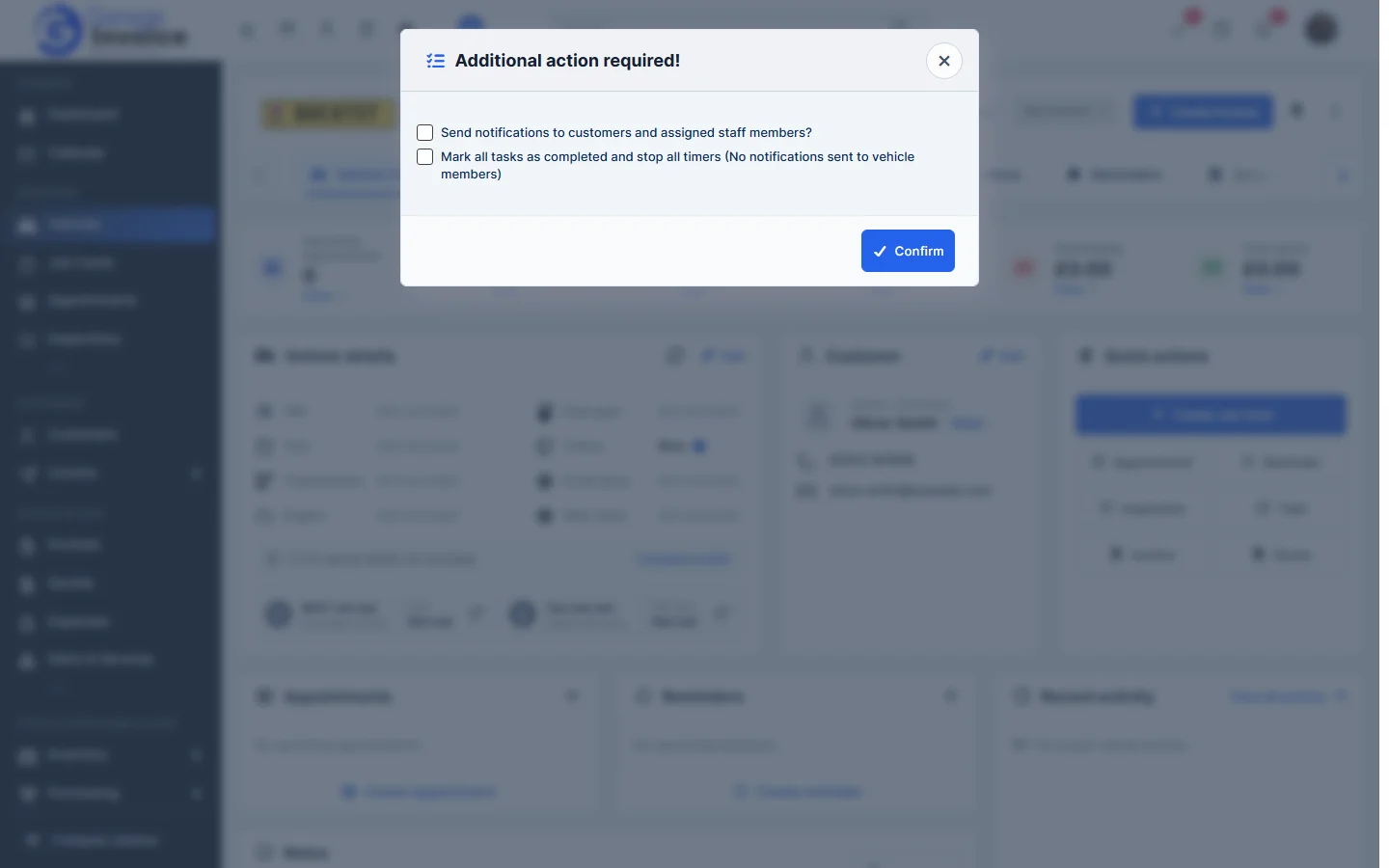
- The Additional action required! window opens. Tick what you want to happen, then click Confirm:
- Send notifications to customers and assigned staff members?
- Mark all tasks as completed and stop all timers. No notifications are sent to vehicle members with this option.
The new status shows at the top of the vehicle page and in the Vehicles list. See Vehicle Status Explained.
Feature Vehicle records: see what it does and how it fits your workshop.