
- Click Tasks in the sidebar and click New Task.
- Under Task details, enter the Task’s Name, an Hourly Rate if you bill by the hour, and a Task Description.
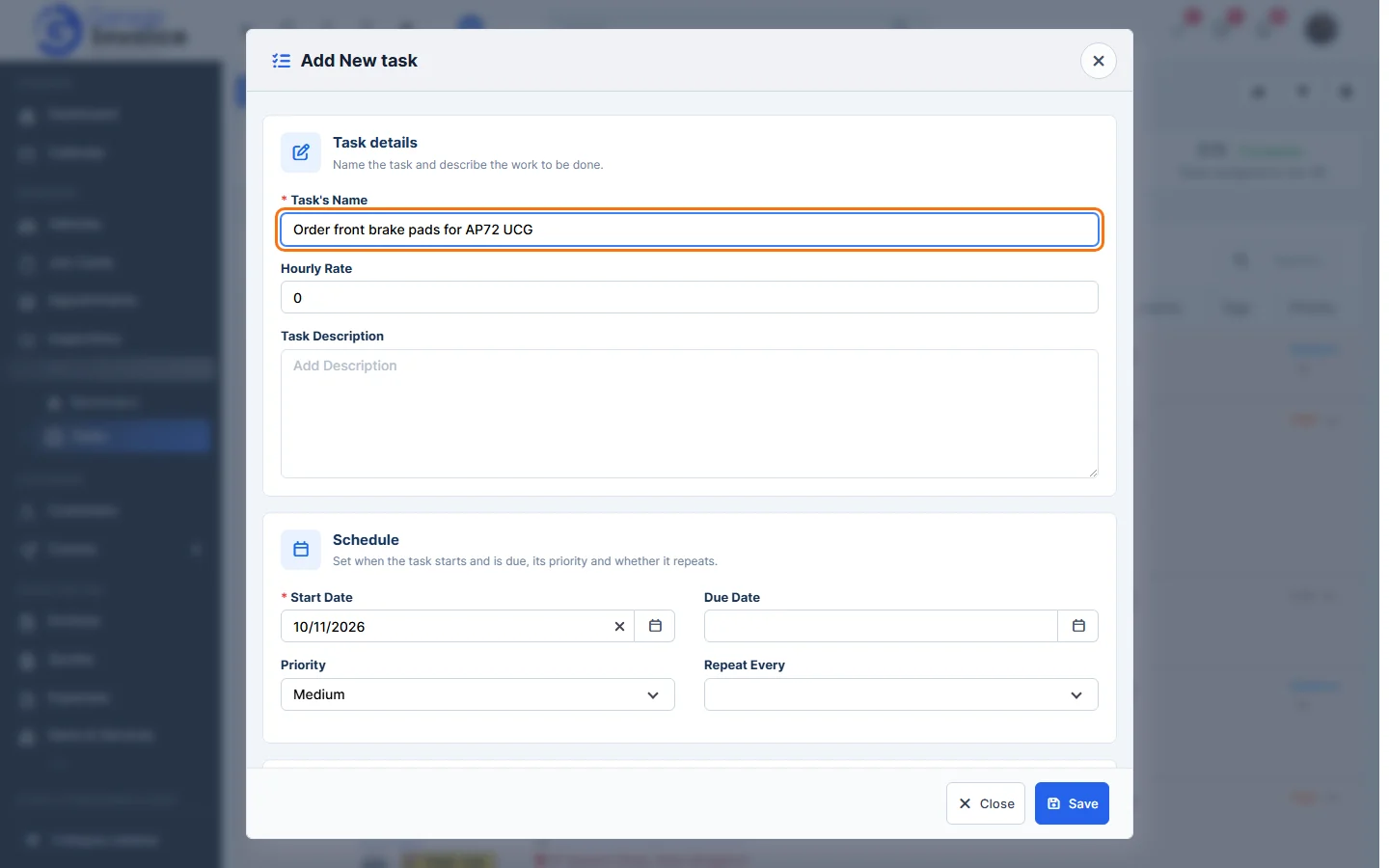
- Under Schedule, set the Start Date, Due Date and Priority. Choose Repeat Every for a task that repeats.
- Under Related to, choose what the task is for (for example Vehicle, Customer, Invoice, Quote or Job Card) and search for it.
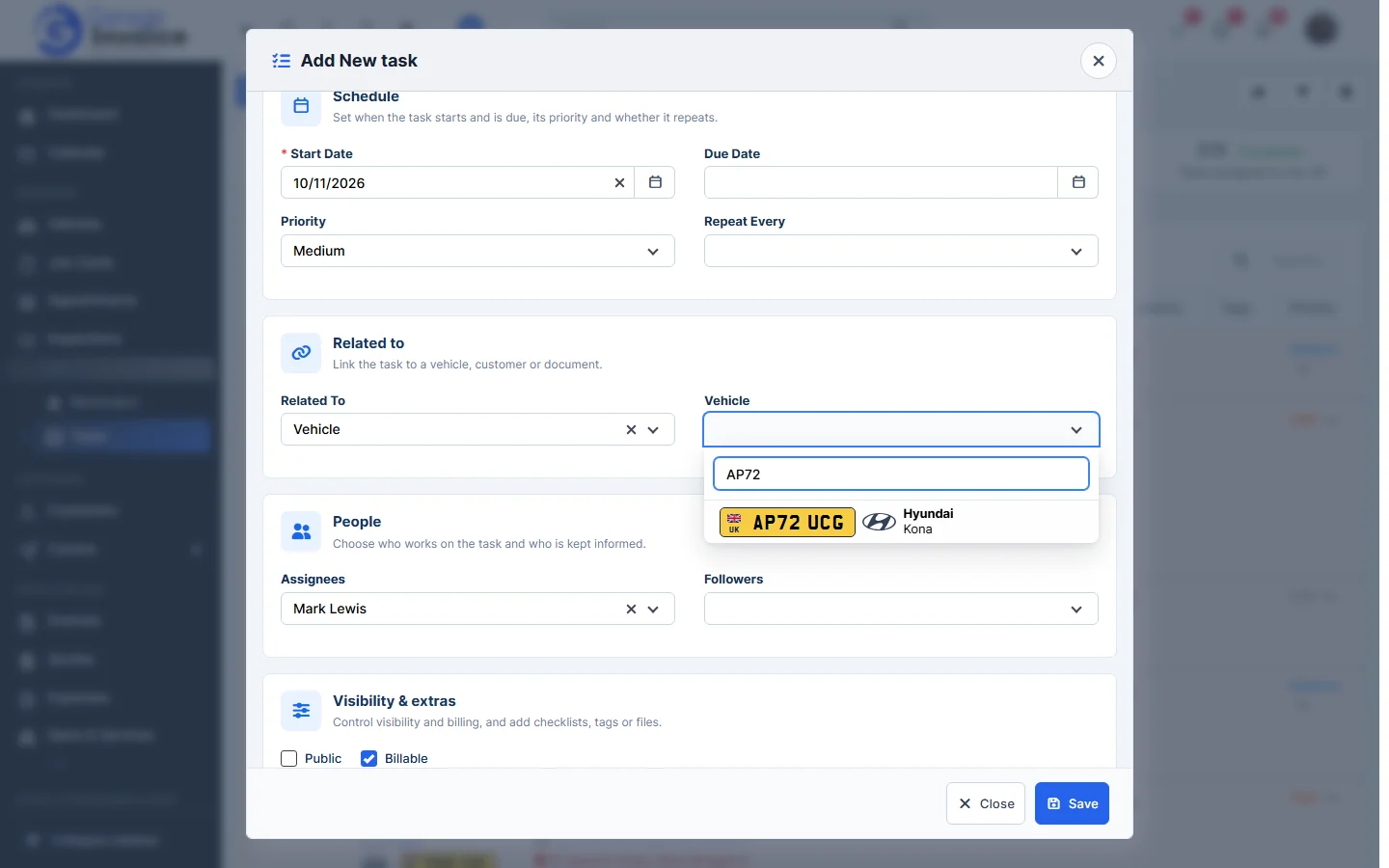
- Under People, choose the Assignees and Followers. Under Visibility & extras, tick Public or Billable, add Tags or click Attach Files.
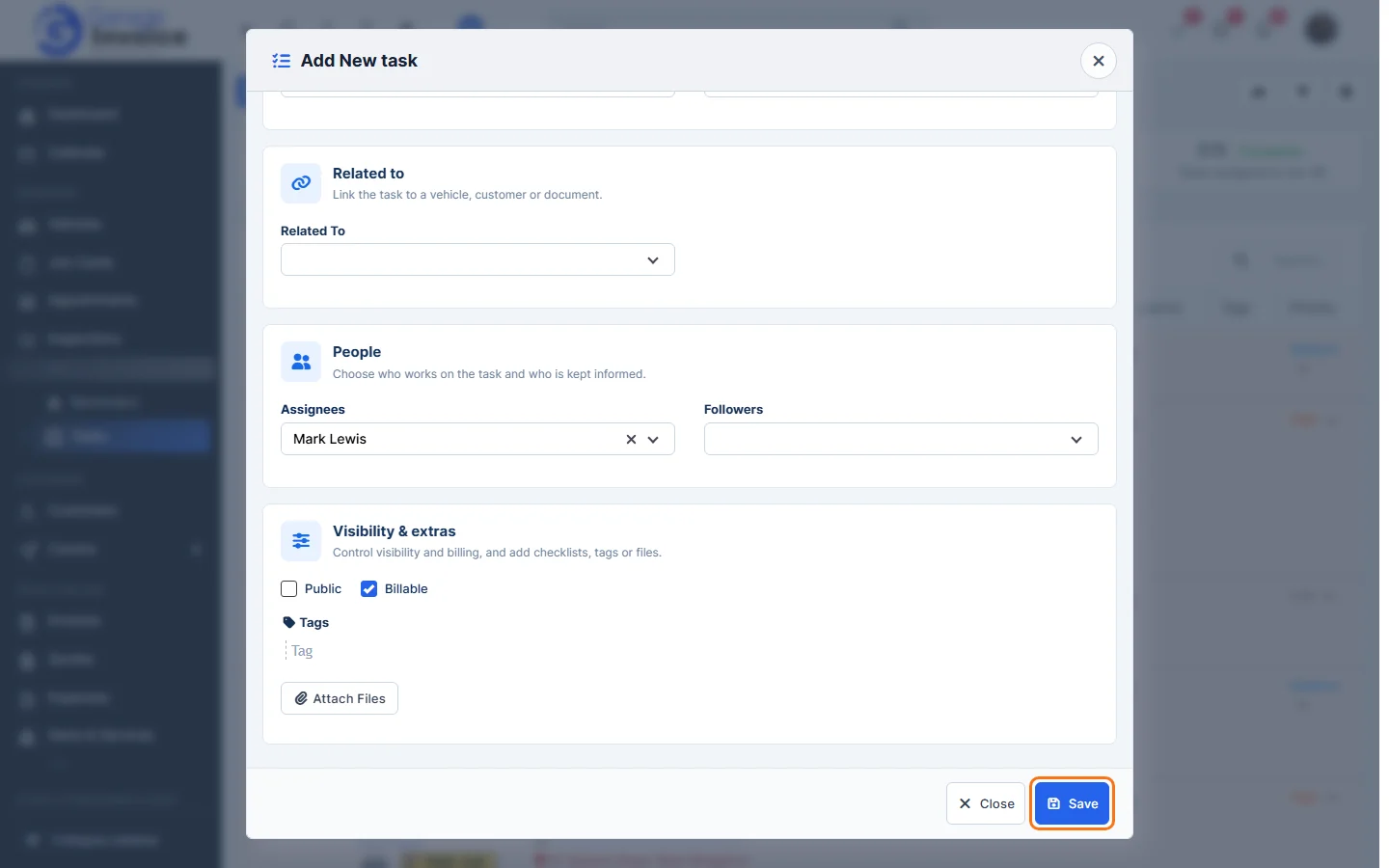
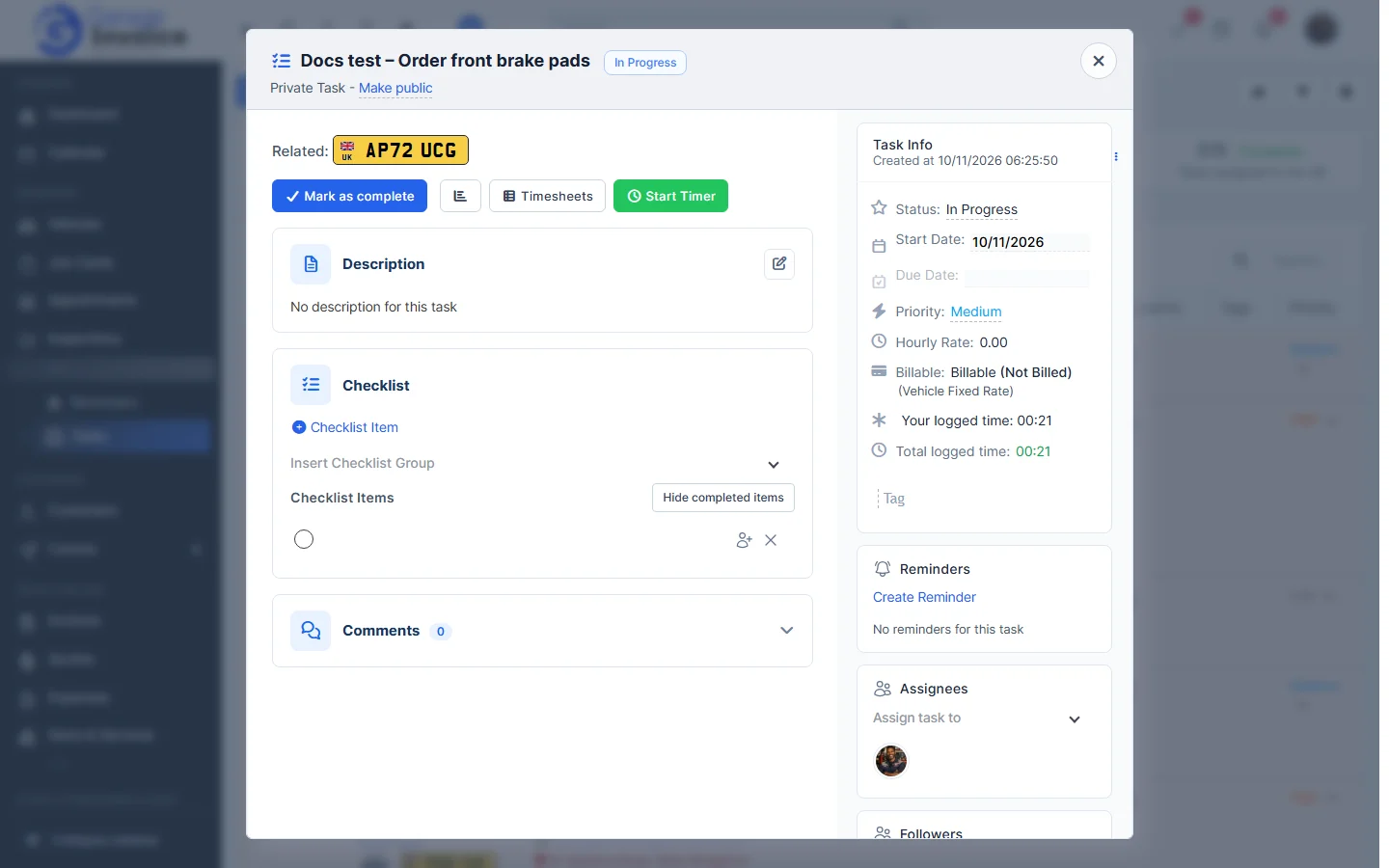
- Click Save. The task opens so you can add a checklist, comments or time.
Tip: you can also add a task from a vehicle, customer, invoice or job card, so it is linked automatically.