
Credit notes
Credit notes for refunds and invoice adjustments
Issue a credit note when an invoice needs correcting or a customer is owed money, and keep it linked to the original invoice.
Try the live demo
View pricing
Opens the demo garage with example data. No sign-up or payment card needed.
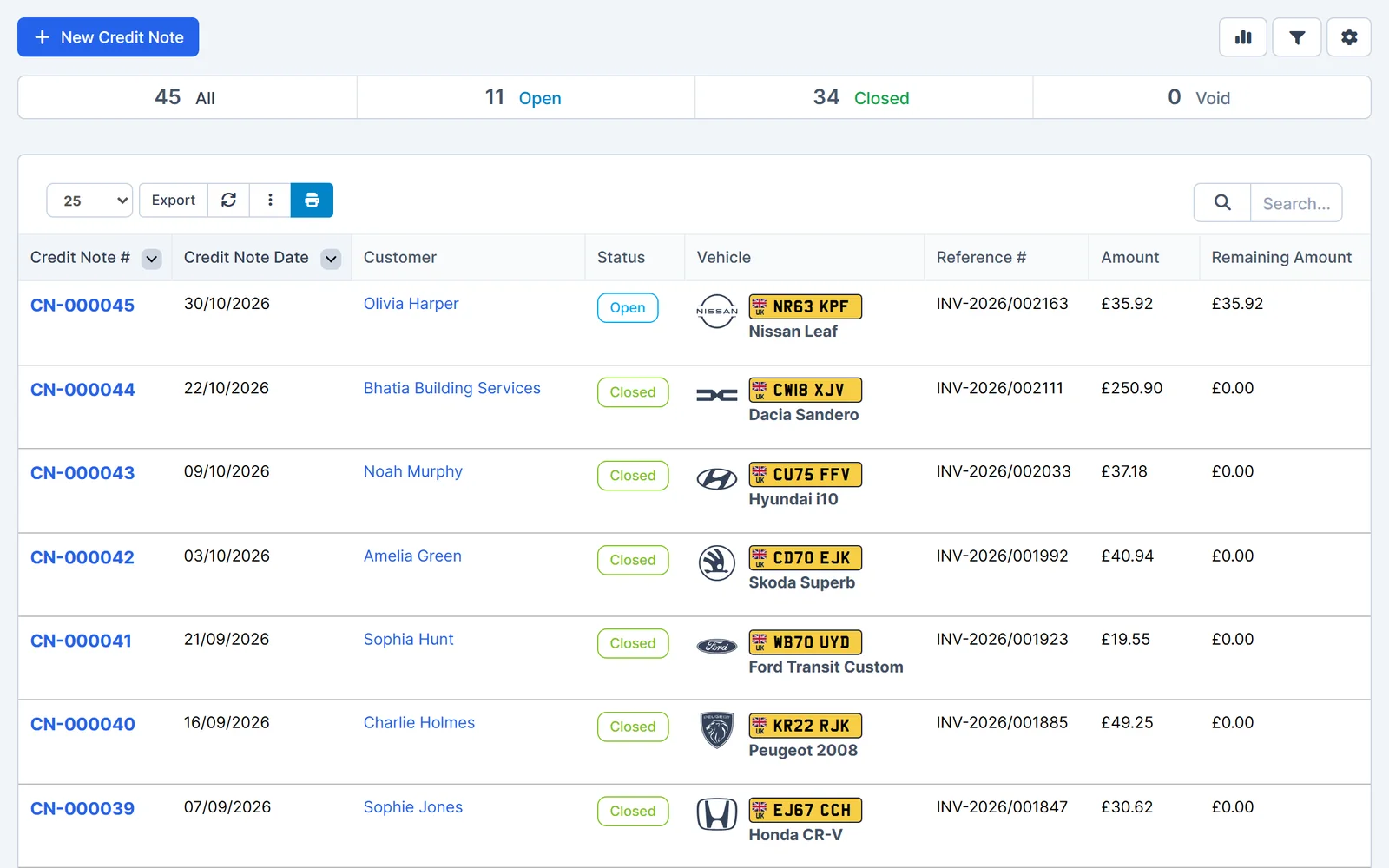
Keep adjustments clear and traceable
Every credit note shows which invoice, customer and vehicle it relates to.
- Linked to the invoice. Each credit note references the original invoice.
- Customer and vehicle. See who the credit is for at a glance.
- Remaining amount. Track how much of each credit is still open.
- Statuses. Open, closed and void credit notes are easy to filter.
- Open
- Credit still available.
- Closed
- Fully used.
- Void
- Cancelled and no longer valid.
Your numbering, notes and terms
Credit notes follow the same professional format as your other documents.
- Numbering. Set your own credit note prefix and number format.
- Notes and terms. Add default notes and terms to every credit note.
- Customer record. Find credit notes on the customer's record.
- Reports. Credit notes appear in sales reports and as adjustments in the VAT summary.
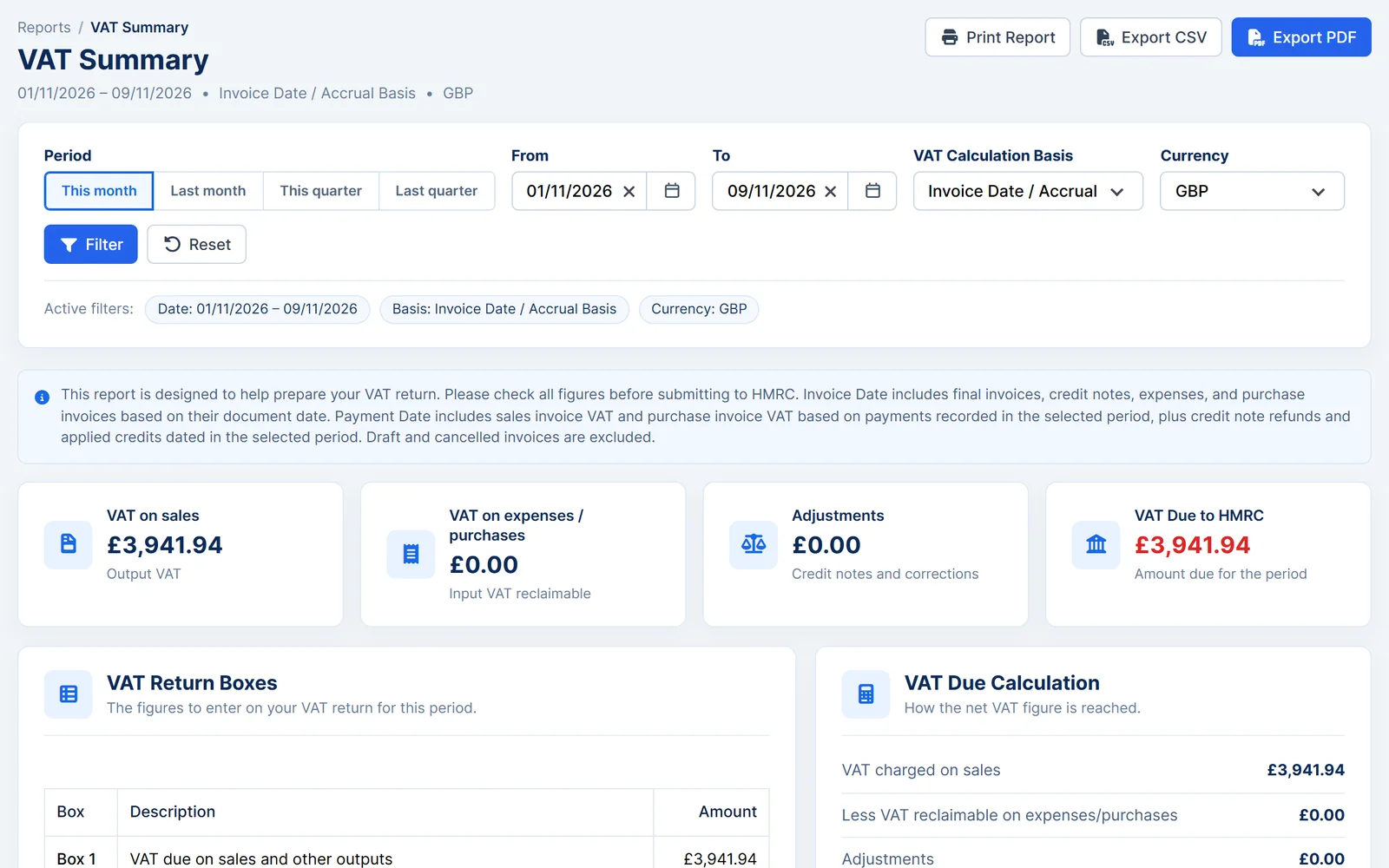
Works together
Related features
Garage Invoice keeps these records connected, so you don't enter the same details twice.
Help centre
Credit Notes step-by-step guides
Short guides with screenshots that show you how to set it up and use it day to day.
- Credit Notes Overview
- Add New Credit Note | Create Credit Note
- Edit Credit Note
- Send Credit Note to Customer
- Apply Credit Note to Customer Invoice
- Refund Credit Note to Customer
See how Garage Invoice fits your workshop
Explore the demo garage, try the features and choose the right plan for your business.