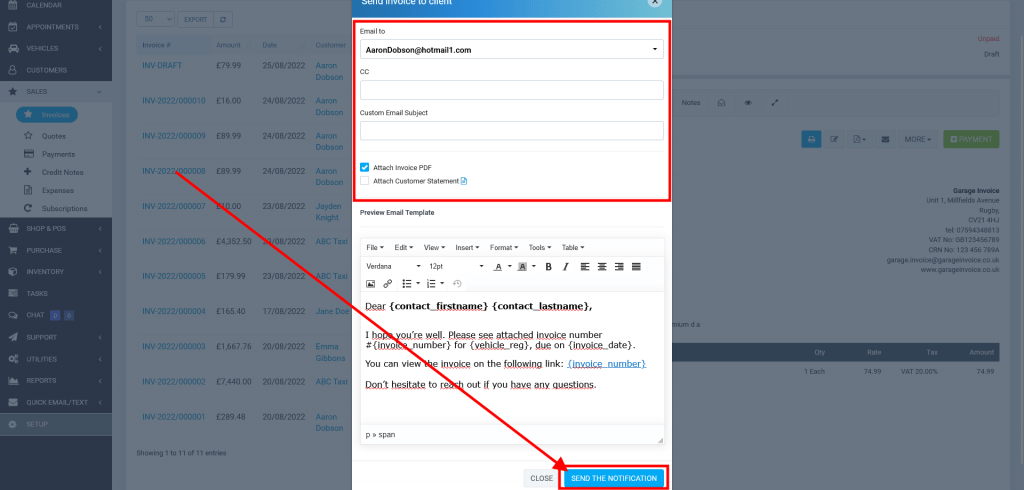
Send Invoice to Customer
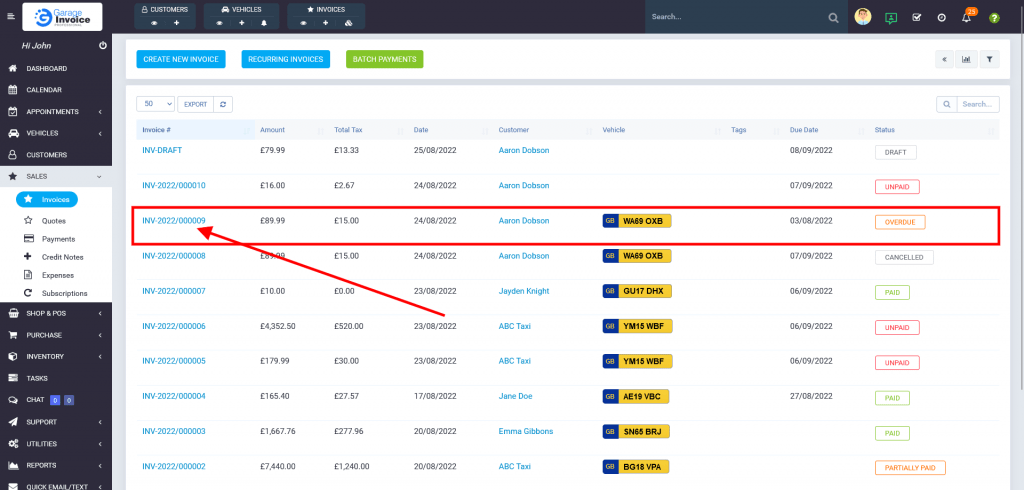
- Click Sales → Invoices menu located on the sidebar menu (left-hand side of the screen).
You can also use a shortcut menu. Just click eye symbol under the Invoices shortcut.

- Locate the invoice on the table list, and click on the Invoice Number.
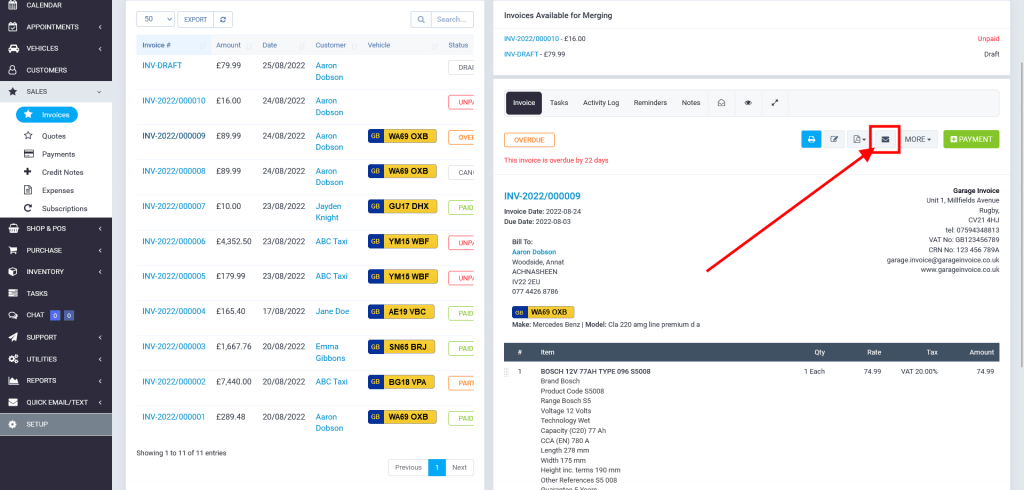
- Click
 Send to Email button.
- Optionally, enter CC email, enter Custom Email Subject, attach PDF document and Customer Statement.
Click Send the Notification button.