Add Manual Timesheet to Task
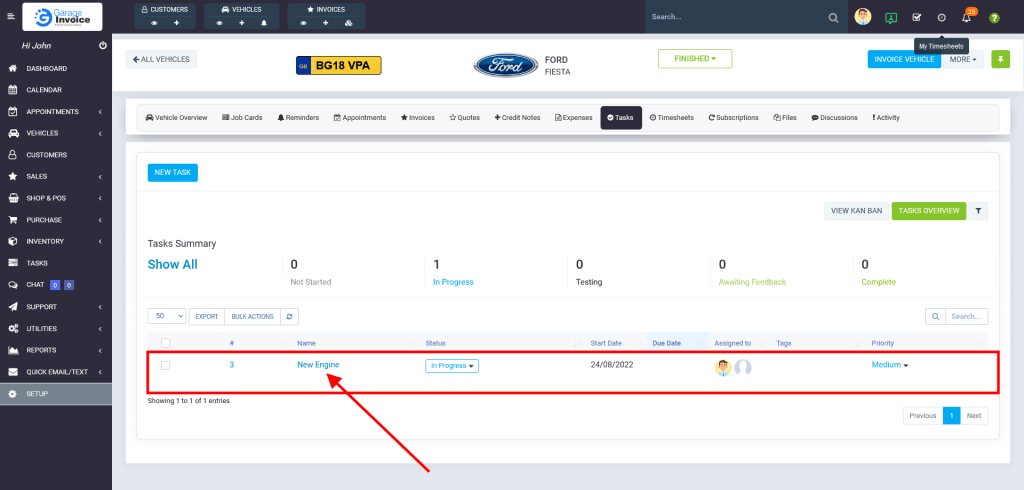
- On the Vehicle Overview Screen click Tasks.

- Click on Tasks’ Name.
- Click
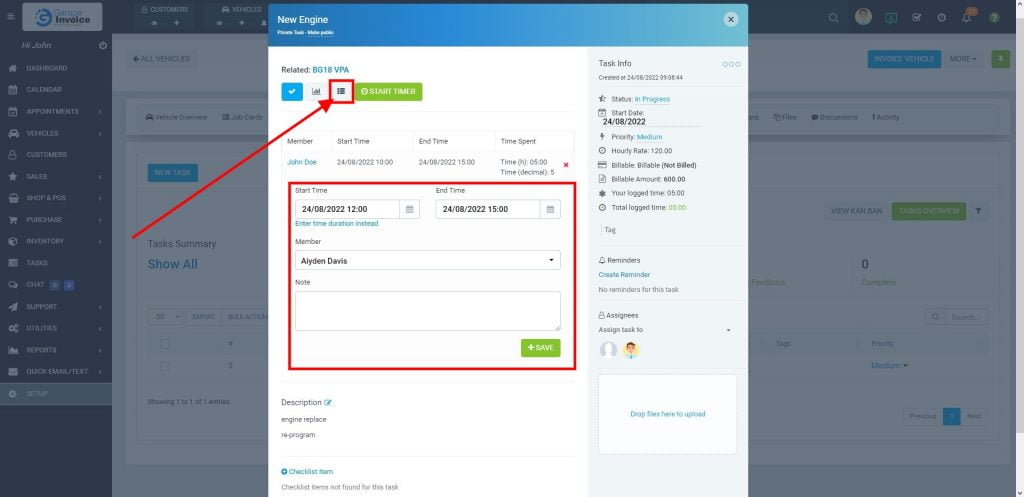
 Timesheet button, and enter start/end time (time spent on the task), select staff member and click Save button.


 Timesheet button, and enter start/end time (time spent on the task), select staff member and click Save button.