
Pipeline View
- On the Vehicle Overview Screen, click Job Cards.

- Click on Job Card number.

- Click Switch to Pipeline button.
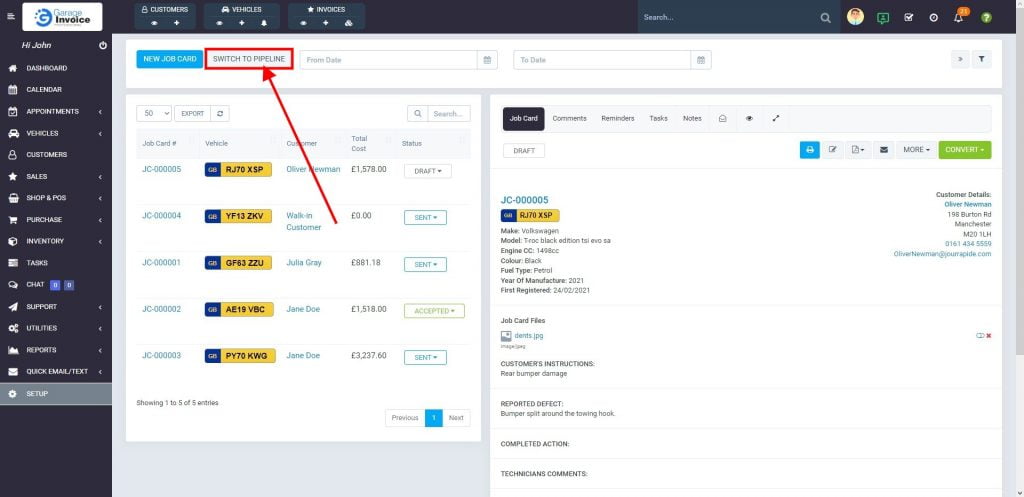
- Pipeline view is a visual way of changing Job Card status. Simply drag & drop (click & hold left mouse button and drag) Job Card to a desired Status column.


