Change Bank Details | Update Bank Details

Estimated reading: 1 minute 513 views
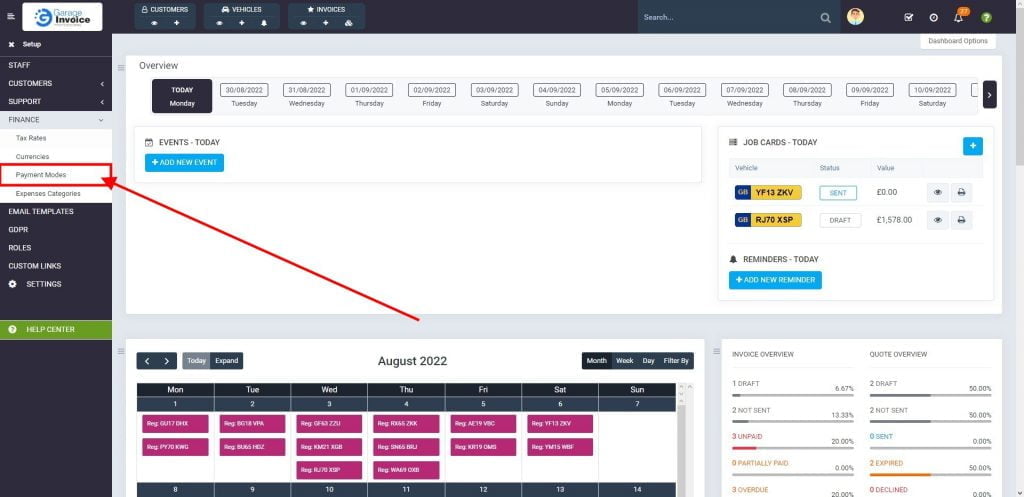
  1. Click SETUP, located on the sidebar menu (left-hand side of the screen).
    27 Dashboard1 1024X490 76
  2. Click Finance menu.
    27 Dashboard 1024X497 13
  3. Select Payment Modes option.
    27 Dashboard 1 1024X497 13
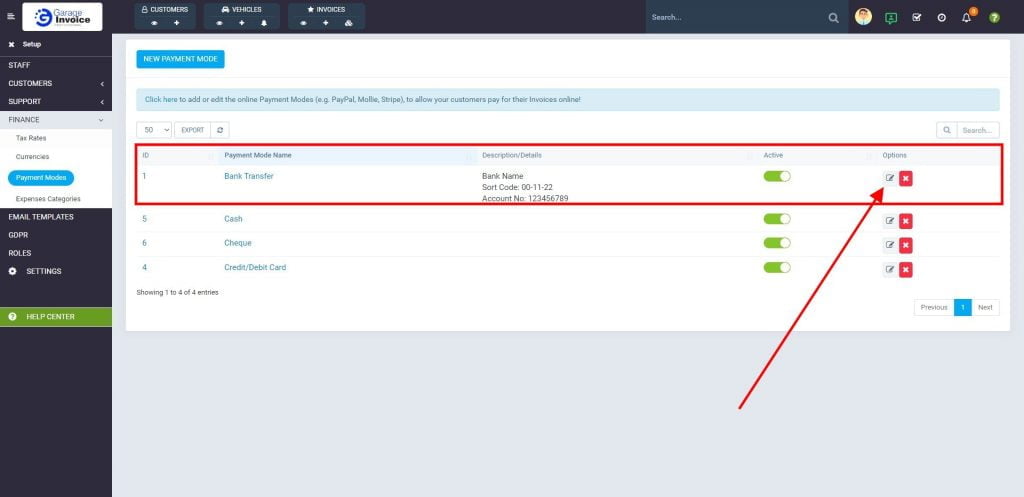
  4. Click Screenshot Carcheck.ginvoice.co .Uk 2022.08.24 16 41 13 8 Edit button located next to Bank Transfer payment mode.
    8 Payment Modes 1024X497 1
  5. Update bank details, ensure the payment mode is Active, and click Save button.
    8 Payment Modes 1 1024X497 1
CONTENTS
Garage Invoice Vehicle Management Software logo in the footer section
Professional, affordable, and feature-rich Invoicing software for Workshops and Car Garages - making management simple and efficient.