Record Invoice Payment
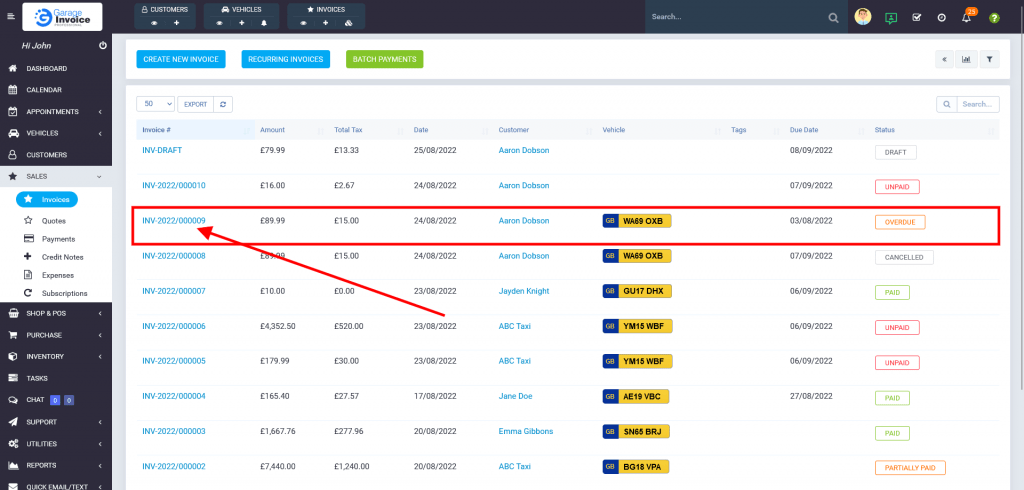
- Click Sales → Invoices menu located on the sidebar menu (left-hand side of the screen).
You can also use a shortcut menu. Just click eye symbol under the Invoices shortcut.

- Locate the invoice on the table list, and click on the Invoice Number.
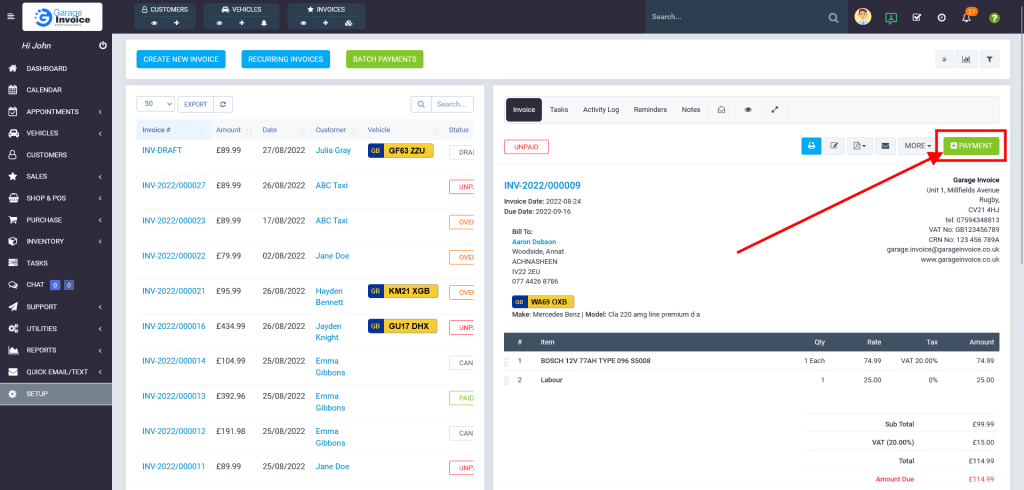
- Click
 Payment button.
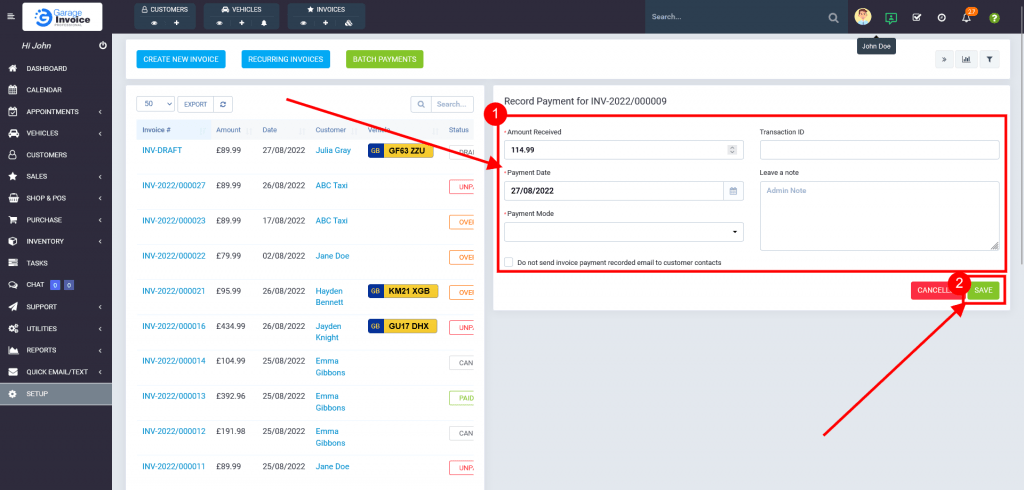
- Enter Amount Received, Payment Date, and select Payment Mode.
Optionally check/uncheck customer payment notification.
Click Save button.
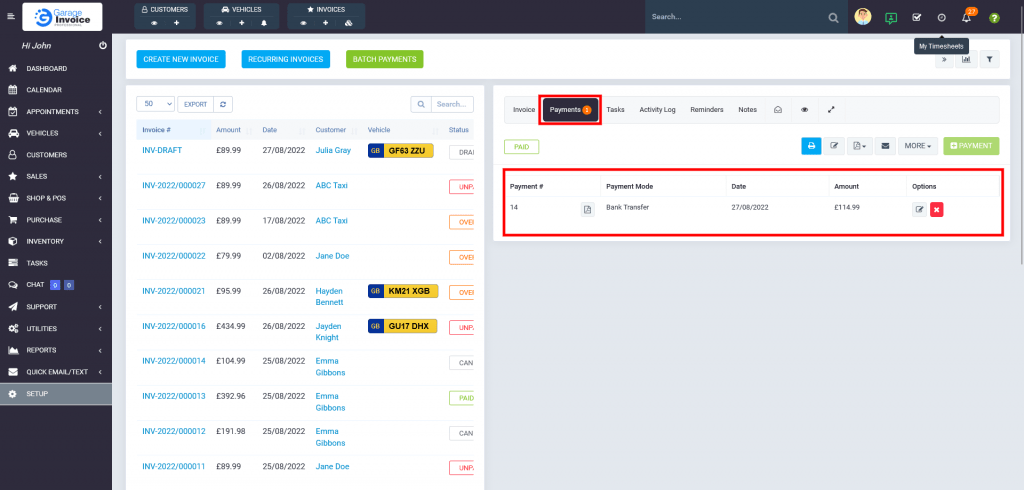
Recorded payments are visible on Invoice preview screen → Payments tab.