
Map Columns
Map CSV Statement Columns
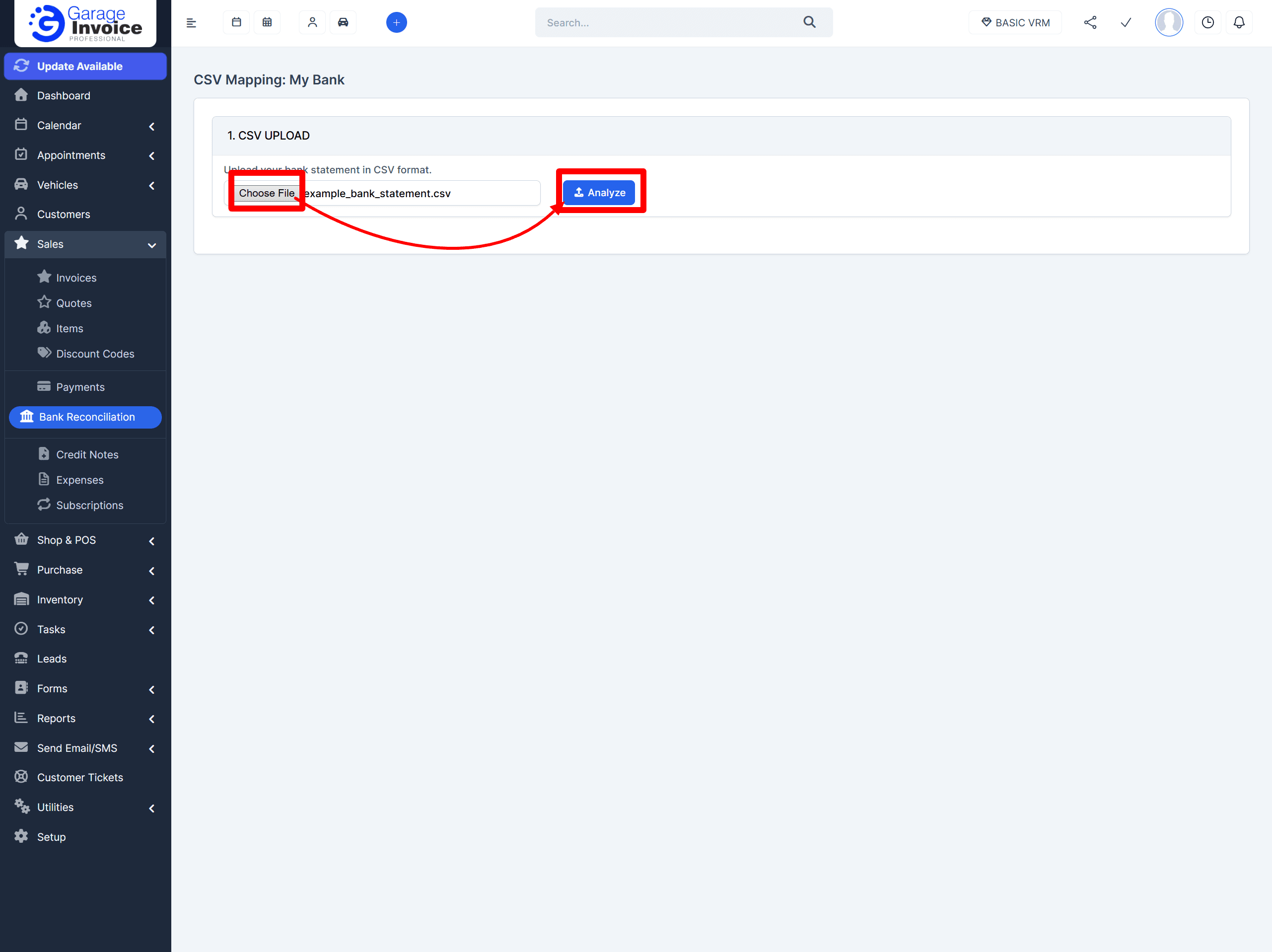
Step 1: Upload your CSV statement
Click Choose File and select the CSV statement you downloaded from your bank.
Click Analyse.

Step 2: Review and assign columns
After analysing, the system will try to automatically match the columns in your CSV.
Check that these required fields are mapped correctly:
Date
Amount
Description
Recommended (not required, but helpful later):
Counterpart Name (makes it easier to identify who the transaction is with)
Transaction Type (helps when reviewing income vs expense)
Use the dropdowns above each column to assign the correct header.
Any columns you do not need should be set to Ignore.
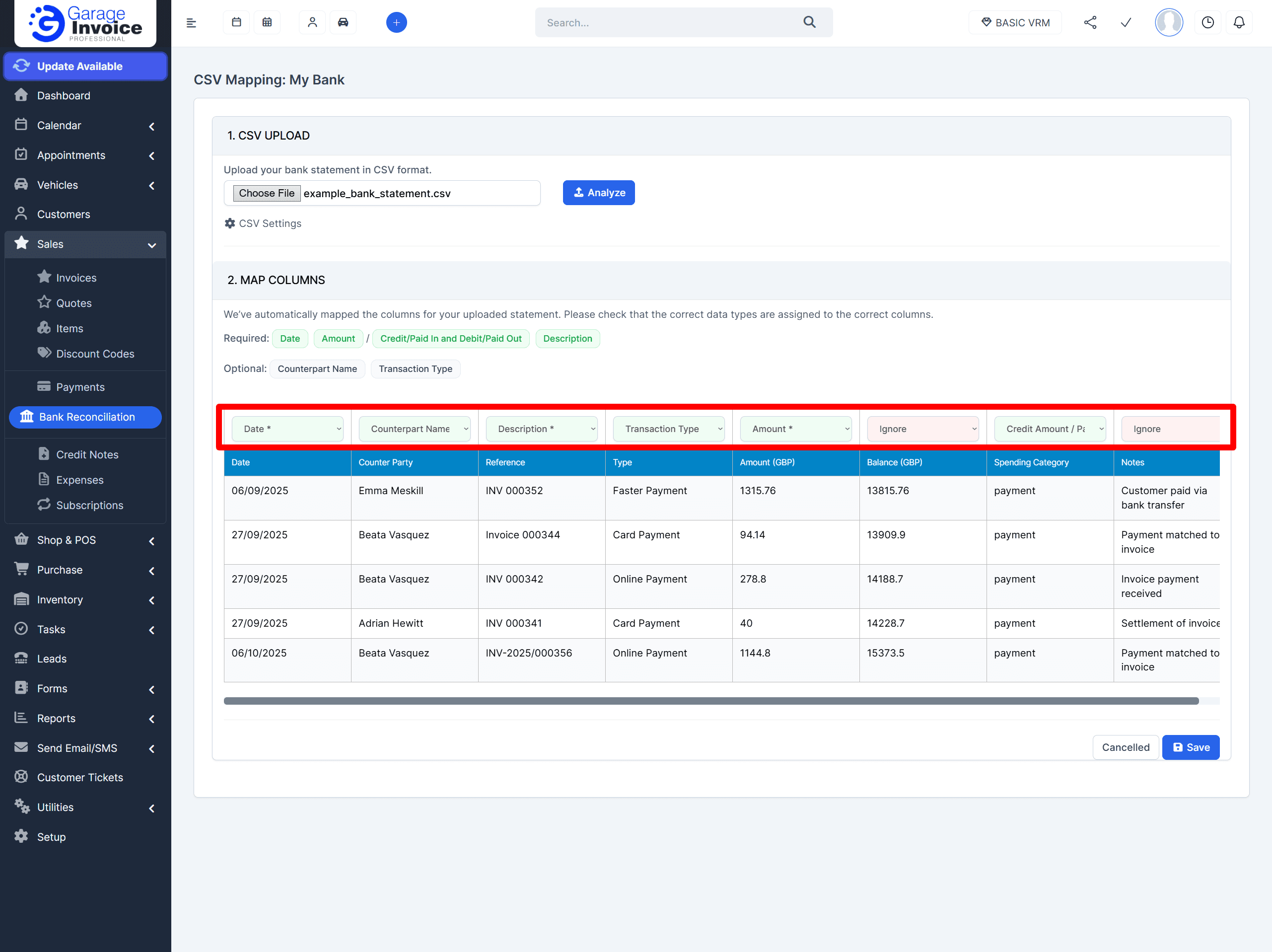
Note: If your statement does not have a single Amount column and instead has separate Credit/Paid In and Debit/Paid Out columns, use:
Credit Amount for the credit/paid in column
Debit Amount for the debit/paid out column
(do not use Amount in this case)


Step 3: Save the mapping
Click Save once you are happy with the mapping.
Step 4: Choose whether to import now
After saving, you will be asked if you want to import the transactions from this CSV.
Map & Import
Saves the column mapping and imports the transactions immediately.
You can then start reconciling your Income and Expense transactions.Map Columns
Saves the column mapping only. You can import transactions later at any time.