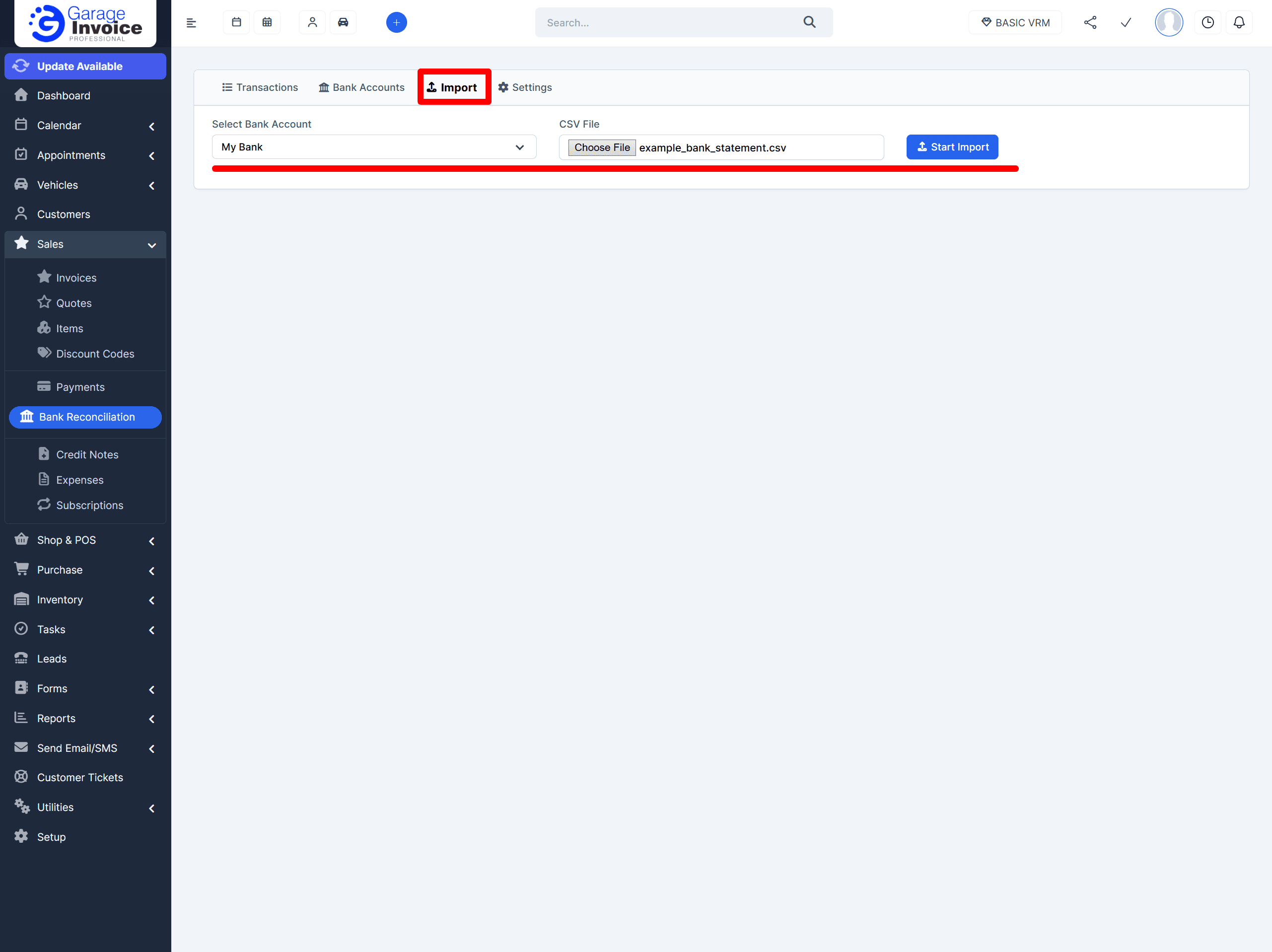
Import CSV

Estimated reading: 1 minute 12 views

Import a CSV Statement

Step 1: Open the Import page

  1. In the left menu, go to Sales → Bank Reconciliation → Import.

Step 2: Select the bank account and CSV file

  1. Choose the Bank Account you want to import into.

  2. Click Choose File and select the CSV statement file.

If you are importing a statement again and it includes transactions that were already imported before, those duplicate rows will be skipped automatically.

Step 3: Start the import

  1. Click Start Import.
    Offline Banking 01 26 2026 05 57 Pm

Once the import finishes, you will see a summary showing:

  • how many transactions were imported

  • how many were skipped

Step 4: Reconcile transactions

  1. Go to the Transactions tab to start reconciling your  Income and Expense transactions.

CONTENTS
Garage Invoice Vehicle Management Software logo in the footer section
Professional, affordable, and feature-rich Invoicing software for Workshops and Car Garages - making management simple and efficient.

Try Garage Invoice

For a limited time, your first month of Garage Invoice is only £1 (excl. VAT). Get set up in minutes and start managing bookings, invoices, and customers in one place.
No hidden fees. No contracts. Cancel anytime.
Garage Invoice Professional

£1

Excl. VAT