
Ignore/Delete transactions
Ignoring or deleting imported transactions
Imported transactions from your bank statement can be ignored or deleted if needed.
Ignore vs Delete (what’s the difference?)
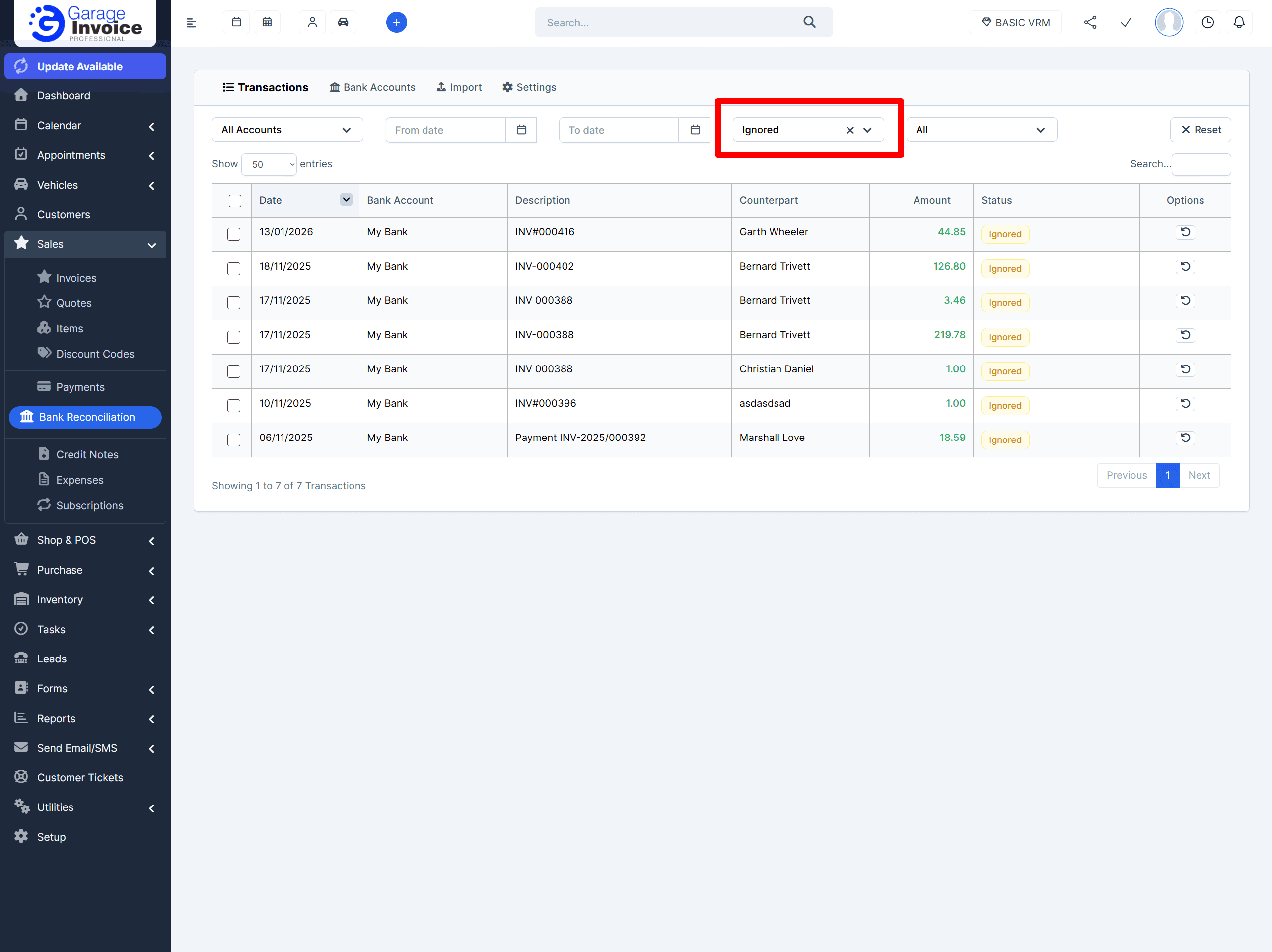
Ignored transactions are simply marked as Ignored and hidden from the main transactions list. They will not show unless you set the status filter to Ignored.
Deleted transactions are removed permanently from the transactions table.
Deleting a transaction will not delete any linked invoice payment or expense.
How to ignore a transaction
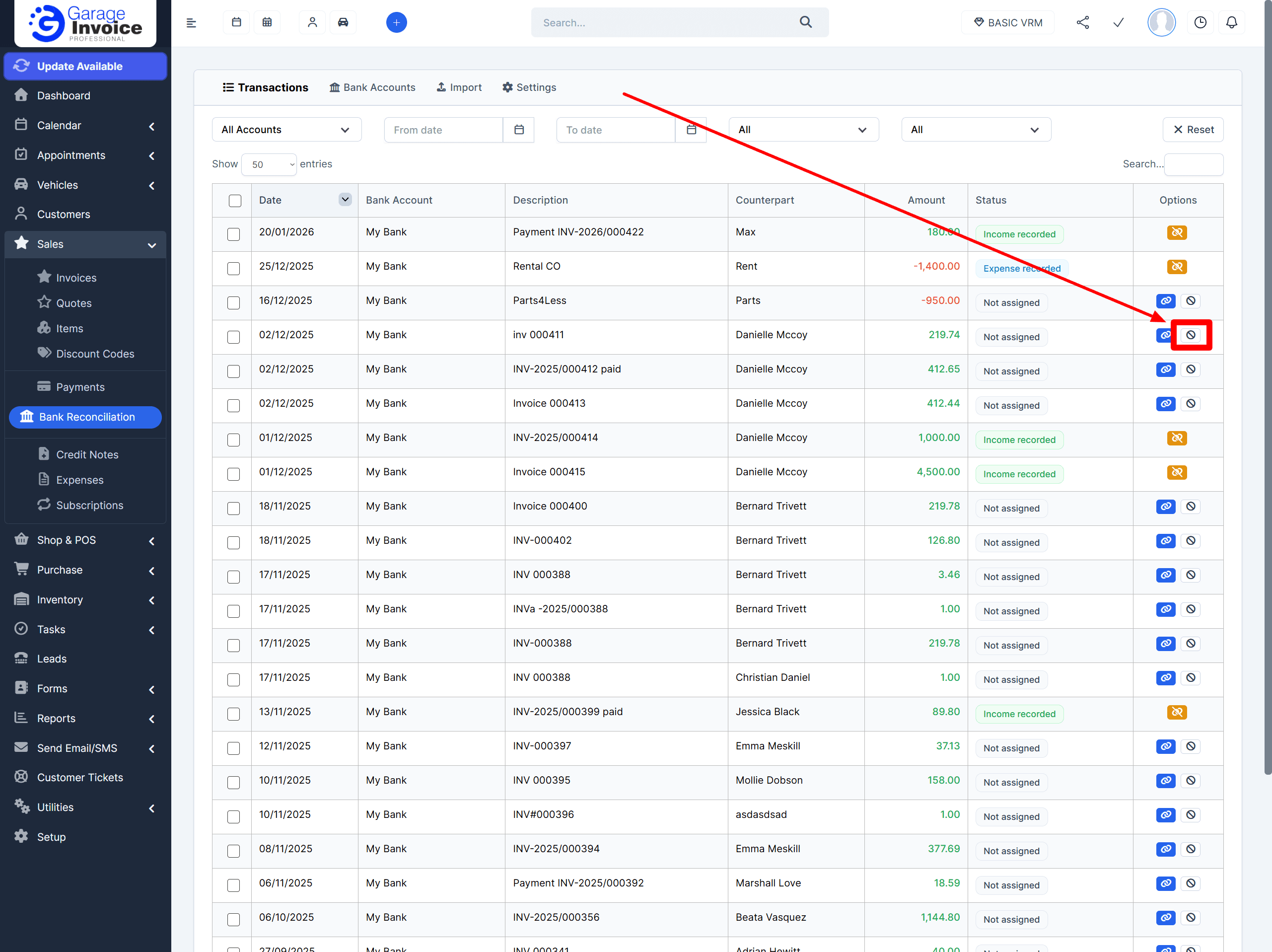
Find the transaction in Sales → Bank Reconciliation → Transactions
Click the ban icon (circle with a slash) next to the transaction

The transaction will be marked as Ignored
To view ignored transactions later, use the Status filter and select Ignored.
How to delete transaction(s)
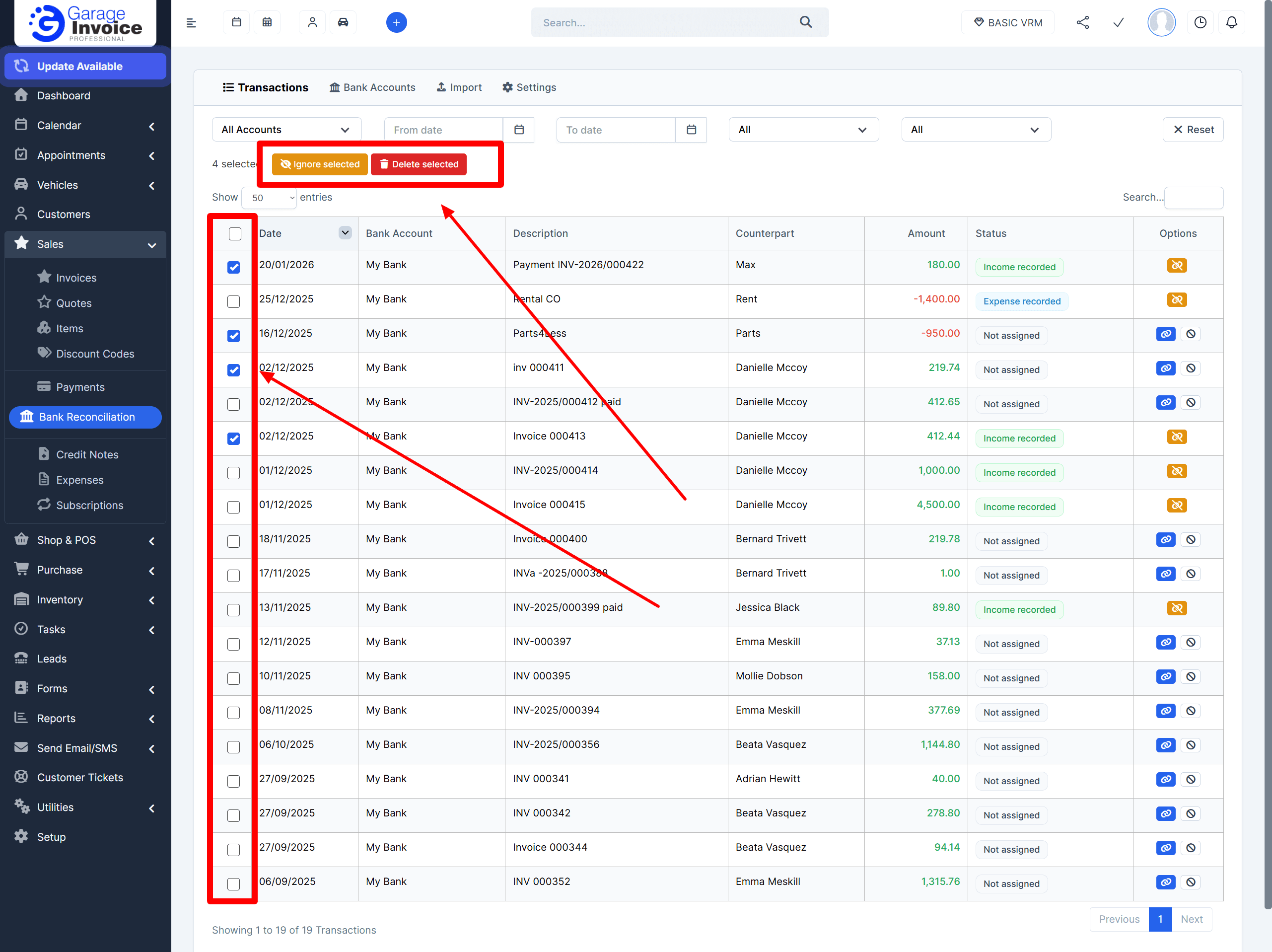
Navigate to Sales → Bank Reconciliation → Transactions
Select the transaction(s) you want to delete by ticking the checkbox in the first column
Click Delete Selected to remove them from the table
Note: Deleted transactions are removed permanently from the transactions list, but this will not delete any linked invoice payments or expenses.