The customer asks for a price on front brakes. You check the parts catalogue, allow an hour or so on the ramp and send the quote. Then the supplier rings back. The discs you priced are the smaller ones, and the correct pair costs £25 more. If the customer has already accepted the quote, that difference can come straight out of what you make on the job.

A good garage quote does two jobs. It gives the customer a clear price for a specific repair, and it gives you enough room to order the right parts and pay for the time the work takes. Here’s how to build one, with a £300 brake job you can follow from the supplier’s price to the customer’s total.
Confirm the registration and check the VIN or relevant options where the catalogue offers several parts. On a brake job, that could mean checking the axle, disc diameter or whether a wear sensor comes with the pad set. A registration lookup gets you started. The extra check is cheaper than a car sitting on the ramp while the factor sends a second delivery.
Write down the work you’re pricing in words the driver can follow. “Replace front brake pads and both front discs” gives them more to go on than “front brakes”. If the customer mentions vibration or a warning light and you haven’t checked the cause, price the inspection first. Say what the initial diagnostic fee covers, what the customer gets at the end of it and when you’ll ask them to agree further work.
For a known job with a defined scope, give a quote with a firm price. An estimate is a guide for work whose final cost is uncertain. Make the difference clear on the document and explain what could change the estimate. The Motor Ombudsman’s Service and Repair Code sets out these expectations for accredited businesses, including agreeing diagnostic charges during booking.
Sources: Citizens Advice guide to repair quotes and estimates · The Motor Ombudsman’s Service and Repair Code, sections 2.4 and 2.8–2.9
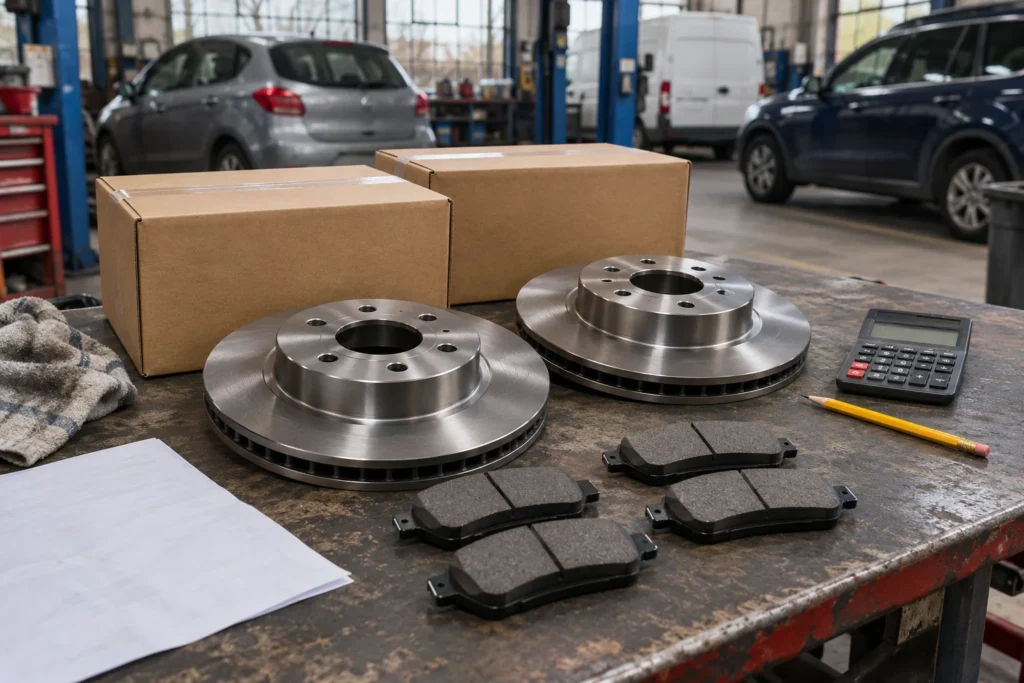
Start with your supplier’s price and add any delivery cost you can put against that job. Check the returns terms, the part’s availability and whether an exchange unit has a refundable surcharge. A surcharge you expect back is mainly a cash-flow item. If the old unit is likely to be rejected, factor the potential cost into your pricing before quoting.
Use figures on a consistent VAT basis. If you’re VAT-registered and can recover the VAT on a purchase, use the cost before VAT when setting your margin. If you aren’t VAT-registered, include any VAT you paid to the supplier in your cost and quote your customer a total without adding VAT as a separate charge.
Sources: HMRC guidance on charging and reclaiming VAT · HMRC guidance on VAT registration
Your parts price has to do more than repay the supplier. It helps pay for finding the right component, managing stock and returns, and dealing with faults after fitting. A 20% markup adds only £1 to a £5 item. On a £500 item it adds £100. You can use different percentages for different types or prices of parts, then check whether the pounds left on the whole job cover the work that goes with supplying them. Start with the costs and returns you actually see before setting your own bands.
Markup compares what you make on the part with what it cost you. Gross margin compares what you make with what you sold it for. Use a part that costs £100 to see the difference.
| If you want | Calculation | Selling price before VAT | Gross profit on the part |
|---|---|---|---|
| 30% markup | £100 × 1.30 | £130.00 | £30.00 |
| 30% gross margin | £100 ÷ 0.70 | £142.86 | £42.86 |
On the £130 selling price, the gross margin is 23.1%. If a supplier puts the cost up to £110 and your selling price stays at £130, your gross profit drops from £30 to £20. This is why checking the cost of the part before reusing last month’s quote matters.
Check any part in seconds with the free parts markup calculator, which shows markup and margin side by side.
Decide whether you’re willing to fit it before the car is booked in. Check whether the part is suitable and explain in writing what you’ll charge if it turns out to be wrong and the job has to stop. Set out what you’re responsible for in terms of fitting and what the customer needs to take up with their supplier. The duty to carry out your service with reasonable care and skill still applies.
Take your hourly rate and multiply it by the time you’re allowing for the job. At £80 an hour, 1 hour and 15 minutes is 1.25 hours and costs £100 before VAT. A 45-minute task is 0.75 hours. Put the decimal in the pricing system and use hours and minutes when you explain the quote to a customer.
Start with a trusted labour-time guide for the exact vehicle, then compare it with your own completed jobs. Allow for the normal work around the repair, such as getting the car on and off the ramp, checking the finished job and carrying out any necessary checks or tests. If two tasks share the same strip-down, allow the shared time once. If you charge separately for diagnostics, make clear what testing is included in each line.
A fixed quote will sometimes come in under your time allowance and sometimes go over. If a routine job keeps taking an extra half-hour, update the allowance you use on future quotes. When you discover a separate fault outside the agreed work, price it and ask the customer to approve it before proceeding.
This is an illustrative quote for a VAT-registered garage using assumed supplier costs, an £80 labour rate and standard-rate VAT. BookMyGarage reported an average of £278 for front pads and discs from bookings on its platform, using figures it marked current as of November 2026. That’s the customer price for a mix of jobs on one platform. Use the exact vehicle and your own costs when you price yours.
Sources: BookMyGarage booking data · HMRC VAT rates
| Quote line | Internal calculation | Total before VAT |
|---|---|---|
| Front brake discs, pair | £75 purchase cost plus 40% markup | £105.00 |
| Front brake pad set | £30 purchase cost plus 30% markup | £39.00 |
| Fit front pads and discs and carry out final checks | 1.25 hours × £80 | £100.00 |
| Brake cleaner and fitting consumables | Included in the agreed job price | £6.00 |
| Subtotal | £250.00 | |
| VAT at 20% | £50.00 | |
| Total payable including VAT | £300.00 |
On the version you send, show the parts and labour selling prices and make £300 including VAT easy to spot. Keep the supplier costs and markups on your own costing sheet. If a fee is unavoidable for the job, include it in the total you present to a consumer. You can still itemise it so the customer sees what they’re paying for.
Source: Competition and Markets Authority guidance on price transparency
The parts sell for £144 and cost £105, leaving £39 in parts gross profit. Say the consumables cost you £3 and you use an internal labour cost of £48 per hour before general overheads. At 1.25 hours, that’s £60 of labour cost. Take the £105 in parts, £3 in consumables and £60 in labour off the £250 sale before VAT. The job leaves £82 towards overheads and profit.
If the same job takes 30 minutes longer, the labour costs £24 more and the amount left falls to £58. Your £100 labour line has brought in about £57 per hour actually spent on the job. Review jobs like this together at the end of the month. It soon becomes clear whether the problem is the supplier price, the time allowance or a discount you give so often it has become your real price.

Say you’re doing the £300 brake job and find a seized caliper outside the quoted work. Tell the customer what you found, what the extra repair costs, and how it affects collection. Give them the new total. “The caliper adds £120 including VAT, so the full job would be £420” gives the customer a decision they can understand without doing the maths on the phone.
Get approval before starting the extra work and keep the reply or a record of the call with the quote. If the customer declines or can’t be reached, record that too and discuss the safe options for the vehicle. The Motor Ombudsman’s Code requires accredited businesses to seek authorisation for additional work and to match the final invoice to the quote unless the customer authorises the extra cost.
Source: The Motor Ombudsman’s Service and Repair Code, sections 3.2–3.3 and 4.1–4.3
Start with a job you quote every week. Check what you charged on the last five, what you paid for parts and how long they really took. Change the one line the numbers tell you is wrong. Once that quote works, save it as a starting point for the next car and recheck the details each time.
Need to put this into a document today? Use the free repair estimate and quote template online or for Excel, Word and PDF. In Garage Invoice, see how to create a quote and how to save repeat jobs as document templates.
